
The ASAP Utilities menu in Excel (English)
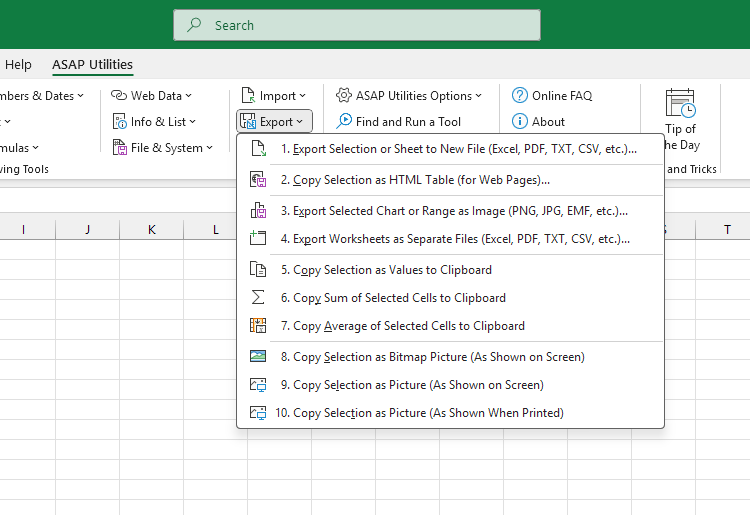
“Export” tools
These tools help you export your data, charts, or worksheets in the format you need. Save your selection, full sheet, or all worksheets to Excel, PDF, CSV, JSON, or other delimited text formats using a custom separator. You can also export charts or ranges as images (such as PNG or EMF), copy clean values, or turn tables into HTML code for websites or content editors. These tools do things Excel can't, or let you do them faster and with more control.In the Excel menu choose: ASAP Utilities › Export
- Export Selection or Sheet to New File (Excel, PDF, TXT, CSV, etc.)...
- Copy Selection as HTML Table (for Web Pages)...
- Export Selected Chart or Range as Image (PNG, JPG, EMF, etc.)...
- Export Worksheets as Separate Files (Excel, PDF, TXT, CSV, etc.)...
- Copy Selection as Values to Clipboard
- Copy Sum of Selected Cells to Clipboard
- Copy Average of Selected Cells to Clipboard
- Copy Selection as Bitmap Picture (As Shown on Screen)
- Copy Selection as Picture (As Shown on Screen)
- Copy Selection as Picture (As Shown When Printed)
Submenu screenshot
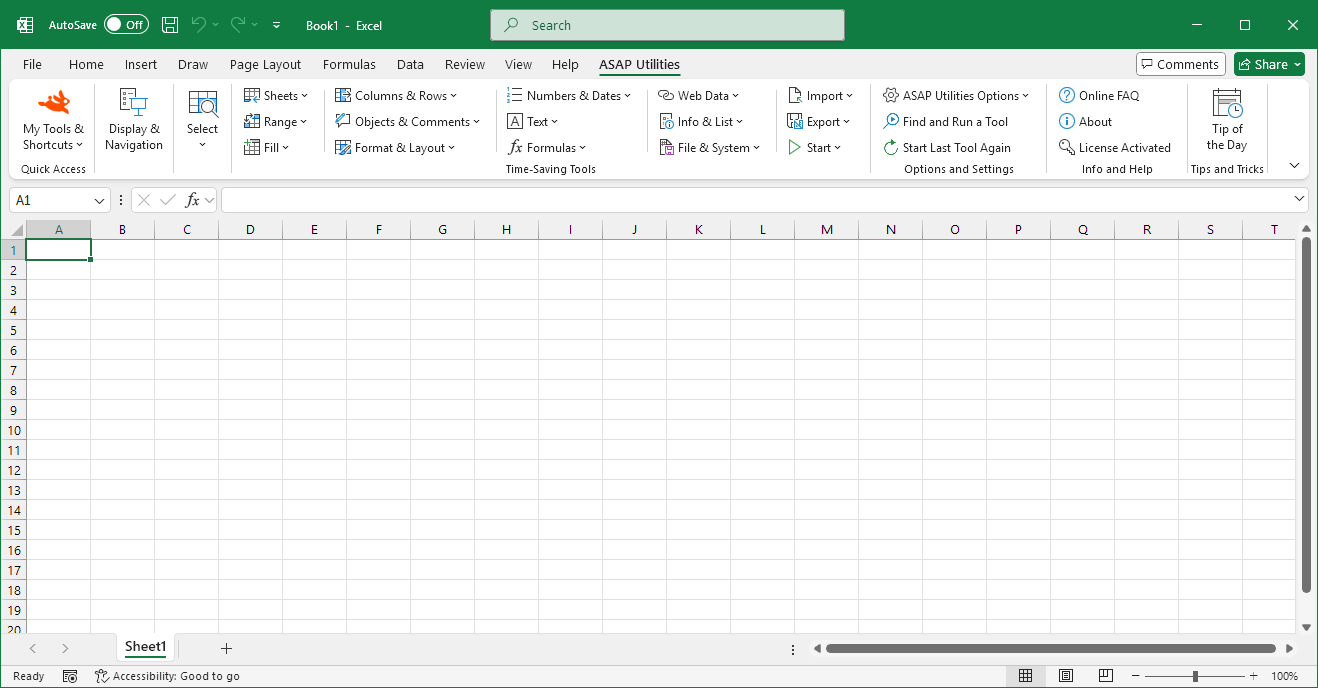
ASAP Utilities helps you save time and do what Excel alone cannot.With 300+ tools, our Excel Add-in automates repetitive tasks, increases your productivity, and simplifies complex tasks.
Excel with ASAP Utilities in its menu
Choose your language preference below
English (us) ⁄ Nederlands ⁄ Deutsch ⁄ Español ⁄ Français ⁄ Português do Brasil ⁄ Italiano ⁄ Русский ⁄ 中文(简体) ⁄ 日本語
« Return to the list of tools.
©1999-2026 ∙ ASAP Utilities ∙ A Must in Every Office BV ∙ The Netherlands
🏆 Winner of the "Best Microsoft Excel Add-in" Award at the Global Excel Summit 2025 in London!
For over 26 years, ASAP Utilities has helped users worldwide save time and do what Excel alone cannot.
🏆 Winner of the "Best Microsoft Excel Add-in" Award at the Global Excel Summit 2025 in London!
For over 26 years, ASAP Utilities has helped users worldwide save time and do what Excel alone cannot.