
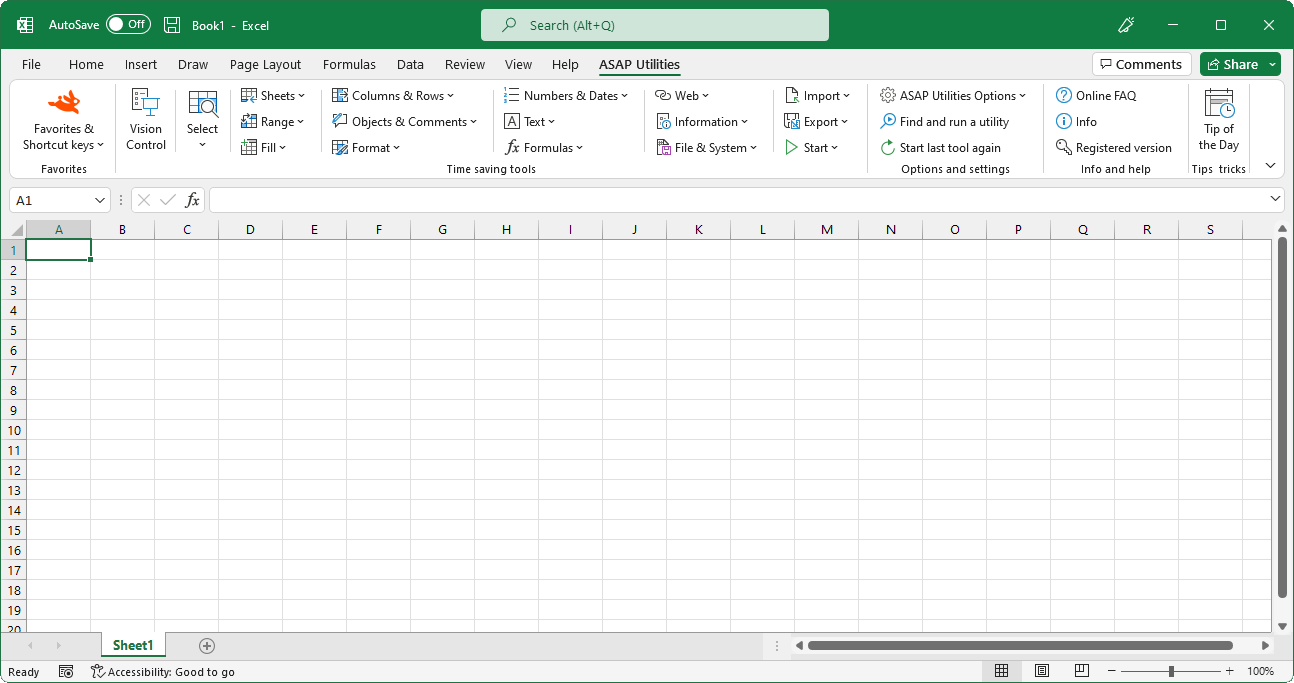
The ASAP Utilities menu in Excel (English)
Settings, language and contact information...
English (us) ⁄ Nederlands ⁄ Deutsch ⁄ Español ⁄ Français ⁄ Português do Brasil ⁄ Italiano ⁄ Русский ⁄ 中文(简体) ⁄ 日本語ASAP Utilities Options › 1. Settings, language and contact information...
Here you can change the settings of ASAP Utilities.When you press the "OK" button the changes will be saved, except for the language. If you change the language this is immediately saved.
General
You can switch on/off the question that sometimes is asked before running the utility. For example a question such as "Do you want to convert all text in the selected cells to UPPERCASE?".
By default this option is checked.
Turn the undo on or off. Sometimes to increase the speed you might want to turn off the undo.
Excel does not have a shortcut to switch between full screen and normal view. In most internet browsers you can use the F11 key to do this.
You can now choose to use the F11 key to switch between full screen mode in Excel with ASAP Utilities. By default Excel uses the F11 key inserts a chart sheet in Excel but you can also do that with the key combination Alt+F1.
By default, Excel does not have the ability for users to scroll with the mouse in dialog boxes created in Excel's Visual Basic for Applications (VBA) programming language.
(Added per user request. However, due to a bug in certain Excel builds this can sometimes cause those Excel builds to crash with error 35010.)
This option is only available in the ribbon of Excel 2007 or later.
Allow ASAP Utilities to report anonymous usage statistics. These usage statistics do not include personal information, such as the data you work with. Usage statistics do include the following information from your computer: Windows version and language, Excel version and language, ASAP Utilities version and language, and the id's of the 10 tools used most often and your anonymized ip address.
This information helps with the further development of ASAP Utilities and its documentation and translations.
Here you can change the language of ASAP Utilities into one of the available languages.
Folder settings
This tab shows you in which folder ASAP Utilities is installed.Here you can specify the folder where your favorites menu file is stored. If you work on multiple computers it can be useful to store the favorites menu file on a network folder so that it is accessible from both computers.
If you pick a folder that doesn't have a favorites menu file yet, a file with the default settings will be created.
Here you can specify where the backups are saved that are created with the "Save file and create backup" utility.
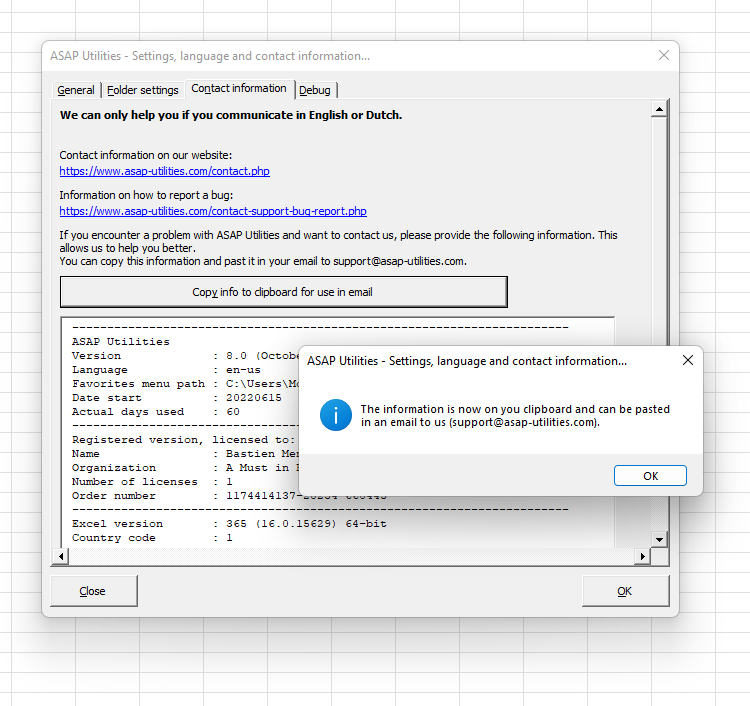
Contact information
If you encounter problems and you contact us, then please provide the information displayed here.It will give us information about the version of Excel and ASAP Utilities that you use, including some other important information.
When you click on the button "Copy info to clipboard for use in email" the information will be put on your clipboard and you can easily paste it into an email to use where you describe the problem.
More information about contacting us is written in Chapter 9, Troubleshooting FAQ of the User Guide (English).
The following page on our website shows how to report a bug:
https://www.asap-utilities.com/contact-support-bug-report.php
Important: We can only help you if you communicate in English or Dutch.
Debug
In some cases you will be advised by the ASAP Utilities support team to turn on this debug setting to help solve specific problems.This log file records certain steps in ASAP Utilities and can help detect at which point something goes wrong.
Screenshots
Example screenshot: 1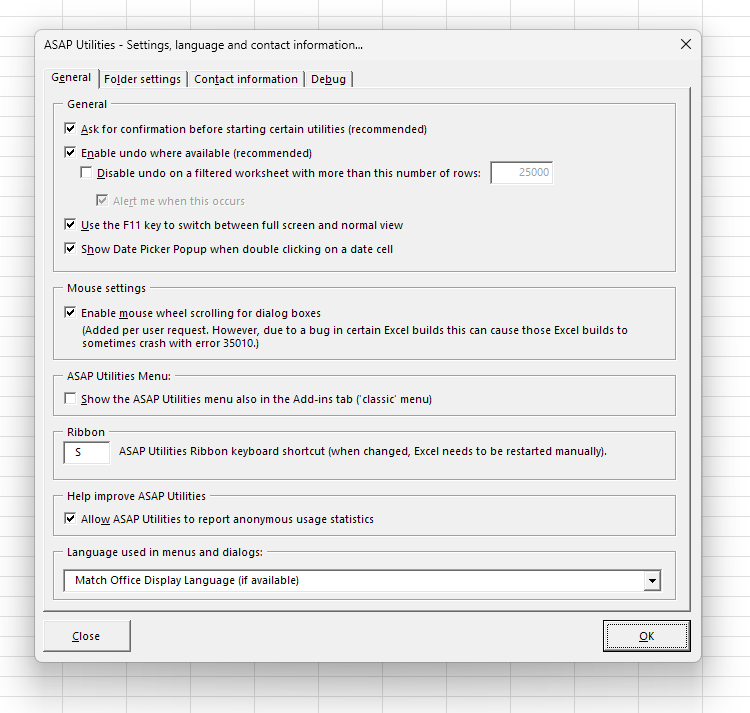
Example screenshot: 2

Practical tricks on how this can help you
Practical 'real world' examples on our blog that show you how this tool can help you in Excel. Enjoy!Starting this tool
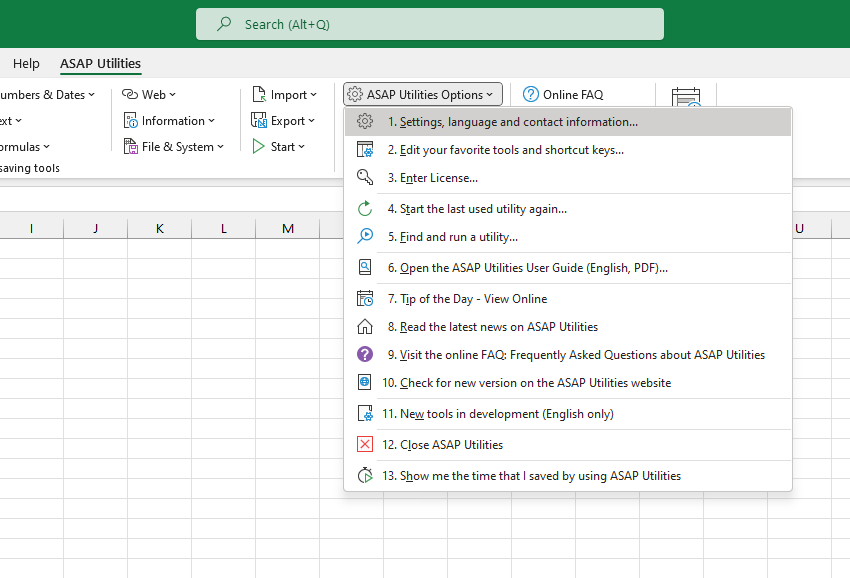
- Click ASAP Utilities › ASAP Utilities Options › 1. Settings, language and contact information...
- Specify a Keyboard Shortcut: ASAP Utilities › Favorites & Shortcut keys › Edit your favorite tools and shortcut keys...
Additional keywords for this tool:
configure, fullscreen
configure, fullscreen
©1999-2024 ∙ ASAP Utilities ∙ A Must in Every Office BV ∙ The Netherlands
Empowering Excel Users Worldwide for 25 Years
Empowering Excel Users Worldwide for 25 Years