


Advanced Criteria-Based Cell Selection...
This tool lets you quickly select cells in Excel using advanced criteria that go far beyond Excel's built-in filtering options.
It offers a wide range of criteria that allow you to select cells based on their content, formatting, properties, date, or anything else you can think of.
For example, you can select cells with bold formatting or dates from a specific month or quarter, though the tool offers much more flexibility than these examples.
Select cells by their content based on any of the following criteria:
- between
- not between
- equal to
- not equal to
- greater than
- less than
- greater than or equal to
- less than or equal to
- begins with
- does not begin with
- ends with
- does not end with
- contains
- does not contain
- like (text, with use of wildcard characters)
- not like (text, with use of wildcard characters)
- duplicate values
- unique values
- empty cells
- not empty cells
- FALSE
- TRUE
- text length
- values in lowercase
- values in UPPERCASE
- odd numbers
- even numbers
- number (constant)
- number (formula)
- number (link to sheet)
- number (link to file)
- formula with reference to file
- formula with reference to sheet
- contains any of the values specified in a range
- contains any of the full words specified in a range
- does not contain any of the values specified in a range
- does not contain any of the full words specified in a range
- equals a value specified in a range
- does not equal a value specified in a range
- contains all values specified in a range
- contains all full words specified in a range
- matches regular expression
Select cells by their formatting or other properties based on any of the following criteria:
- cell color
- font color
- font name
- font size
- font = bold
- font <> bold
- font = underline
- font <> underline
- font = italic
- font <> italic
- strikethrough
- has hyperlink
- has comment
- resolved comment thread
- unresolved comment thread
- protected cells
- unprotected cells
- odd rows
- even rows
- odd columns
- even columns
- visible cells
- hidden value/formula
- number format contains
- merged cells
- unmerged cells
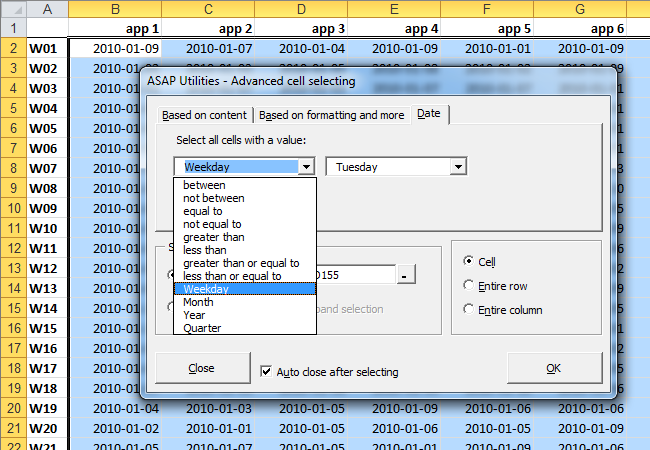
Select cells with dates based on any of the following criteria:
- between
- not between
- equal to
- not equal to
- greater than
- less than
- greater than or equal to
- less than or equal to
- Weekday
- Month
- Year
- Quarter
You can run this tool sequentially to refine your selection using multiple criteria.
Some people use this tool as an alternative to, or in combination with, Excel's AutoFilter when they need more advanced or flexible filtering options.
By default, you can launch this tool using the Control+Alt+O shortcut.
Note:
The tool's speed may decrease if the matching cells are in many non-contiguous blocks of cells. In such an event, you can increase the speed by sorting your data first.
Starting this tool
Specify a Keyboard Shortcut: ASAP Utilities › My Tools & Shortcuts › Manage My Tools & Shortcuts...
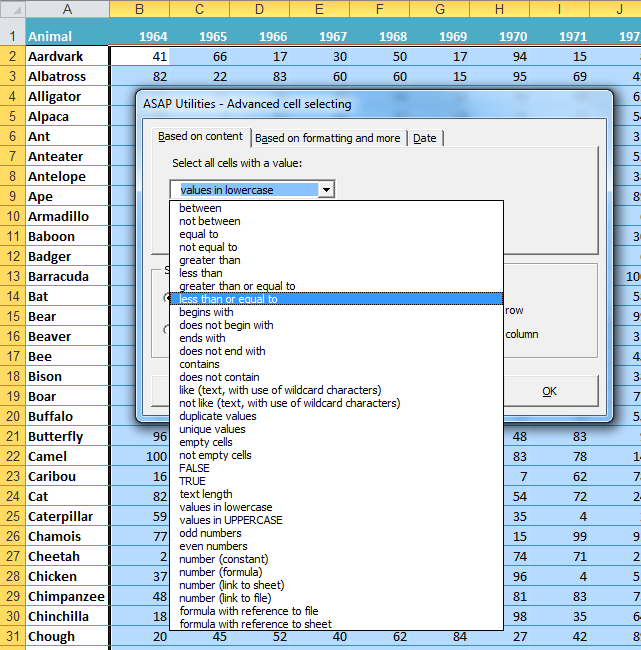
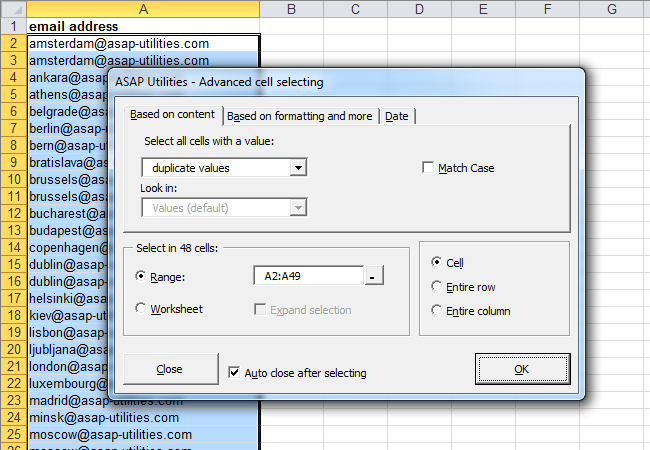
Example screenshot: 2 Select the cells with duplicated values (Here's the English version.)
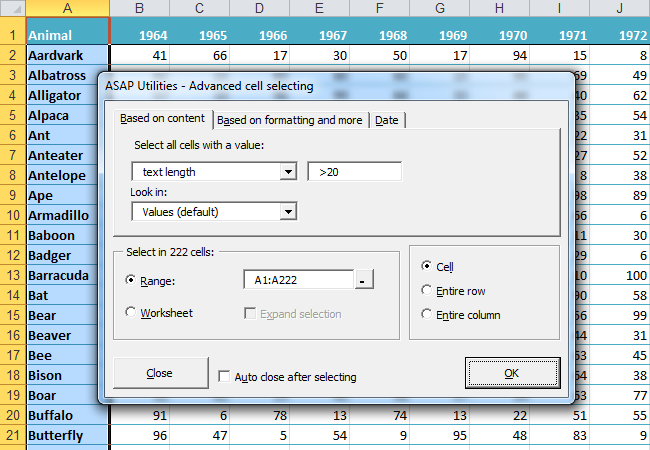
Example screenshot: 3 Select by text length (Here's the English version.)
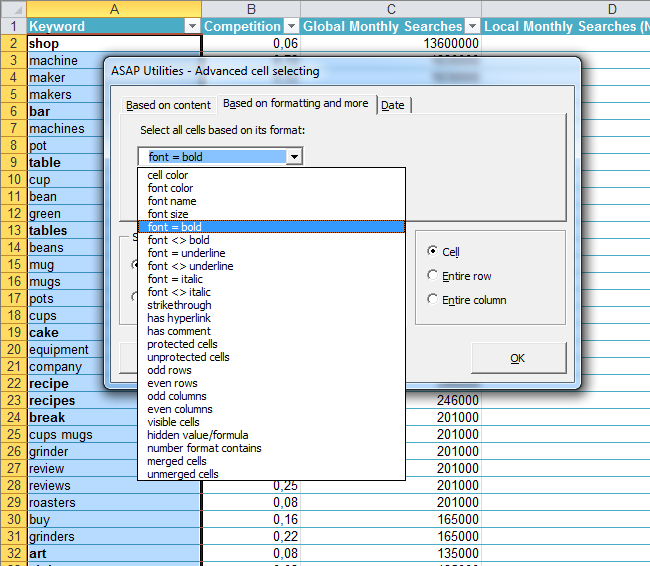
Example screenshot: 4 Select cells by their formatting and more such as bold cells (Here's the English version.)
Example screenshot: 5 Select the cells with the same color as cell A2 (yellow) (Here's the English version.)
.png "5 Select the cells with the same color as cell A2 (yellow) (Here's the English version.)")
Example screenshot: 6 Select all cells that are strikethrough (perhaps marked for deletion) (Here's the English version.)
.png "6 Select all cells that are strikethrough (perhaps marked for deletion) (Here's the English version.)")
Example screenshot: 7 Select cells by date such as all dates that are on Tuesday (Here's the English version.)
Additional search terms to help you find this tool:
advanced Excel filtering, select cells based on conditions, advanced selection criteria, custom cell selection Excel, select cells by text length, select cells by color formatting, select cells by font style, select cells by numeric criteria, select cells by conditional logic, select cells by duplicate criteria, Excel select non-duplicate cells, select cells based on properties, match, tag, pick, underlined, white, pink, red, orange, brown, yellow, gray, green, cyan, blue, violet, black, threaded, dups, duplicates
Tip:Alt+P for the previous tool.
Tip: Alt+N for the next tool.

Save Time in Excel. The Easy Way.
ASAP Utilities helps you save time and do what Excel alone can't.
You can get started right away. No training needed.
Most users start with a few tools. Many end up using ASAP Utilities daily.
Used by teams in 28,500+ organizations.
Get Started with ASAP Utilities 9
Start saving time in Excel with practical tools you can use right away.
-
No sign-up required.
-
-
Free 90-day trial