
The ASAP Utilities menu in Excel (English)
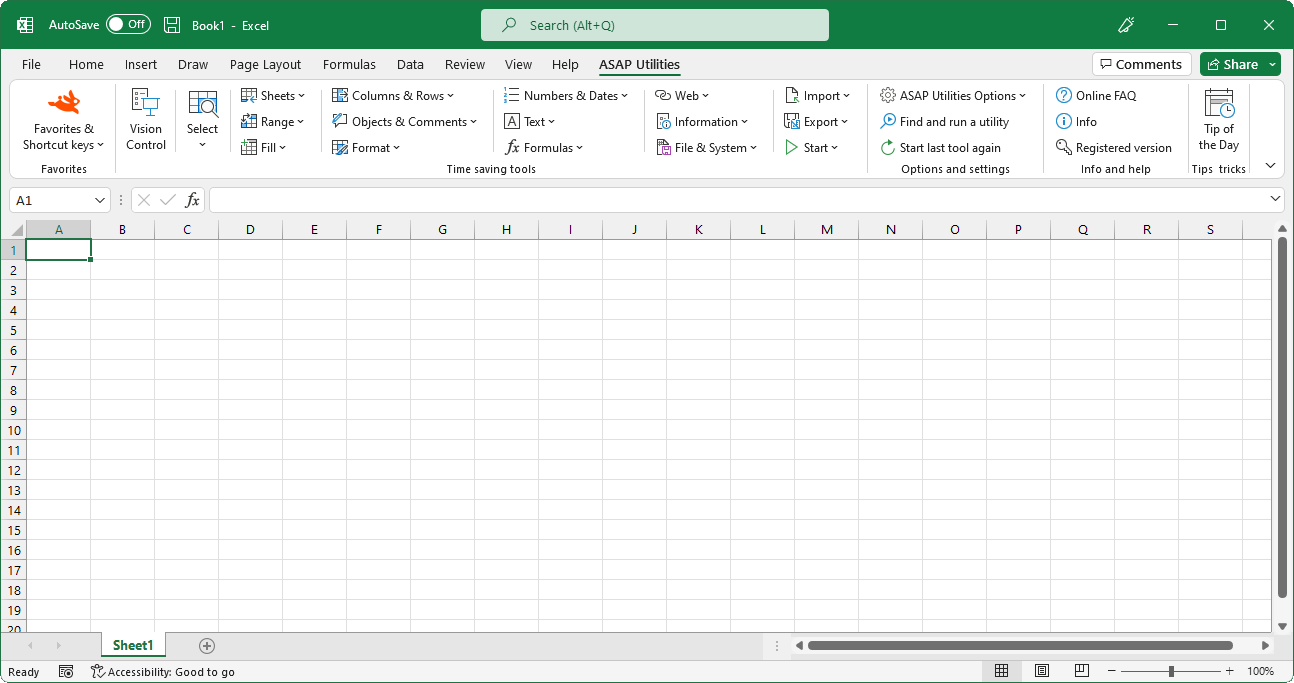
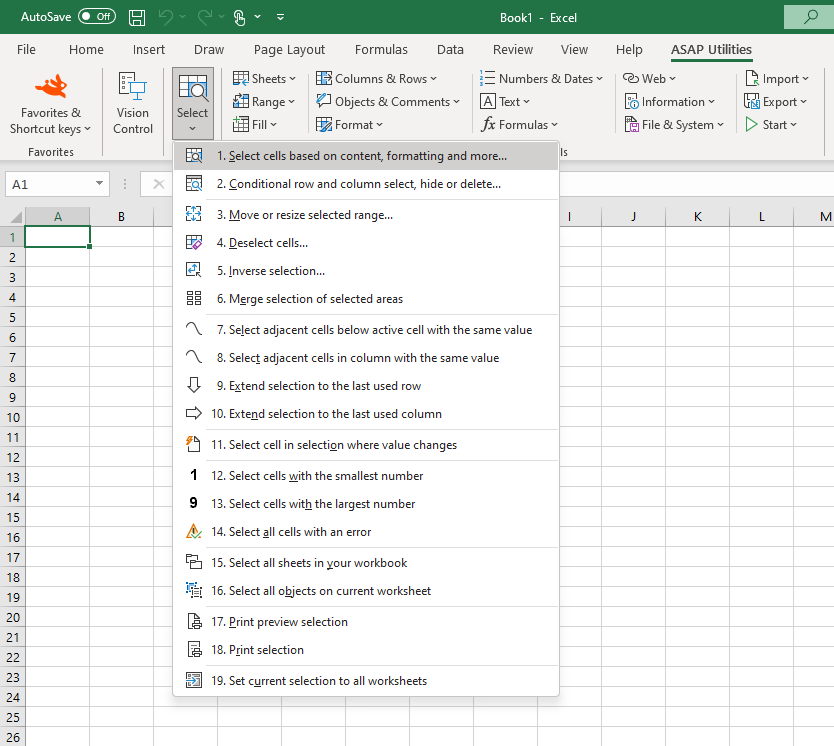
Select cells based on content, formatting and more...
English (us) ⁄ Nederlands ⁄ Deutsch ⁄ Español ⁄ Français ⁄ Português do Brasil ⁄ Italiano ⁄ Русский ⁄ 中文(简体) ⁄ 日本語Select › 1. Select cells based on content, formatting and more...
With this tool you can select cells based on their value, formatting style and other properties.You can for example select all cells between 50 and 250 or all bold cells or all red cells.
You can use the following criteria to select cells based on their contents:
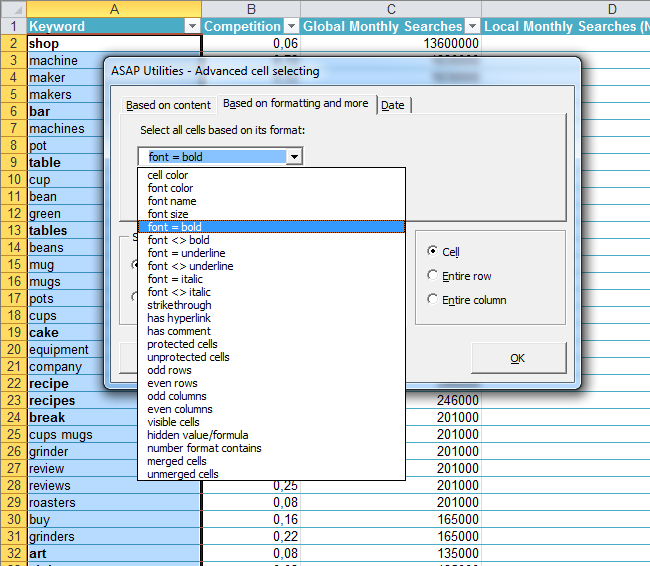
You can use the following criteria to select cells based on formatting and more:
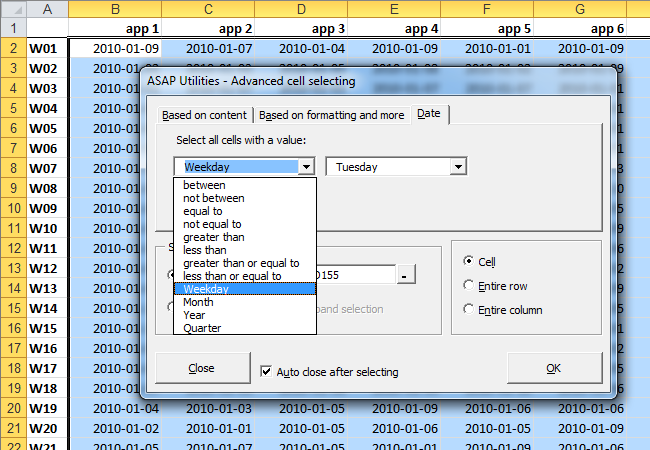
You can use the following criteria to select cells based on their date:
Some people use this utility as an alternative for or addition to Excel's AutoFilter.
By default this utility can be used with the shortcut Control+Alt+O.
Note:
The speed of the utility decreases if the matching cells are in many non-contiguous blocks of cells. The speed can be increased by first sorting your data.
You cannot use this utility to select cells on a condition that is set via conditional formatting.
Due to a limit in Excel, this utility can select a maximum of 8192 non-contiguous blocks of cells. More information about this is on the Microsoft website:
https://support.microsoft.com/kb/832293/en-us
Screenshots
Example screenshot: 1 Select cells based on their value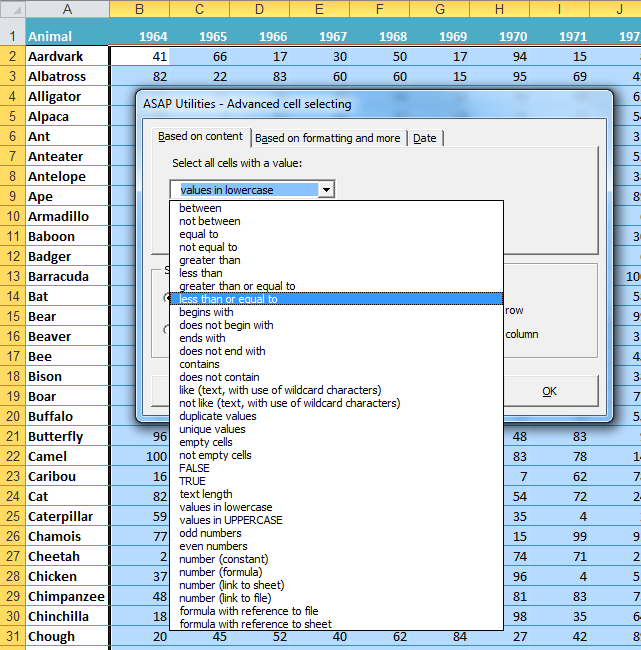
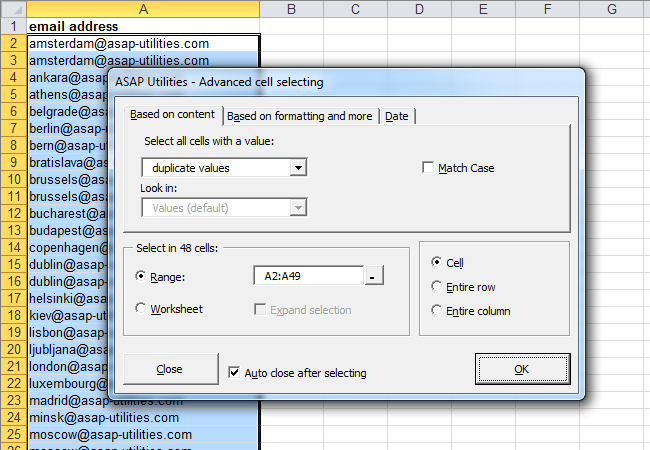
Example screenshot: 2 Select the cells with duplicated values
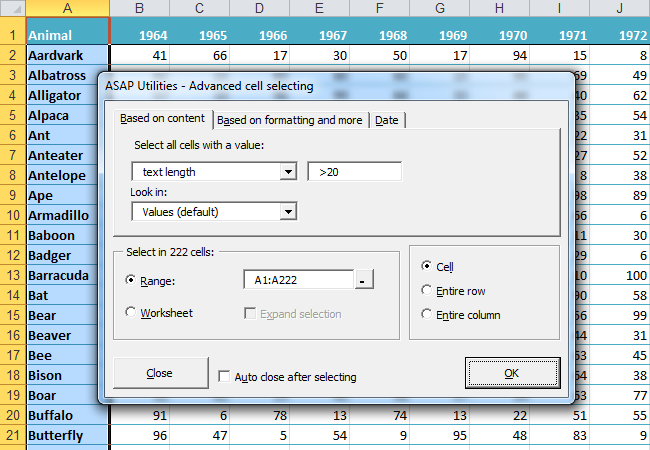
Example screenshot: 3 Select by text length
Example screenshot: 4 Select cells by their formatting and more such as bold cells
Example screenshot: 5 Select the cells with the same color as cell A2 (yellow)
.png "5 Select the cells with the same color as cell A2 (yellow)")
Example screenshot: 6 Select all cells that are strikethrough (perhaps marked for deletion)
.png "6 Select all cells that are strikethrough (perhaps marked for deletion)")
Example screenshot: 7 Select cells by date such as all dates that are on Tuesday

Practical tricks on how this can help you
Practical 'real world' examples on our blog that show you how this tool can help you in Excel. Enjoy!- Tip: Quickly select or filter by strikethrough formatted text
- Tip: Select cells automatically based on their contents, formatting, etc.
Starting this tool
- Click ASAP Utilities › Select › 1. Select cells based on content, formatting and more...
- Specify a Keyboard Shortcut: ASAP Utilities › Favorites & Shortcut keys › Edit your favorite tools and shortcut keys...
Additional keywords for this tool:
Duplicates, Double, Colour, Based on criteria, highlight, duplicate data, duplicate fields, duplicate cells, find all duplicates, filter, select rows or columns in intervals, colours, find and select cells that meet specific conditions, wildcard, match, tough filter, find cells with a certain amount of characters, finding, duplication, Conditional select cells, the same value, colored, highlight, line, advanced, amount, quantity, see, tag, select within, choose, pick, underlined, blanks, deselecting, unselect, separators, only, white, pink, red, orange, brown, yellow, gray, green, cyan, blue, violet, black, threaded comment, threaded comments
Duplicates, Double, Colour, Based on criteria, highlight, duplicate data, duplicate fields, duplicate cells, find all duplicates, filter, select rows or columns in intervals, colours, find and select cells that meet specific conditions, wildcard, match, tough filter, find cells with a certain amount of characters, finding, duplication, Conditional select cells, the same value, colored, highlight, line, advanced, amount, quantity, see, tag, select within, choose, pick, underlined, blanks, deselecting, unselect, separators, only, white, pink, red, orange, brown, yellow, gray, green, cyan, blue, violet, black, threaded comment, threaded comments
©1999-2024 ∙ ASAP Utilities ∙ A Must in Every Office BV ∙ The Netherlands
Empowering Excel Users Worldwide for 25 Years
Empowering Excel Users Worldwide for 25 Years