
Das ASAP Utilities-Menü in Excel (Deutsch (German))
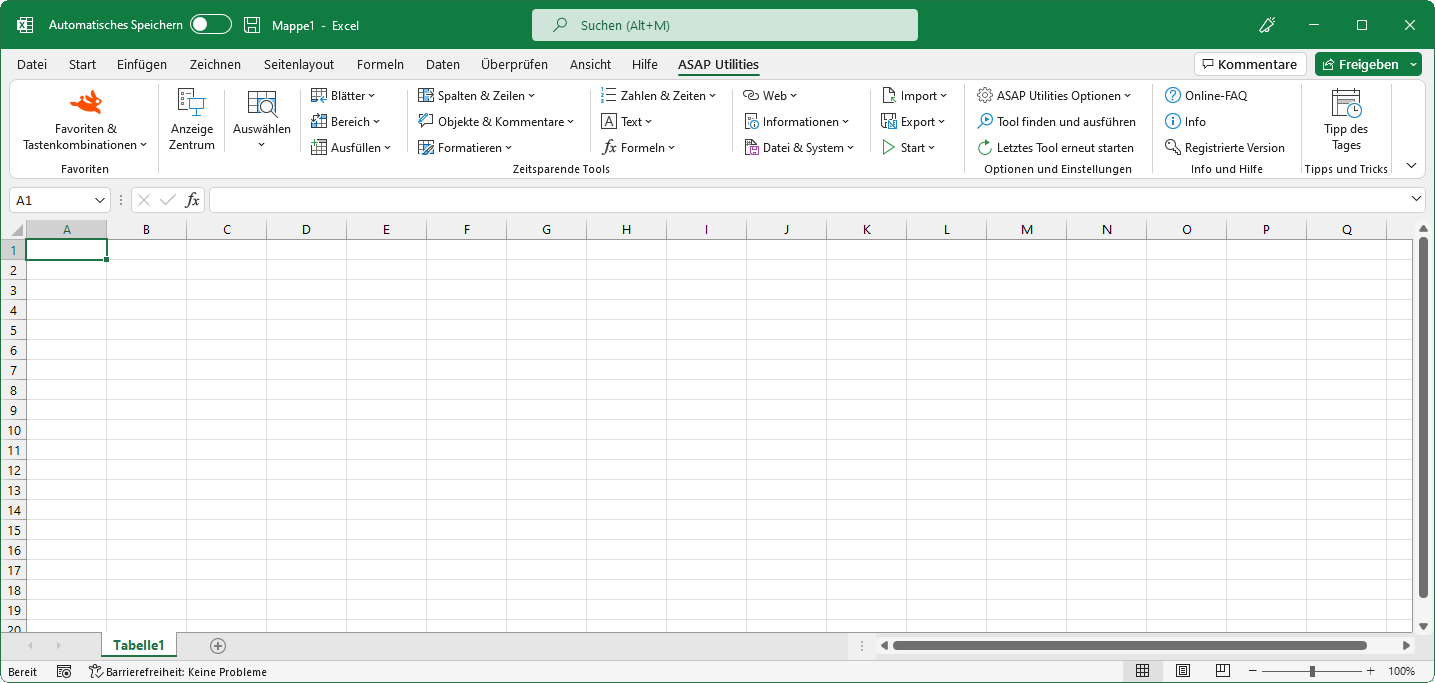
Beschreibung aller Tools von ASAP Utilities
Diese Liste bietet einen Einblick in die Makro-Tools von ASAP Utilities.Bitte lesen Sie sie gründlich. Auch Sie finden dort sicher tolle Tools, mit denen Sie viel Zeit sparen können.
English (us) ⁄ Nederlands ⁄ Deutsch ⁄ Español ⁄ Français ⁄ Português do Brasil ⁄ Italiano ⁄ Русский ⁄ 中文(简体) ⁄ 日本語
Die Tools sind in die folgenden Kategorien unterteilt
Excel mit ASAP Utilities im Menü
Zusätzliche Arbeitsblattfunktionen
Nach Installation von ASAP Utilities stehen Ihnen mehrere zusätzliche Arbeitsblattfunktionen in Excel zur Verfügung.Beispiele für die Nutzung von ASAP Utilities
Einige der häufigsten Probleme, die durch Verwendung von ASAP Utilities gelöst werden können (oder wurden) (nur auf Englisch).Schnell ein Tool von ASAP Utilities aus finden
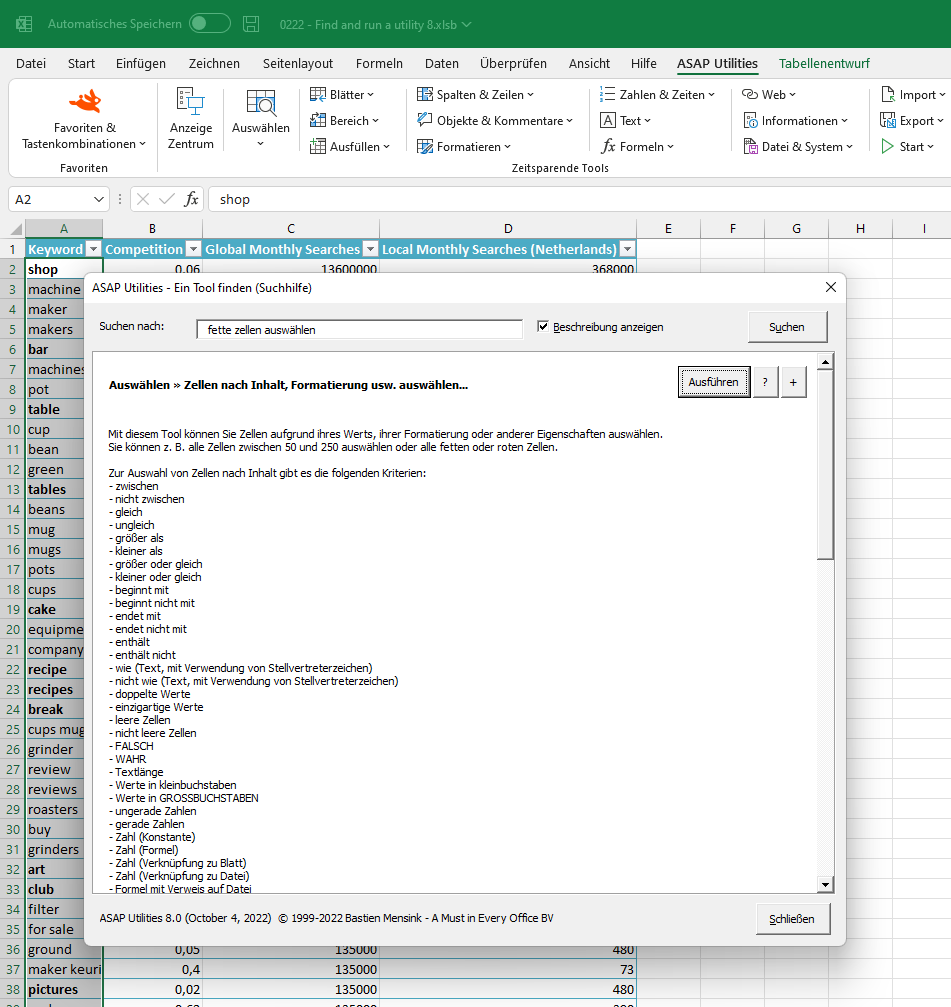
Unter der Option "Info..." in ASAP Utilities finden Sie dieselbe Kurzbeschreibung zu jedem Tool.Das Programm bietet auch eine Suchfunktion, die sehr nützlich sein kann:
Klicken Sie im Excel-Menü auf ASAP Utilities › Tool finden und ausführen...
Sie können das Tool gleich vom Fenster mit den Suchergebnissen aus ausführen, es mittels der Schaltfläche + zum Menü 'Favoriten' hinzufügen oder auf die Schaltfläche ? klicken, um sich die Beschreibung und Bildschirmabdrucke des Tools auf der Website anzusehen.
©1999-2024 ∙ ASAP Utilities ∙ A Must in Every Office BV ∙ The Netherlands
Empowering Excel Users Worldwide for 25 Years
Empowering Excel Users Worldwide for 25 Years