Last week I got a question from Danielle: "I have a spreadsheet with 75 columns each containing between 48 to 50 rows. I would like to be able to export each column to either a separate sheet or a separate file. Sort of like the export worksheets as separate files function. Does this function already [...]
Posted on October 9th, 2007 by Bastien
Filed under: ASAP Utilities, General | Comments Off
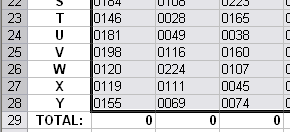
The following video will demonstrate you how to remove (or trim) leading zeros from numbers within a range in Excel by using ASAP Utilities. This utility also works for numbers that are not recognized by Excel or are proceeded with an apostrophe (such as '2). You can usually recognize these numbers because they are left-aligned: The [...]
Posted on October 8th, 2007 by Bastien
Filed under: ASAP Utilities, how to with ASAP Utilities, Video | Comments Off
I have just published a new pre-release of the new version of ASAP Utilities. It is ready for download and testing. I have also experienced some crazy things with customizing the ribbon (qat) and empty Excel dialogboxes due to dynamic labels (getLabel). I will write more about that in a separate post. New/improved Fill » [...]
Posted on October 5th, 2007 by Bastien
Filed under: ASAP Utilities, bugs | 4 Comments »
The following video will demonstrate you how to select the unique values within a range in Excel by using ASAP Utilities. The video demonstrates how to select the color names that appear only once in the list:
Posted on October 3rd, 2007 by Bastien
Filed under: ASAP Utilities, how to with ASAP Utilities, Video | Comments Off
The following video will demonstrate you how to list filenames in a folder in Excel by using ASAP Utilities. It is a perfect tool for creating catalogs of the files of your CD's and DVD's. The video will demonstrate how to import the contents of a folder and shows you how you can easily select a [...]
Posted on October 2nd, 2007 by Bastien
Filed under: ASAP Utilities, how to with ASAP Utilities, Video | Comments Off