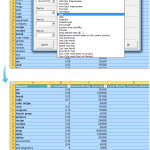
There are few quick methods to remove the line breaks and carriage returns in cells. By default you might not know an easy and quick way to do this but it is fairly simple, either with just Excel, or with the help of ASAP Utilities. Let's say we have the following example. In this case [...]
Posted on January 18th, 2010 by Bastien
Filed under: ASAP Utilities, How to, how to with ASAP Utilities | 3 Comments »
Last month I received the following question: I need to know how to convert an excel file into a pipe delimited file using the ASAP software. You can use the following tool to do this: ASAP Utilities » Export » Export selection or active sheet as new file... Then choose "CSV (comma separated value) or [...]
Posted on January 15th, 2010 by Bastien
Filed under: ASAP Utilities, how to with ASAP Utilities | 3 Comments »
I just received the following question which might be interesting the share with you. ASAP Utilities contains many tools and one of the strengths is that you can often use a combination of the tools to accomplish what you need. The question I received this week: I want to insert a blank row after every [...]
Posted on December 31st, 2009 by Bastien
Filed under: ASAP Utilities, how to with ASAP Utilities | Comments Off
Last week I received the following question: Bastien, First, thank you so much for the best Excel add-on ever! Is there a way to remove empty rows in a only a selected section of the worksheet, not the whole worksheet? Or have I missed this option that is already included? Surely you can do this! [...]
Posted on November 9th, 2009 by Bastien
Filed under: ASAP Utilities, how to with ASAP Utilities | 1 Comment »
Last week I received the following question: I get sent Excel files from various vendors. I have to convert these to SAS datasets that get moved to a UNIX system. The SAS datasets can only contain ASCII 32-127. So I need to remove these from the Excel file. You can use the "Text » Advanced [...]
Posted on August 13th, 2009 by Bastien
Filed under: General, How to, how to with ASAP Utilities | 3 Comments »
Last week I received the following question: Is there an ASAP Utilities function that can remove all negative numbers from a spreadsheet? I haven't found it yet. Yes there is. You can use ASAP Utilities to help you to quickly delete negative numbers. You can use the following tool to select all cells with negative [...]
Posted on August 3rd, 2009 by Bastien
Filed under: ASAP Utilities, how to with ASAP Utilities | 17 Comments »
I just received the following question: I will like to know how I can see the duplicates in a selection data? I'm aware I can delete duplicates, however I will like to know how to identify them first before deleted. Here's how to do this: You can use the following tool to select the cells [...]
Posted on July 29th, 2009 by Bastien
Filed under: ASAP Utilities, how to with ASAP Utilities | Comments Off
The following video will show you how to how to move or resize the selected range in Excel by using ASAP Utilities. With this utility you can easily move or resize your selected range of cells. This utility will only change you selected range of cells only, not the data underneath it. By default you [...]
Posted on May 5th, 2009 by Bastien
Filed under: ASAP Utilities, how to with ASAP Utilities, Video | 8 Comments »
With the new version 4.3 of ASAP Utilities it will be easier to find the utility you need with the tool "Find and run a utility...". We have improved this already existing utility. The results are presented better and you can now immediately start/run the utility from the search results. If you click on the [...]
Posted on February 10th, 2009 by Bastien
Filed under: ASAP Utilities, how to with ASAP Utilities | Comments Off
I got a question from Ryan: I have a bunch of excel cells and I need them all to have no spaces and no dashes so the first one would be: 185444001 and so on. How can I use ASAP Utilities to remove all spaces and dashes? You can do this very quick with the [...]
Posted on February 10th, 2009 by Bastien
Filed under: ASAP Utilities, how to with ASAP Utilities | Comments Off