


Tip of the Day | June 9, 2026
Discover new tools to get things done.
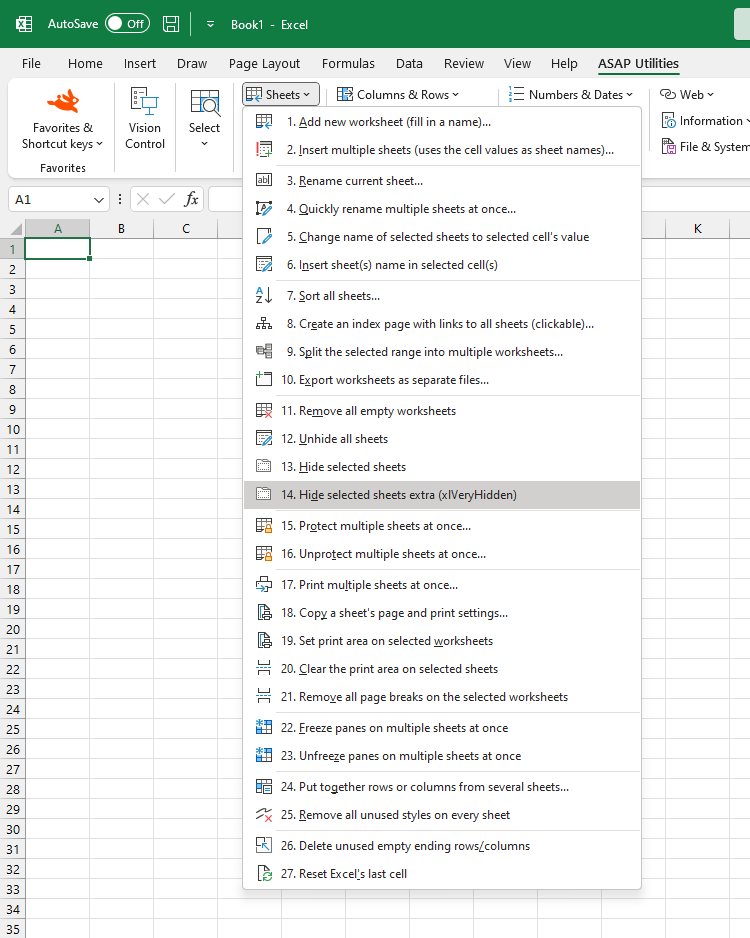
Hide Selected Sheets as xlVeryHidden
Hide selected worksheets using Excel's xlVeryHidden setting, which prevents them from being unhidden through Excel's standard Unhide option.
Unlike regular hidden sheets, xlVeryHidden sheets do not appear in the Unhide Sheets dialog. They can only be made visible again using:
- A macro (VBA code)
- The VBA Editor and changing the sheet's visible property
- The "Unhide All Sheets at Once" tool in ASAP Utilities
This is useful for extra protection when you want to keep sheets hidden from casual users or prevent accidental modifications.
Starting this tool
Specify a Keyboard Shortcut: ASAP Utilities › My Tools & Shortcuts › Manage My Tools & Shortcuts...
Tip:Alt+P for the previous tool.
Tip: Alt+N for the next tool.