
Das ASAP Utilities-Menü in Excel (Deutsch (German))
Spalte in mehreren Schritten transponieren...
ASAP Utilities › Formatierung › 5. Spalte in mehreren Schritten transponieren...Hiermit werden Daten aus einer Spalte schrittweise in mehre Spalten transponiert.
Das ist praktisch, wenn sich in einer Spalte eine große Menge an Daten befindet und alle x Zeilen transponiert werden müssen. Formeln und Formate bleiben erhalten.
Screenshots
Beispiel eines Bildschirmabdrucks: Spalte in mehreren Schritten transponieren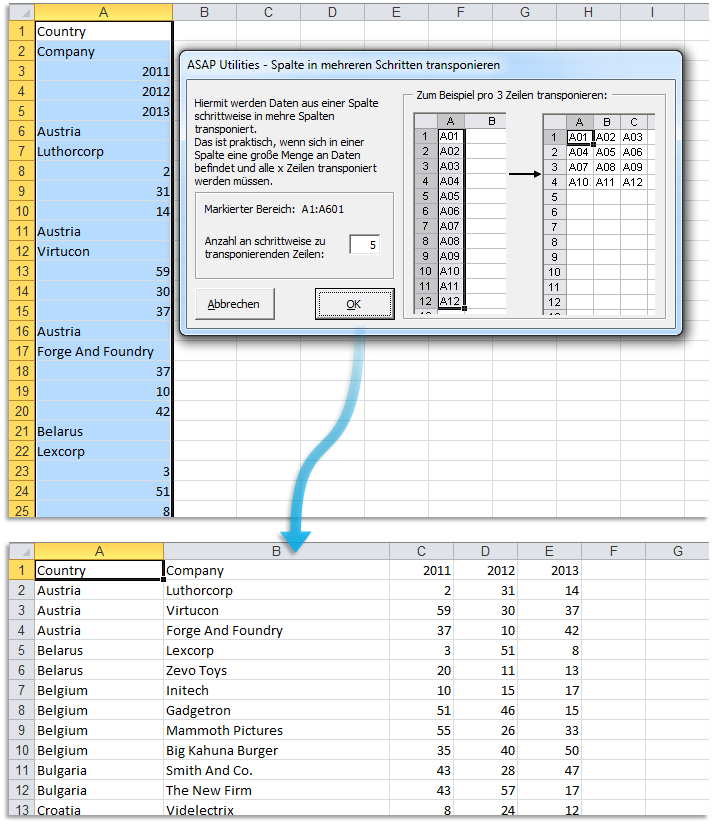

Practical tricks on how this can help you
Practical 'real world' examples on our blog that show you how this tool can help you in Excel. Enjoy!Starten des Tools
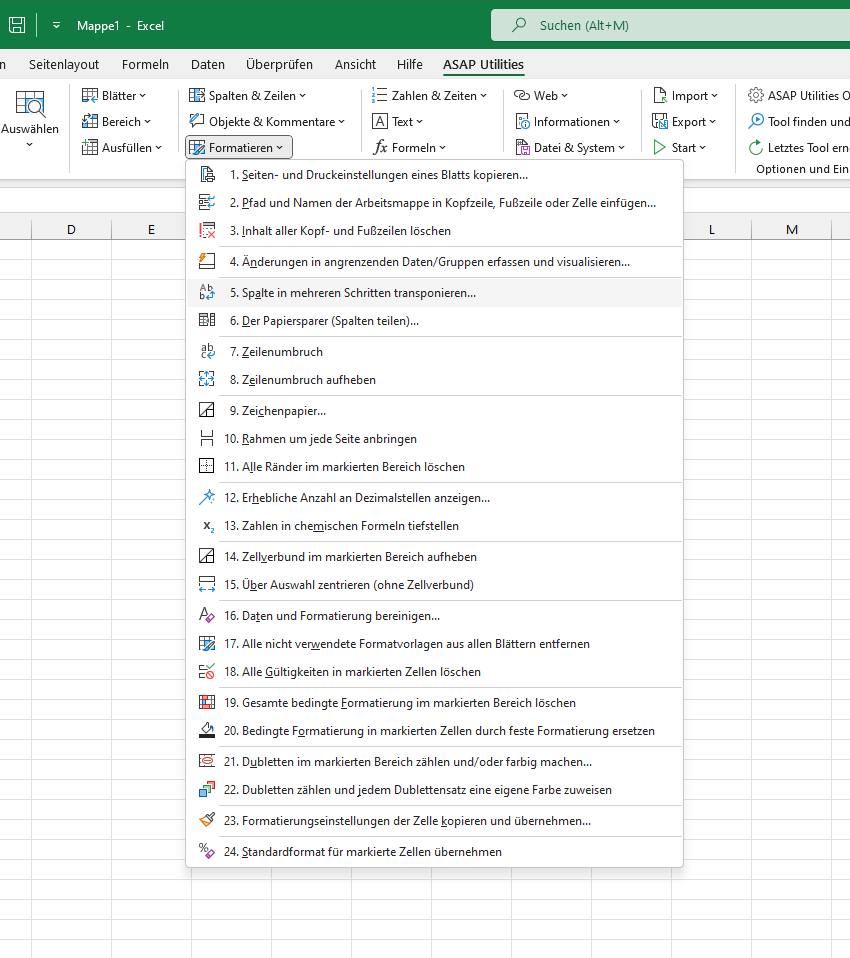
- Klicken Sie auf ASAP Utilities › Formatierung › 5. Spalte in mehreren Schritten transponieren...
- Tastenkombination angeben: ASAP Utilities › Favoriten & Tastenkombinationen › Bevorzugte Tools und Tastenkombinationen bearbeiten...
Additional keywords for this tool:
Tabellenblatt
Tabellenblatt
Wählen Sie unten Ihre bevorzugte Sprache aus
English (us) ⁄ Nederlands ⁄ Deutsch ⁄ Español ⁄ Français ⁄ Português do Brasil ⁄ Italiano ⁄ Русский ⁄ 中文(简体) ⁄ 日本語
| Änderungen in angrenzenden Daten/Gruppen erfassen und visualisieren... |
©1999-2026 ∙ ASAP Utilities ∙ A Must in Every Office BV ∙ The Netherlands
🏆 Winner of the "Best Microsoft Excel Add-in" Award at the Global Excel Summit 2025 in London!
For over 26 years, ASAP Utilities has helped users worldwide save time and do what Excel alone cannot.
🏆 Winner of the "Best Microsoft Excel Add-in" Award at the Global Excel Summit 2025 in London!
For over 26 years, ASAP Utilities has helped users worldwide save time and do what Excel alone cannot.