


Conta numero di caratteri nella cella selezionata
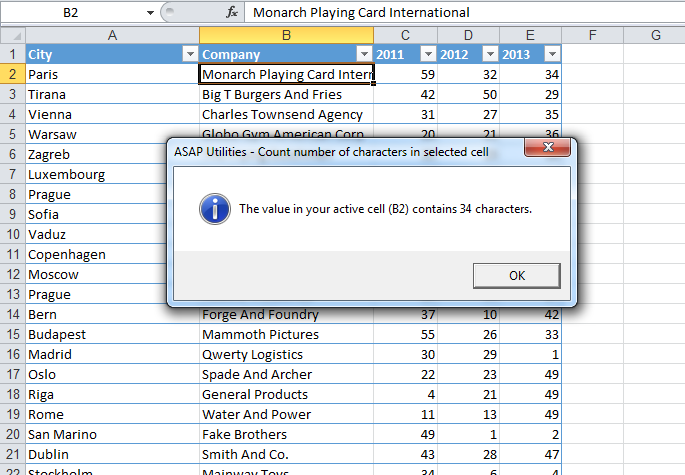
Questo strumento comunica quanti caratteri sono presenti nella cella attiva.
Per esempio, se la cella contiene il valore "Microsoft Excel", lo strumento comunica che il testo è di 15 caratteri.
È possibile utilizzare anche la funzione del foglio di lavoro =LUNGHEZZA() di Excel.
Avvio dell'utilità
Specificare una scelta rapida da tastiera: ASAP Utilities › Preferiti e Tasti di scelta rapida › Modifica strumenti preferiti e tasti di scelta rapida...
Suggerimento: Alt+P per lo strumento precedente.
Suggerimento: Alt+N per lo strumento successivo.

Risparmia tempo in Excel. Così semplice.
ASAP Utilities ti aiuta a risparmiare tempo e a fare cose che Excel da solo non può fare.
Puoi iniziare subito. Nessuna formazione necessaria.
La maggior parte degli utenti inizia usando poche funzioni. Molti finiscono per usare ASAP Utilities ogni giorno.
Utilizzato da team in oltre 28.500 organizzazioni.
Inizia con ASAP Utilities 9
Inizia subito a risparmiare tempo in Excel con strumenti pratici che puoi usare fin da subito.
-
Nessuna registrazione richiesta.
-
-
Prova gratuita di 90 giorni