


Questa pagina è attualmente disponibile solo in inglese.
ASAP Utilities new version 3.08 released
October 15, 2004
The response to ASAP Utilities latest version was overwhelmingly positive. My thanks goes out to each and every one of you for your support, help and tips.
Click here to go to the download page.
ASAP Utilities is (as always) free and contains no spyware !
We make you the company's excel guru!
What's new:
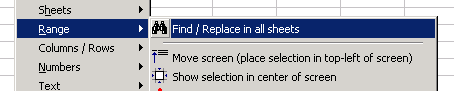
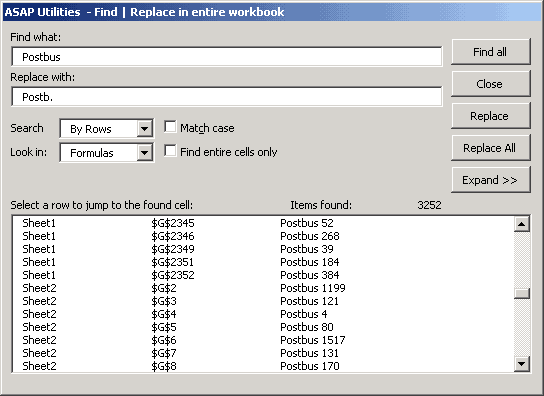
Allows you to easily search in all worksheets at once. The results are presented in a list. When you click on a result you immediately will be taken to that value. Replacements can be done one by one or in all worksheets at once. The result box can be expanded, depending on your screensize.
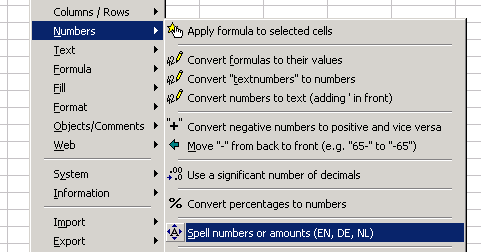
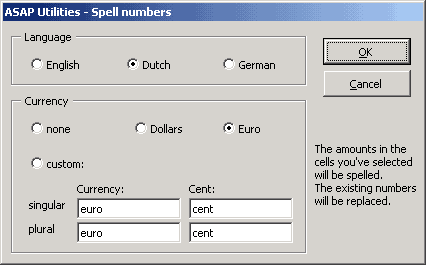
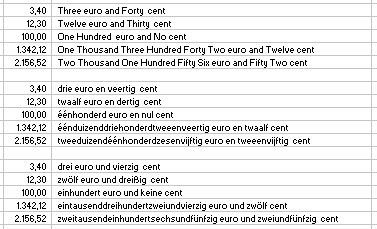
This function has been renamed and exanded. The new name is 'spell numbers or amounts (EN, NL, DE)'. It spells out the numbers for you in English, Dutch
or German. You can optionally choose to add a currency or type one yourself. The spelled numbers will always be rounded to two decimals.
Example:
Objects :: new name : Objects/Comments
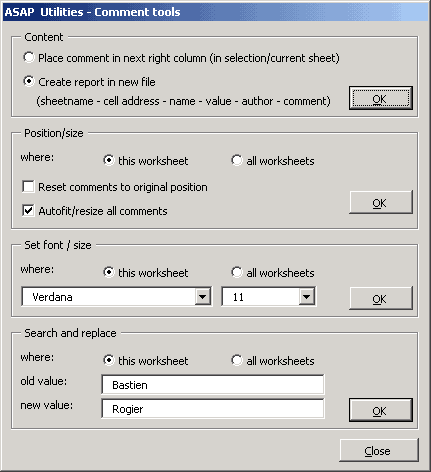
Added several comment tools. You can now easily:
. create a document with all information contained in the comment fields. (sheetname - cell address - name - value - author - comment)
. place the value of the comment in the next right column
. move all comments to their default position
. resize all comments to fit their content
. change the font name and size in all comments.
. replace text in comment fields.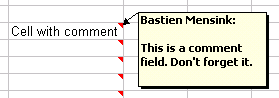

When you delete columns and/or rows, the size of your comments can be misformed: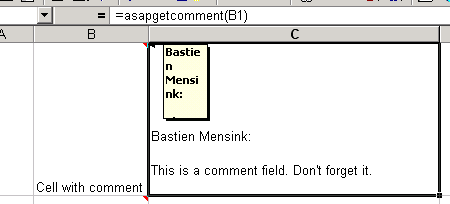
With ASAP Utilities you can now easily resize them all to fit their contents correctly again: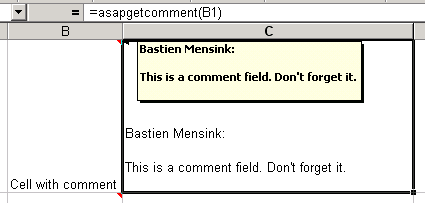
Custom functions
Added a new function which allows you to read the content of a cells comment.
=ASAPGetComment(reference), i.g. =ASAPGetComment(B1)
(see the above example)
Custom functions
Added a new function that allows you to retreive the colornumber of a cell. This can be of use when you want to sort cells by their color.
=ASAPCellColorIndex(reference), i.g. =ASAPCellColorIndex(B12)
System :: Find and remove external links
When you have links in your file to other workbooks, Excel asks you whether you want to update your links or not. Sometimes you want to get rid of these links, but that is not always easy. This new tool searches your entire workbook for external links, presents them to you one by one and askes if you want to remove the link. The value in the cells with external links will be replaced by the actual value in stead of the link.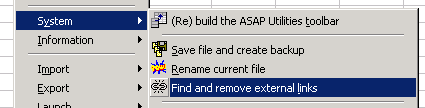
You can now easily prevent this Excel warning message:
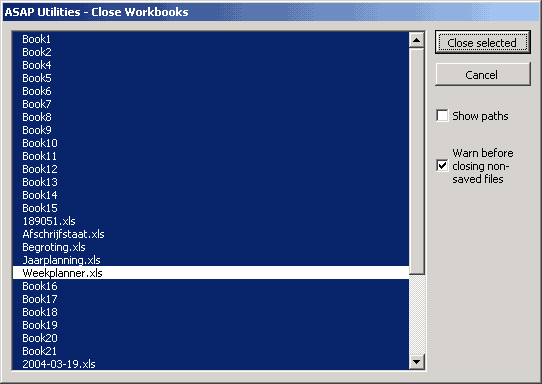
System :: Close all files except the current one
Shows all open files in a list which allows you to quickly close all unnecessary files. Has a (default) option to notify to save before closing non-saved files.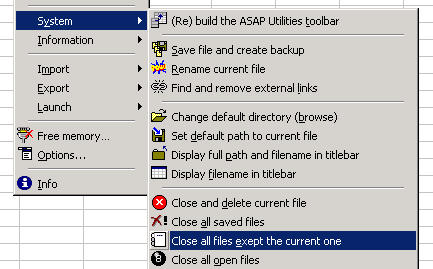
Favorites menu
Added an option to reset to default settings. These are the tools that used to have built-in shortcut-keys. Now immediately rebuilds the menu when loaded.
Columns / Rows :: "Merge columns"
Now supports multiple selection areas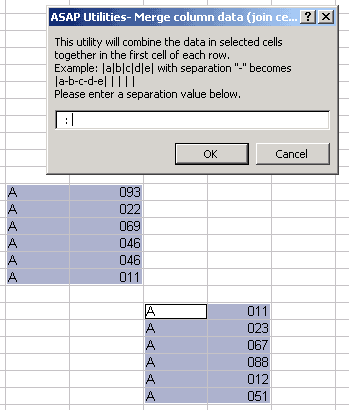
Afer the merging the result will be: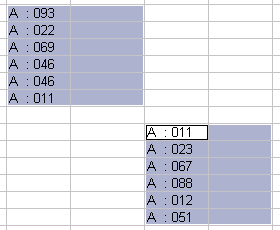
Export :: HTML export
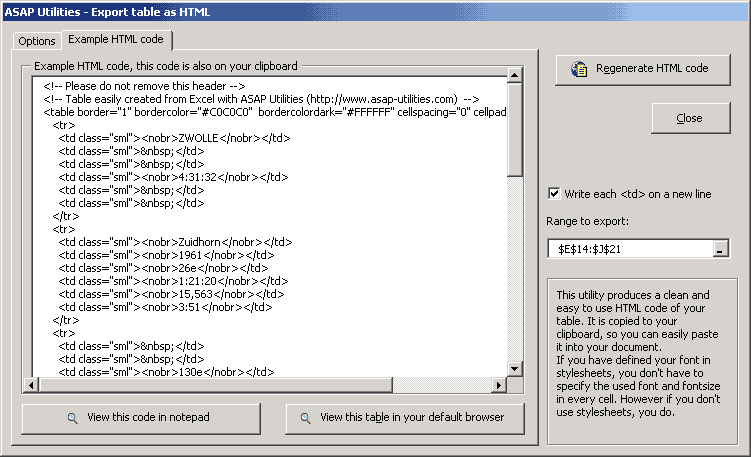
Improved layout with all the settings in one view. Added the option to specify a TD class. The generated code can now, besides your browser also easily be opened with Notepad. You can specify whether you want blank cells to be left empty or to be filled with a non-breaking-space.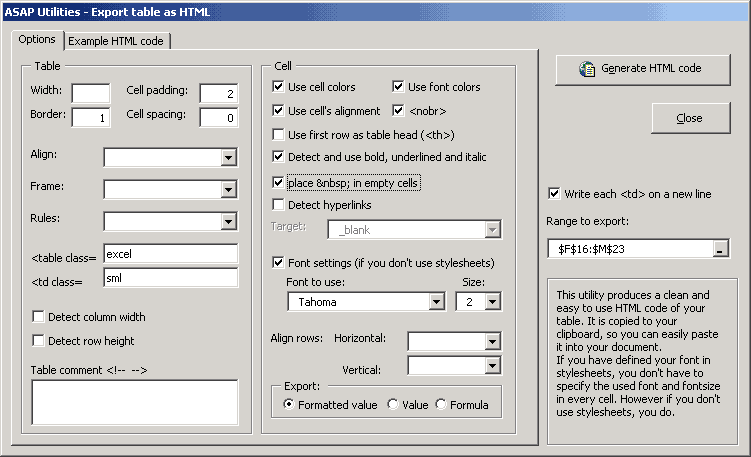
Bug fixes
Favorites menu
Error in Favorites menu in Excel 2003 fixed.
Menu
Error in menu-creation fixed when the menubar was protected. In this case the protection will temporary be removed, the ASAP Utilities menu will be created and then the menubar will be protected again. (Error # -2147467259 Method 'Add' of object 'CommandBarControls' failed)
Range :: Copy formulas without changing their references
Fixed the error in Excel 2000.
Sheets :: Show all sheets
Fixed the error when your workbook contained charts or a MS Excel 5.0 Dailog.
Export :: export as CSV file
Now correctly handles whether you want to export hidden cells or not. The previous version never exported hidden cells.
Text :: Convert dates
An error occurred when trying to convert ancient date, i.g. 01-12-1753. The date-converter now checks for valid dates, since Excel doesn't recognize dates before 01-01-1900.
Stay informed about new releases and important updates
Subscribe to our newsletter (in English)