


Esta página está disponível no momento apenas em inglês.
ASAP Utilities new version 3.09 released
April 21, 2005
News from the Netherlands!
It is our pleasure to introduce to you the new ASAP Utilities.
Again, several magazines, newsletters and a book have written very positive about our time-saver utility for Excel.
My thanks goes out to each and every one of you for your support, help and tips. Unfortunately we're not able to reply to all the emails we receive, but we read them all.
Click here to go to the download page.
ASAP Utilities is (as always) free and contains no spyware !
We make you the company's excel guru!
What's new in 3.09:
- Menu
A few specific ASAP Utilities functions have been placed in the submenu ASAP.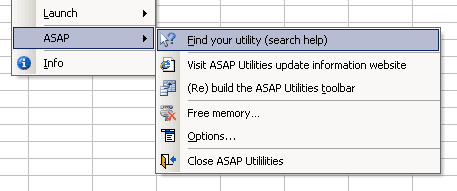
- ASAP :: Find you utility (search help)
Search through the entire menu and descriptions of all ASAP Utilities. If you don't enter a search phrase it will list all tools.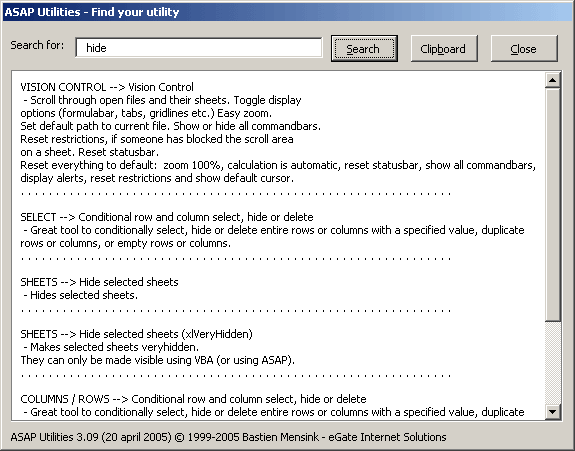
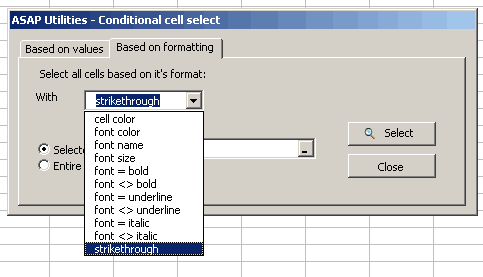
- Select :: Conditional select cells
- select odd rows
- select even rows
- select visible cells
- select where font isstrikethrough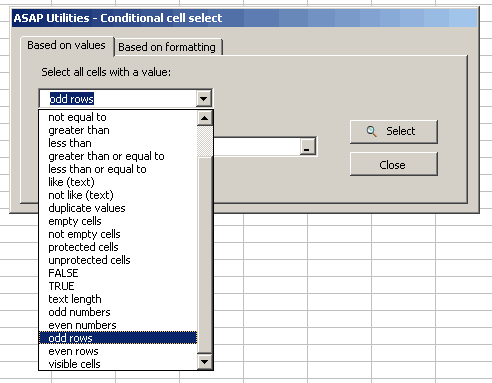
- Select :: Conditional row and column select, hide or delete
- select odd rows
- select even rows
- Range :: Find / Replace in all sheets
Besides the normal text you can now also search and replace a few special characters:
- line feed (alt+enter, chr(10)) ? use {lf}
- carriage return, chr(13) ? use {cr}
- horizontal tab, chr(9) ? use {t}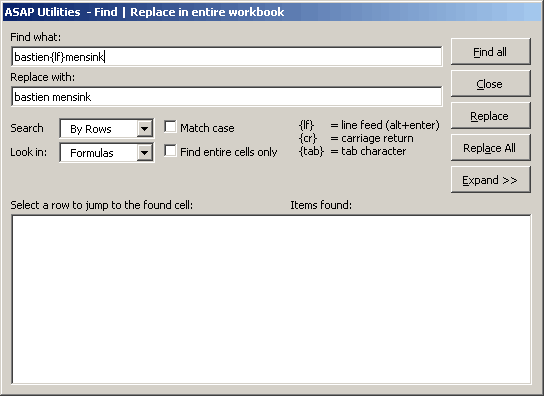
- Columns/rows :: Delete all hidden rows and columns
Removes all hidden rows and columns on the active sheet. Useful when you want to pass to clean up the file before distributing and delete all unnecessary information. Be careful when you have formula's with references to data in the hidden cells.
- Export :: Export selection or activesheet as new file
Added the option to directly export to clipboard in space-delimited format.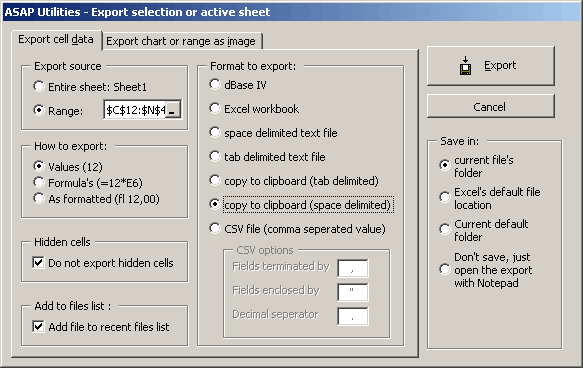
- Information :: File and selection info.
Returned the information in A1-reference style. New is that it now looks at your settings. If you use the R1C1 reference style it will show it in that format.
- System :: Find and remove external links
Search is now also performed in all rangenames. If you delete a range-name with an external reference and have used it on you sheet, the error value '#NAME' is displayed in the cell or cells that use the defined name.
- Web :: Optimize web import
Has been renamed to Clean web import
- Spell check on the menu and tools description
Some annoying spell-errors were corrected. It will most likely still have errors but forgive us, we're Dutch, English is not our native language.
- Numbers :: Convert formulas to their values
Took a very very long lime when you selected then entire worksheet (A1:IV65536).
- System :: Find and remove external links
Returned an error when you selection on a worksheet was not a range but e.g. a chart.
- Sheets :: Protect all sheets
Returned an error when your workbook contained other sheets than just worksheets. Now you can also protect other sheet-types (like charts) Returned an error when you had a group of sheets selected.
- Range :: Find / Replace in all sheets
Returned an error on hidden sheets. These sheets are now excluded from you search. A label shows you if there are hidden sheets.
- Fill :: Quick numbering of cells
If your selection started on row nr 1 and you choose "restart numbering if the value in the column changes" the follwing error ocurred: "Application-defined or object-defined error.
Stay informed about new releases and important updates
Subscribe to our newsletter (in English)