


Esta página está disponível no momento apenas em inglês.
Version 7.7.1 - July 8, 2020
March 27, 2020
Finished
On July 8, 2020 the new version 7.7.1 has been released. Download
Supported Excel versions
ASAP Utilities 7.7.1 works with:
- Excel 365 Desktop edition (both 32- and 64-bit version)
- Excel 2019 (both 32- and 64-bit version)
- Excel 2016 (both 32- and 64-bit version)
- Excel 2013 (both 32- and 64-bit version)
- Excel 2010 (both 32- and 64-bit version)
- Excel 2007
- Excel 2003
- Excel 2002/XP
- Excel 2000
On any Windows system that matches the Excel system requirements.
Free upgrade if you purchased version 7.x or 5.x
If you purchased a license for version 7.x or 5.x, then you get version 7.7 free of charge. You can use the same license details.
If you purchased a license in 2012 or earlier, then please contact us for a 50% discount to upgrade to version 7.
To upgrade, just install the new version "on top" of the existing version on your computer.
ASAP Utilities will then automatically recognize your settings and license information if you have already entered that previously.
New/improved
- General
A few small improvements and bug fixes based on the feedback from our users. - Web » Decode all URL and HTML encoded text
Didn't decode all characters in 64-bits edition of Excel. This is now fixed. - Web » Clean data and formatting...
"Fix (text)numbers" didn't always work in version 7.7 due to a bug. This is now fixed. - New: Write out numbers in French
Text » Spell/write out numbers or amounts (EN, DE, NL)...
Has been renamed to "Spell/write out numbers or amounts (EN, DE, FR, NL)..." because the French language is added by request.
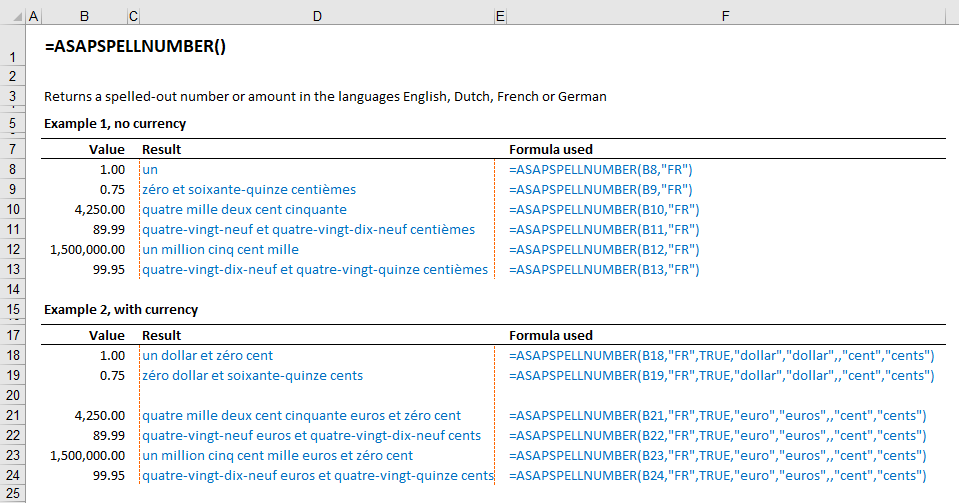
You can now write out numbers/amounts in French via this tool or by using the =ASAPSPELLNUMBER() worksheet function.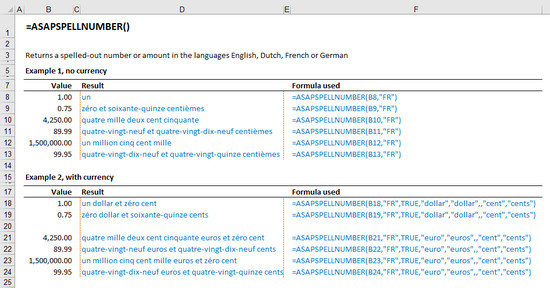
In the universal "32+64-bits edition" for Excel 2010 and later only:
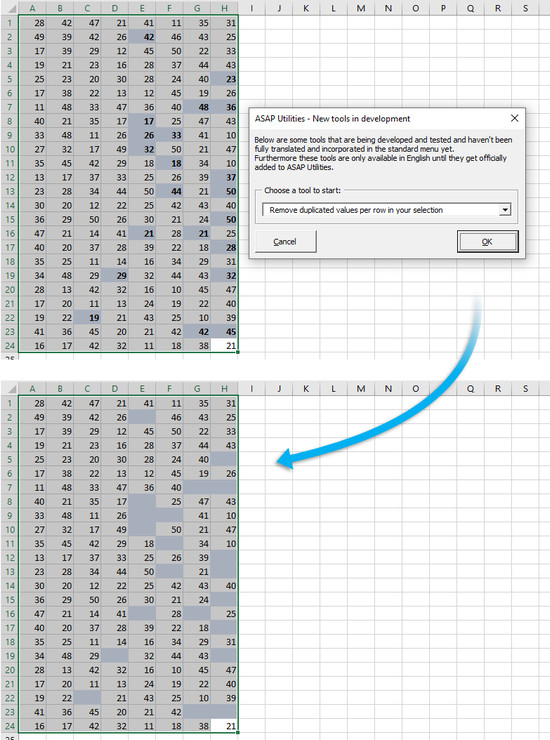
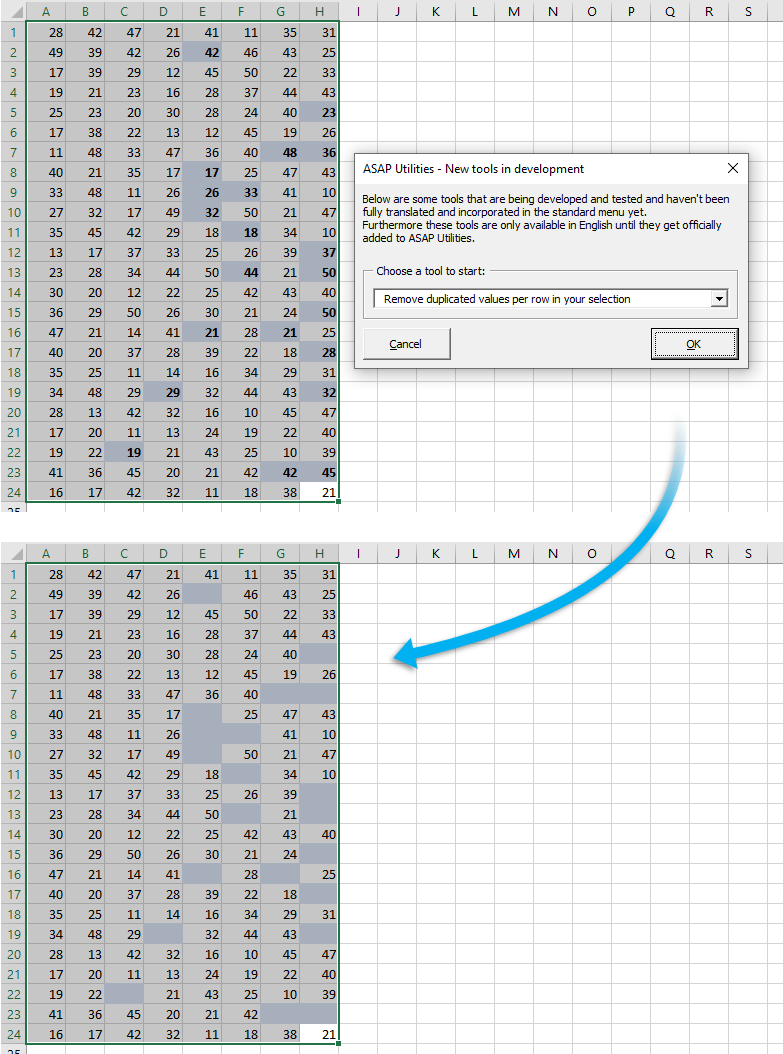
- New: Remove duplicated values per row in your selection
via ASAP Utilities Options » New tools in development (English only)
"Remove duplicated values per row in your selection"
This will remove the duplicated values per row in your selection.
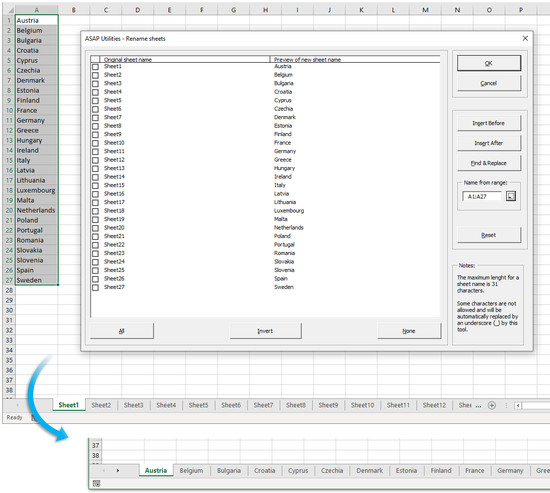
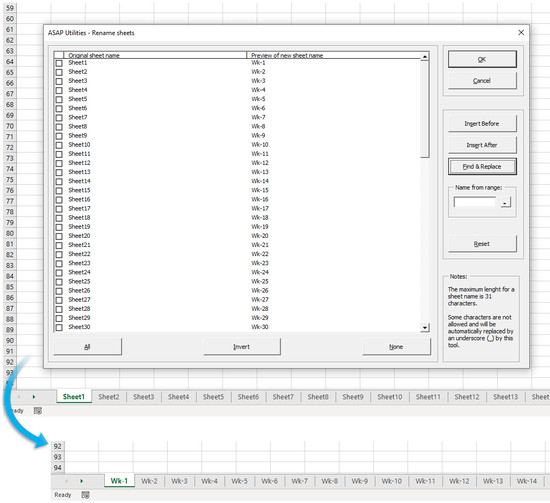
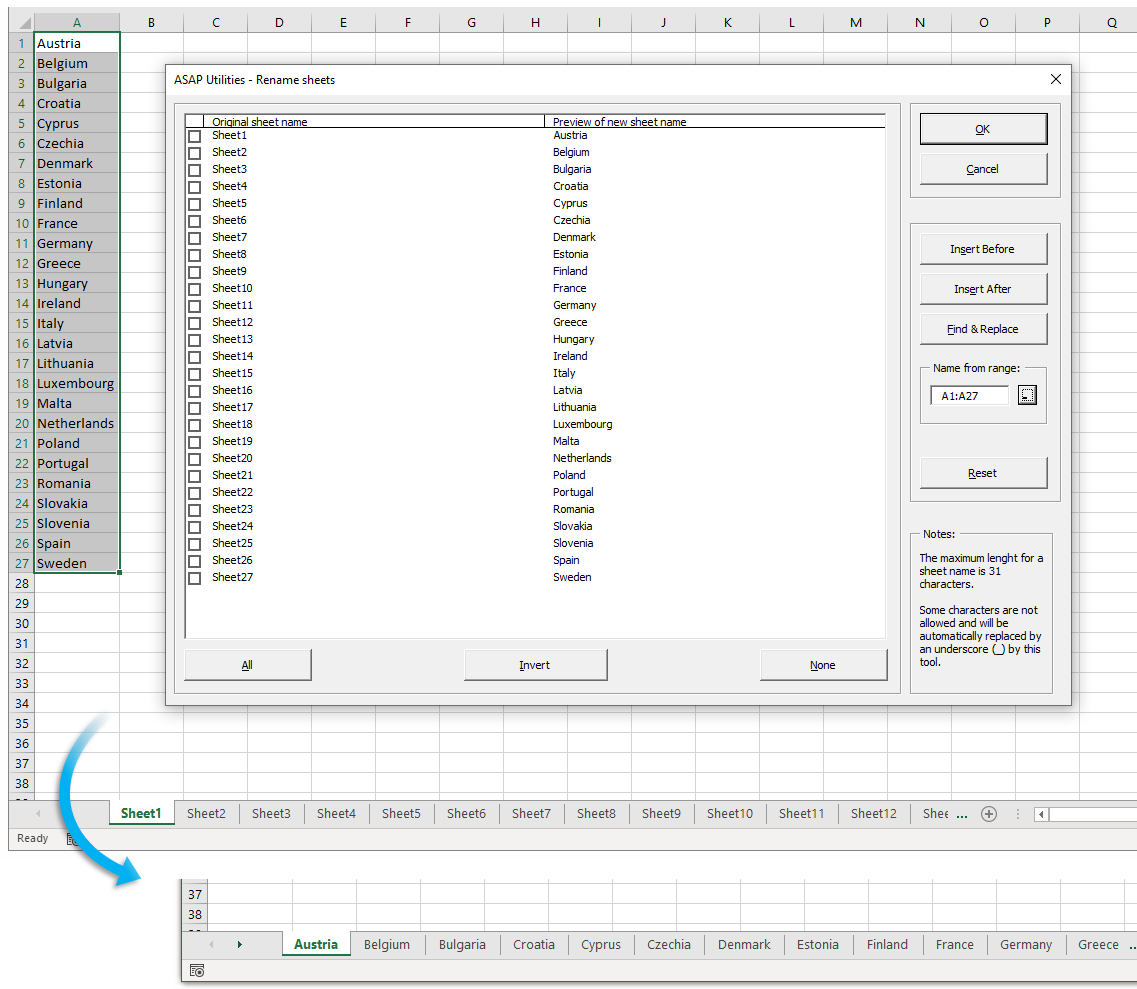
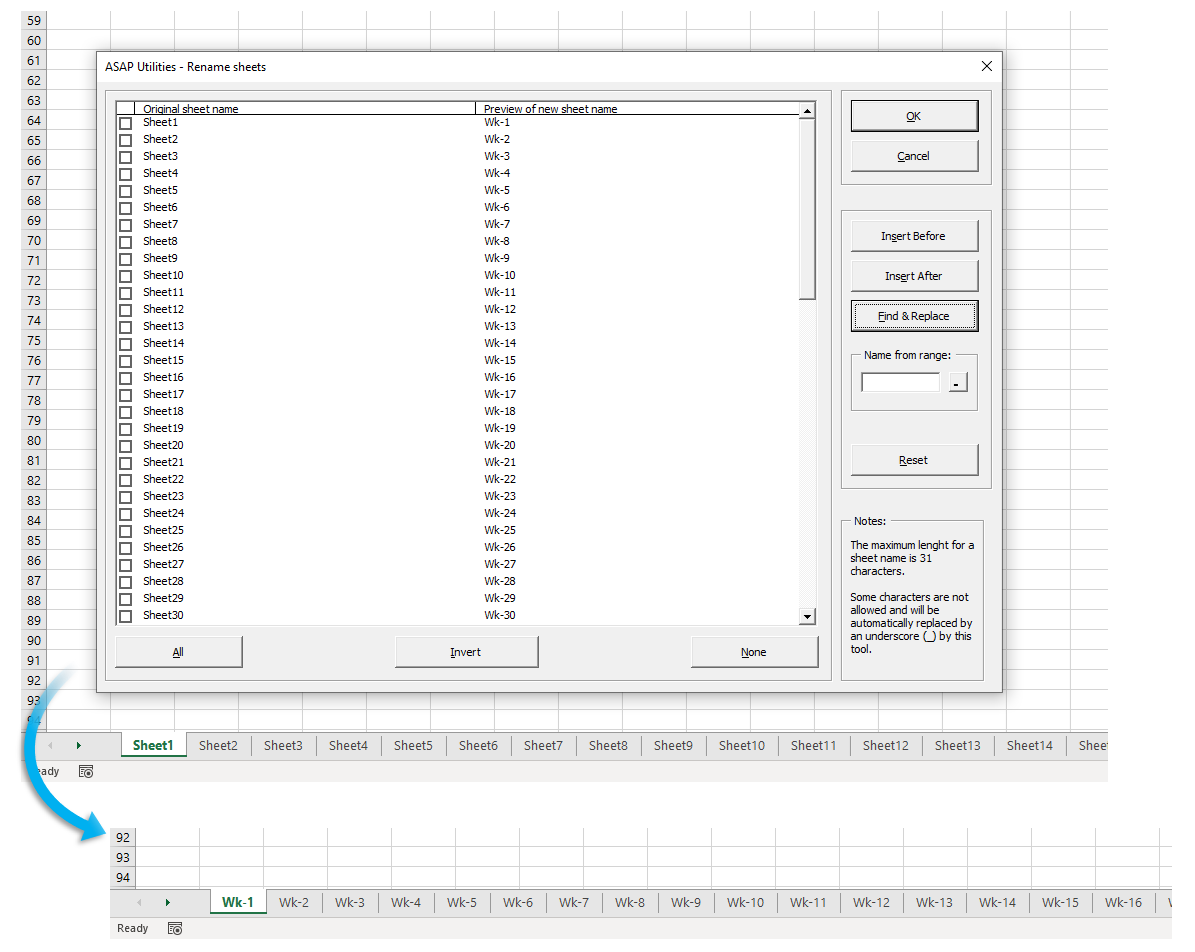
- New: Quickly rename sheets multiple sheets at once
via ASAP Utilities Options » New tools in development (English only):
"Rename sheets"
This allows you to quickly change the names of multiple or all sheets in your workbook at once.
You can choose to add text at the en of the name of each sheet, add it at the front, perform a find & replace on the sheet names or name the sheets based on the values in a range.
- =ASAPGETCOMMENT(cell)
This function now also returns the content of the new Excel 365 threaded comments when used.
In Excel 365 Microsoft now calls the legacy comments "notes" and has introduced a new style of comments.
(Microsoft: The difference between threaded comments and notes) - Objects & Comments » Comment tools...
"Extract/report content of comments" now also returns the content of the new Excel 365 threaded comments when used.
In Excel 365 Microsoft now calls the legacy comments "notes" and has introduced a new style of comments.
(Microsoft: The difference between threaded comments and notes) - General
A few users got an "Can't find DLL entry point GetTickCount...." error
That was caused by certain software that blocked access to standard Windows functionality.
We've got this reported about 5 times, and the information on the following page helped the clients to solve it:
https://forums.zotero.org/discussion/70171/word-windows-plugin-runtime-error-453
In that case you may have to add ASAP Utilities to a whitelist in Cylance Protect
https://threatvector.cylance.com/en_us/home/cylanceprotect-feature-release-macro-script-control.html
In this new version of ASAP Utilities, we've used a workaround for this Windows timer function and also added some extra error handling to prevent that error from in case blocked.
Comece a usar o ASAP Utilities 9
Comece a economizar tempo no Excel com ferramentas práticas que você pode usar imediatamente.
-
Não é necessário cadastro.
-
-
Teste grátis por 90 dias