


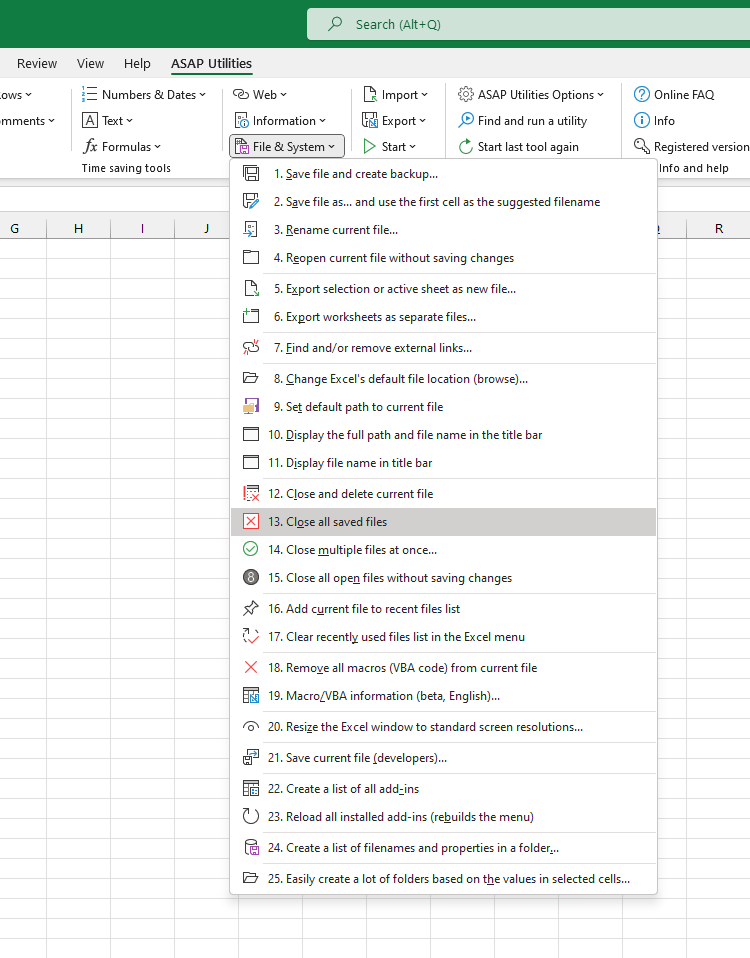
Close All Unchanged Files (Keep Unsaved Files Open)
This tool closes all open files (workbooks) that have not been changed since they were last saved.
This is a quick way to clean your workspace after opening several files just to view or check them, without making any changes.
Any files that have unsaved changes will stay open, so you won't lose any work.
It's useful when:
- You've opened many workbooks to review but didn't change them
- You want to quickly close all unchanged files without closing everything
- You want to avoid accidentally closing unsaved work
How it works:
- Files without changes since the last save are closed automatically
- Files with unsaved changes stay open, so you can review or save them manually
Starting this tool
Specify a Keyboard Shortcut: ASAP Utilities › My Tools & Shortcuts › Manage My Tools & Shortcuts...
Additional search terms to help you find this tool:
close unchanged files, close unchanged workbooks, close all saved files, close all saved workbooks, keep unsaved files open, keep unsaved workbooks open, close multiple files without changes, close many workbooks quickly, close viewed files, close files without changes, close workbooks without changes, clean up open files, clean up open workbooks, close files after viewing, close files without saving changes, only close saved files, only close saved workbooks, close Excel files with no changes, close Excel workbooks with no changes
Tip:Alt+P for the previous tool.
Tip: Alt+N for the next tool.

Save Time in Excel. The Easy Way.
ASAP Utilities helps you save time and do what Excel alone can't.
You can get started right away. No training needed.
Most users start with a few tools. Many end up using ASAP Utilities daily.
Used by teams in 28,500+ organizations.
Get Started with ASAP Utilities 9
Start saving time in Excel with practical tools you can use right away.
-
No sign-up required.
-
-
Free 90-day trial