


Download ASAP Utilities for Excel
Save time and do things Excel alone cannot.
Designed by Excel users for Excel users.
Trusted by teams in 28,500+ organizations.
Professional Edition
-
For work in a business, government, or other organization.
-
Free 90-day trial. Full functionality.
-
No sign-up or credit card required.
-
Just USD 49 per user. Pay once, use forever.
-
Works with Microsoft 365 and Excel 2024 for Windows (and earlier desktop versions back to 2010).
-
Secure and digitally signed. Works locally in Excel. Your Excel files stay on your computer.
Home & Charity Edition
-
For personal use (not for work) or charitable organizations.
-
Free for personal use and charitable organizations. No sign-up required.
-
Not for business or commercial use.
-
Works with Microsoft 365 and Excel 2024 for Windows (and earlier desktop versions back to 2010).
-
Secure and digitally signed. Works locally in Excel. Your Excel files stay on your computer.
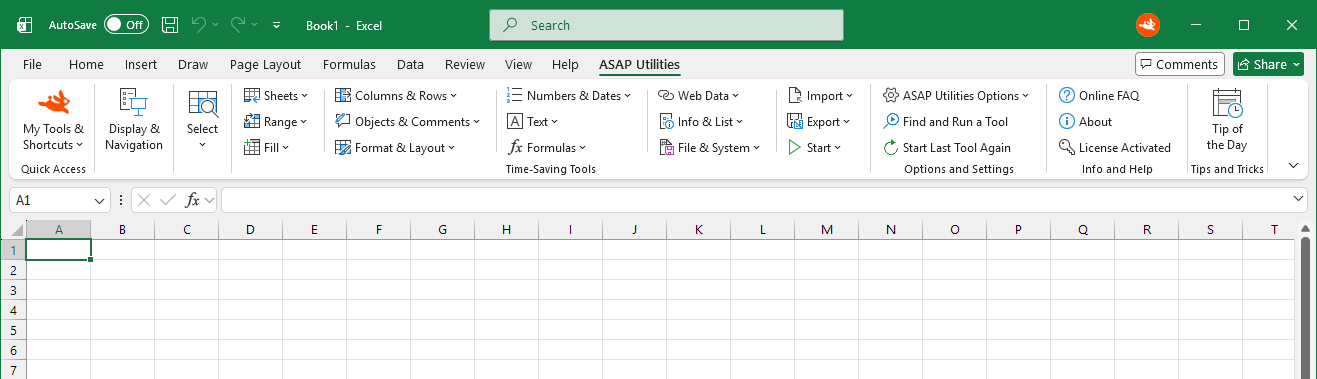
Works directly in Excel
Get practical tools many Excel users wish were built into Excel.
Available in 10 languages. Works with all Excel languages.
Real User Reviews
Latest verified reviews from Excel users worldwide:
For more than 26 years, Excel users have trusted ASAP Utilities to help them save time and do what Excel alone cannot. In 2025, ASAP Utilities won the Best Microsoft Excel Add-in award at the Global Excel Summit.
Quick answers
No training needed. Start using it right away.
Do I need to sign up?
No. Just download and install. No account required.
Easy to install
Just run the setup and follow the steps. You can start using it right away in Excel.
Does it work with my Excel version?
ASAP Utilities works with Microsoft 365 and Excel 2010-2024 (desktop versions for Windows).
Requires the Windows desktop version of Microsoft Excel. It does not run in Excel for the web, Excel for Mac, Google Sheets, or LibreOffice.
Is it safe to install?
Yes. The download is digitally signed and ASAP Utilities is trusted by organizations worldwide. It runs locally and keeps your data within your own environment.
Does Excel stay fast?
Yes. ASAP Utilities only runs when you use a tool. It does not run in the background. Excel may take a few extra seconds to start when opening the ASAP Utilities (.xlam) file.
Can't install software yourself?
Try the single-user non-admin setup (28 MB) of the Professional Edition.
Silent Installation and IT Deployment
Silent installation and managed deployment are supported. See IT deployment information.
How can I upgrade?
Install the new version over your existing version if covered by your license.
Can I use this at work?
Yes, with the Professional edition.
Who can use the Home & Charity edition?
The Home & Charity edition is our way of contributing to society since 1999.
It is free for personal use, school homework, and charitable organizations such as the Red Cross, UNICEF, Doctors Without Borders, WWF, and similar organizations.
Have any questions? Get in Touch