


Clear Multiple Files from Recent Files List...
This tool lets you quickly remove multiple files from Excel's Recent Files list in one go.
Excel also has a built-in option to clear all unpinned (non-favorite) files from the Recent Files list.
However, this tool offers more flexibility. It lets you select exactly which files to remove, including pinned ones, if needed.
It's useful when:
- You want to clean up your Recent Files list
- You want to remove specific files from the list without clearing everything
- You want to hide sensitive or temporary files from view
How it works:
- Shows a list of all files in Excel's Recent Files list
- Clearly indicates if a file is pinned/favorite or not
- Select or unselect the files you want to remove
- Invert your selection easily
- Quickly select only the unpinned/non-favorite files
- Export the complete list to a new workbook (for documentation or backup)
Important to know:
- This tool only affects Excel's Recent Files list.
- It does not delete any actual files from your computer.
- It does not remove recent files stored on OneDrive, SharePoint, or other cloud locations. These are managed by Microsoft 365 and are not accessible via VBA or Excel's settings. To remove such cloud-based entries, right-click them in Excel's File > Open > Recent screen and choose Remove from list
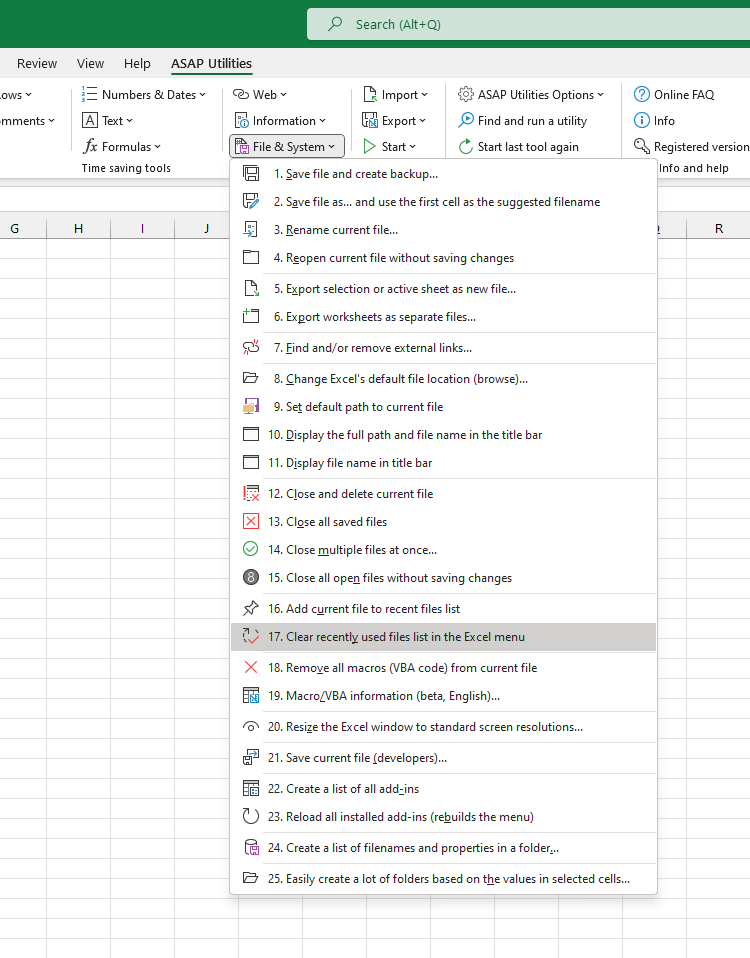
Starting this tool
Specify a Keyboard Shortcut: ASAP Utilities › My Tools & Shortcuts › Manage My Tools & Shortcuts...
Additional search terms to help you find this tool:
Clear Multiple Files from Recent Files List
Tip:Alt+P for the previous tool.
Tip: Alt+N for the next tool.

Save Time in Excel. The Easy Way.
ASAP Utilities helps you save time and do what Excel alone can't.
You can get started right away. No training needed.
Most users start with a few tools. Many end up using ASAP Utilities daily.
Used by teams in 28,500+ organizations.
Get Started with ASAP Utilities 9
Start saving time in Excel with practical tools you can use right away.
-
No sign-up required.
-
-
Free 90-day trial