


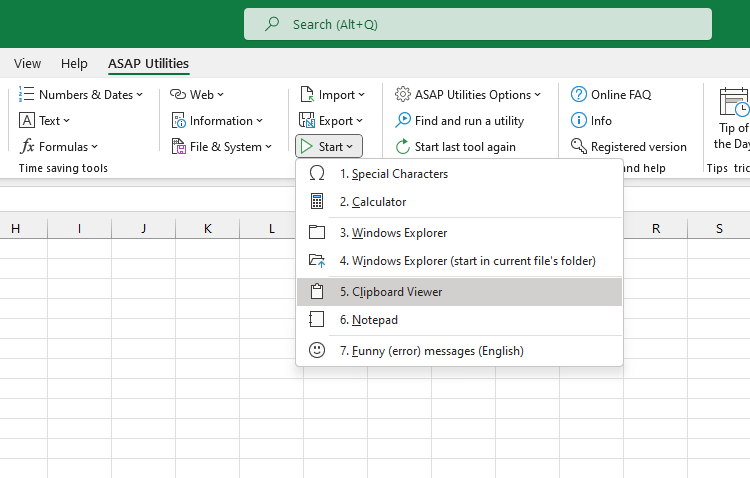
Open Clipboard Viewer
This tool opens Excel's Clipboard task pane, where you can view and reuse recently copied items.
Use it when you want to:
- See content you've copied in Excel or other apps
- Paste earlier clipboard items without copying them again
- Keep track of copied content across multiple actions
It opens the same Clipboard pane you find under Home > Clipboard > launcher icon.
Note:
This tool was originally added before Excel included a built-in Clipboard pane. Today, it opens Excel's native Clipboard pane for quick access.
Starting this tool
Click › Start › 5. Open Clipboard Viewer
Specify a Keyboard Shortcut: ASAP Utilities › My Tools & Shortcuts › Manage My Tools & Shortcuts...
Additional search terms to help you find this tool:
view clipboard, clipboard pane, excel clipboard history, clipboard manager, copy history, clipboard task pane, show clipboard, office clipboard, reuse copied data, open clipboard panel
Tip:Alt+P for the previous tool.
Tip: Alt+N for the next tool.

Save Time in Excel. The Easy Way.
ASAP Utilities helps you save time and do what Excel alone can't.
You can get started right away. No training needed.
Most users start with a few tools. Many end up using ASAP Utilities daily.
Used by teams in 28,500+ organizations.
Get Started with ASAP Utilities 9
Start saving time in Excel with practical tools you can use right away.
-
No sign-up required.
-
-
Free 90-day trial