


Cut and Paste as Values (Keeping Dependents Unchanged)...
This tool lets you move a selected range to a new location while converting any formulas within that range into their calculated values, just like using Paste Special > Values.
Unlike Excel's standard Cut and Paste, which automatically updates any dependent formulas (formulas referencing the moved cells), this tool leaves those references unchanged. This makes it easy to relocate data without having to worry about unexpected formula adjustments elsewhere in your workbook.
Starting this tool
Specify a Keyboard Shortcut: ASAP Utilities › My Tools & Shortcuts › Manage My Tools & Shortcuts...
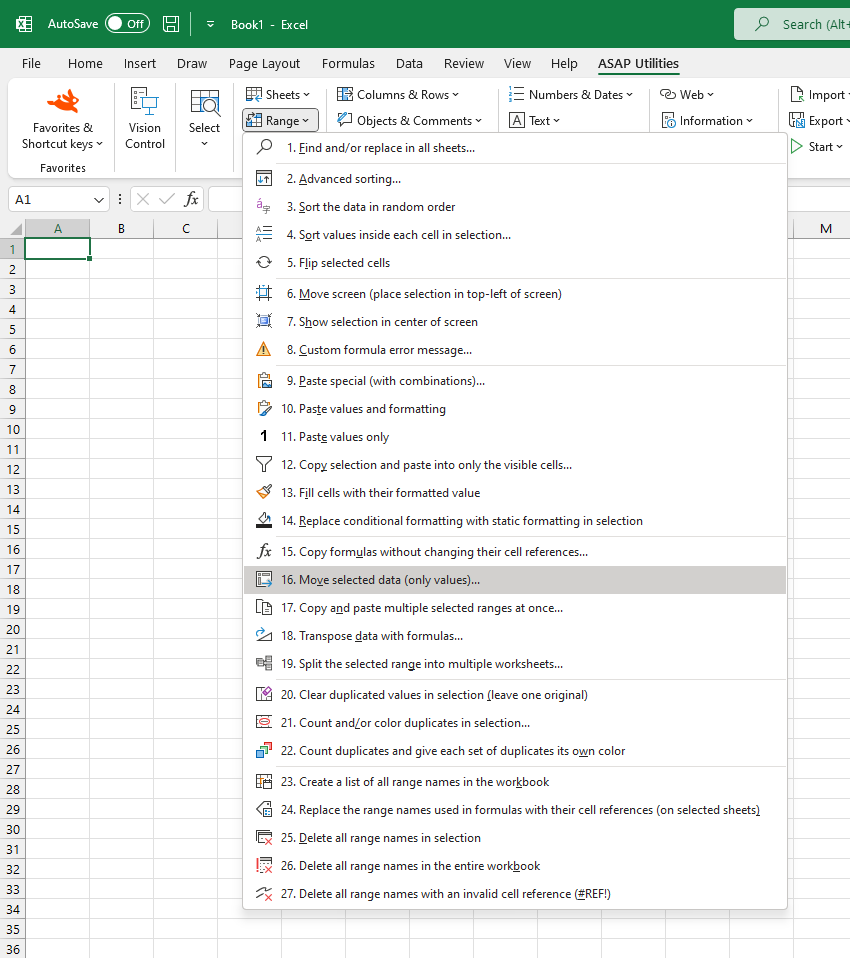
Additional search terms to help you find this tool:
Move data without updating formulas, Excel cut and paste alternative, Keep dependent formulas unchanged, Data relocation tool, Maintain dependent formula references in Excel, Paste values without reference updates
Tip:Alt+P for the previous tool.
Tip: Alt+N for the next tool.

Save Time in Excel. The Easy Way.
ASAP Utilities helps you save time and do what Excel alone can't.
You can get started right away. No training needed.
Most users start with a few tools. Many end up using ASAP Utilities daily.
Used by teams in 28,500+ organizations.
Get Started with ASAP Utilities 9
Start saving time in Excel with practical tools you can use right away.
-
No sign-up required.
-
-
Free 90-day trial