


Tip of the Day | Friday 20 November 2026
Discover new tools to get things done.
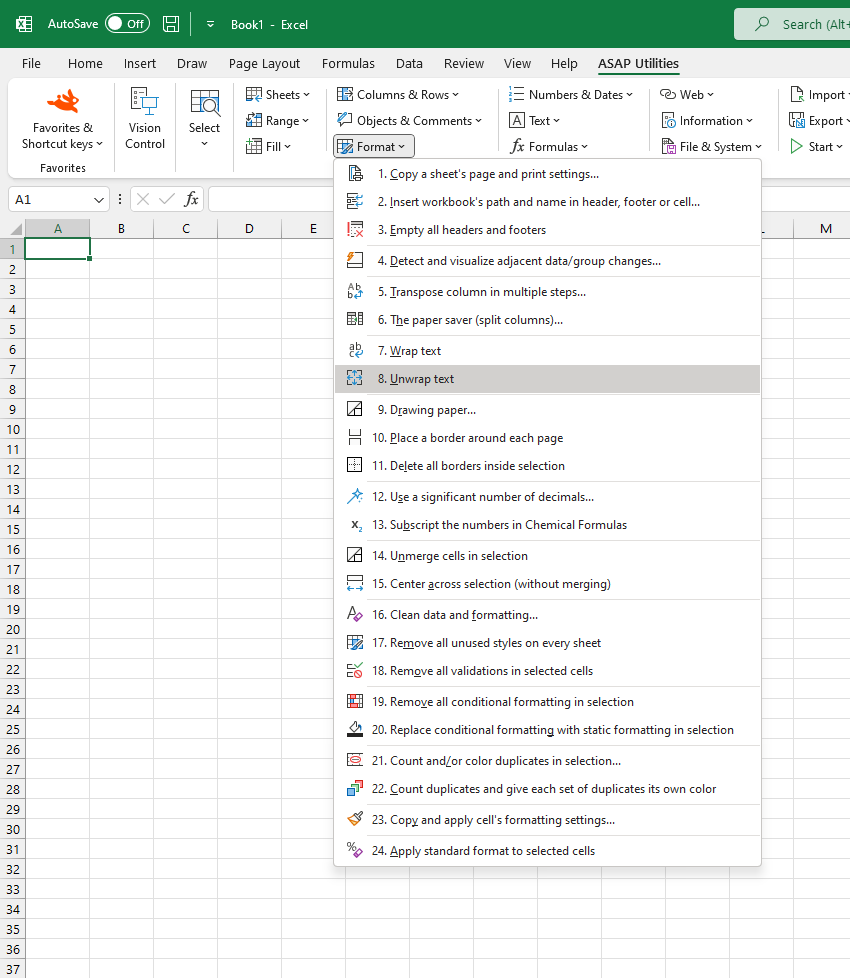
Unwrap Text in Selected Cells
This tool turns off text wrapping in the selected cells, so all content appears on a single line, even if the text is long or contains manual line breaks.
This is useful when:
- Restoring a clean, single-line layout
- Fixing layout issues caused by multi-line cells
- Preparing data for export or systems that require unwrapped text
Unlike Excel's built-in Wrap Text button, which toggles wrapping based on the active cell in your selection, this tool always turns off wrapping regardless of which cell is active. This makes it more predictable and saves time, especially when working with mixed-format selections.
Another benefit of having this tool in ASAP Utilities is that you can assign a shortcut to it via 'My Tools & Shortcut Keys' for accessibility and even faster access.
Historical Note:
ASAP Utilities introduced this in 1999, years before Excel added a "Wrap Text" button to the ribbon in Excel 2007. Until then, it could only be set via the cell's formatting properties (Format > Format Cells > Alignment > Wrap Text).
Starting this tool
Specify a Keyboard Shortcut: ASAP Utilities › My Tools & Shortcuts › Manage My Tools & Shortcuts...
Tip:Alt+P for the previous tool.