


Version 4.7.1 - January 20, 2011
January 20, 2011
Finished
On January 20, 2011 the new version 4.7.1 is released. Download
New features and improvements
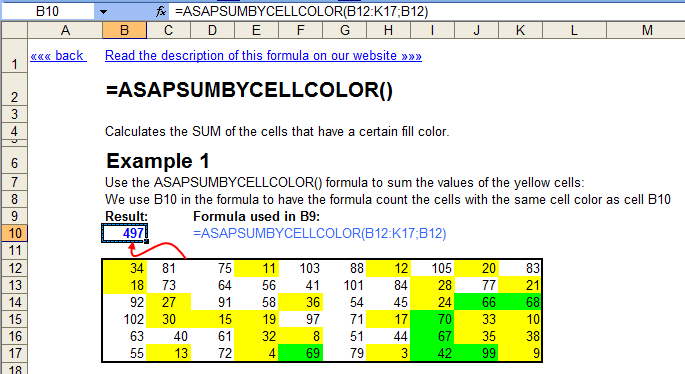
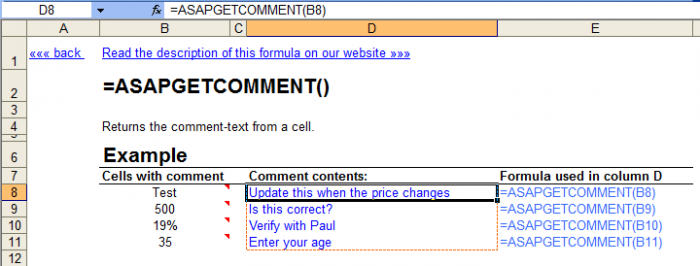
- Example workbook for the extra worksheet functions that you get with ASAP Utilities.
We have created a example workbook that shows how to get things done, that are normally not possible in Excel, by using the functions that ASAP Utilities adds.
Download "Example workbook ASAP-Utilities formulas".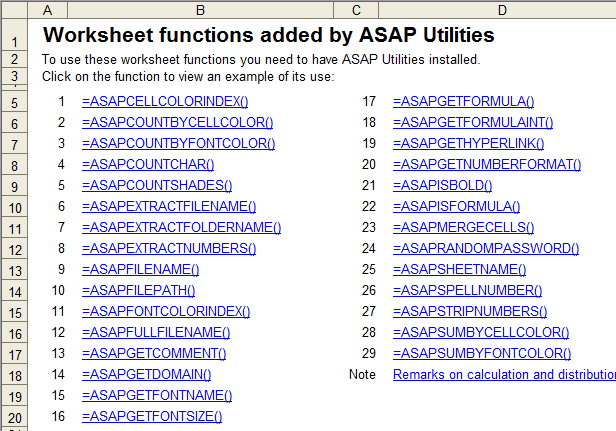
- Columns & Rows » Conditional row and column select, hide or delete...
Improved speed, especially when it comes to deleting rows or columns. - Sheets » Protect multiple sheets at once...
This utility doesn't work on shared workbooks. Instead of giving an error this tool will now tells you that upfront.
If you unshare the workbook then you can use this utility. - Sheets » Unprotect multiple sheets at once...
This utility doesn't work on shared workbooks. Instead of giving an error this tool will now tells you that upfront.
If you unshare the workbook then you can use this utility. - Favorites & Shortcuts » Organize your favorite tools...
New option: Create a list of all shortcuts
This allows you to print out a quick reference card/cheat sheet of your favorite tools and the assigned shortcuts that are used by ASAP Utilities.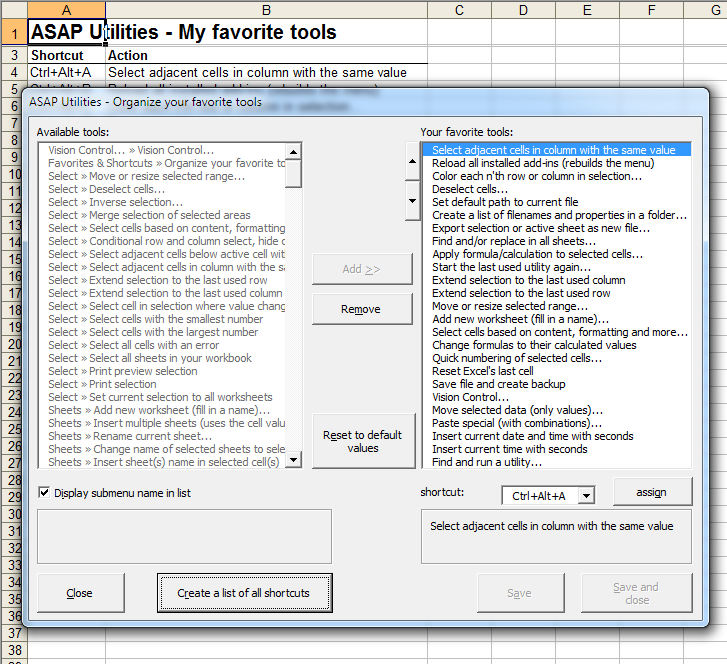
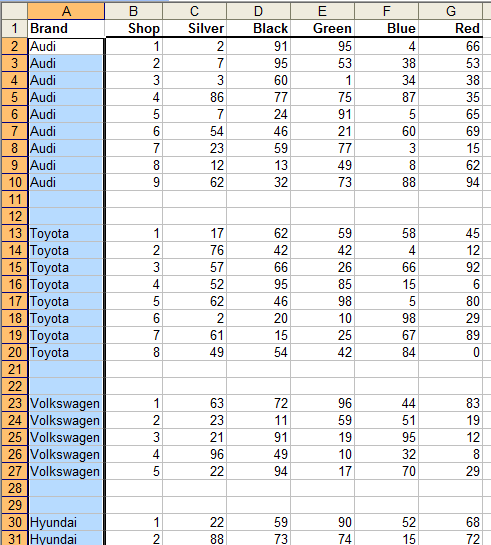
- Format » Detect and visualize adjacent data/group changes...
You can now specify the number of empty rows to insert in between.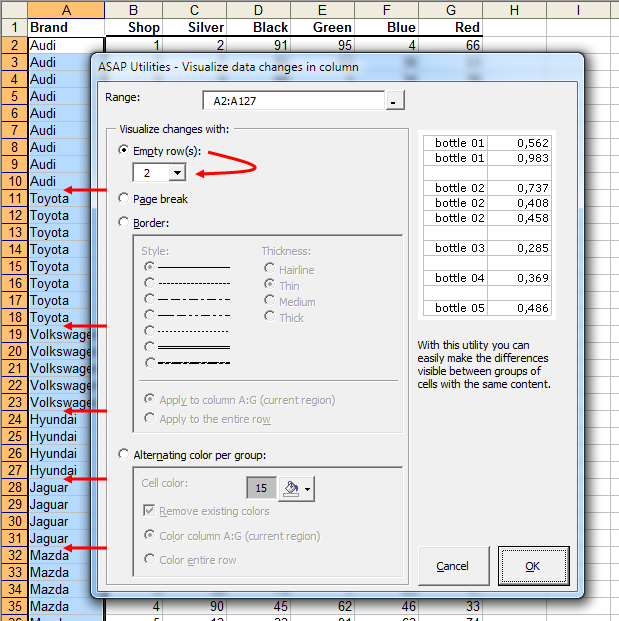
- NEW: Correct the link to the ASAP Utilities worksheet functions in your workbook
via: ASAP Utilities Options » New tools in development (English only)
When you use a function from ASAP Utilities in your workbook and the workbook is opened by someone who has install ASAP Utilities in a different folder, then these formulas might give an error (#NAME?) because ASAP Utilities can't be found. If you get such a workbook and you run this utility, it will be corrected. - NEW: Change text case (with options)
via: ASAP Utilities Options » New tools in development (English only)
In addition to the existing change-case tools, this utility allows exceptions, such as certain abbreviations.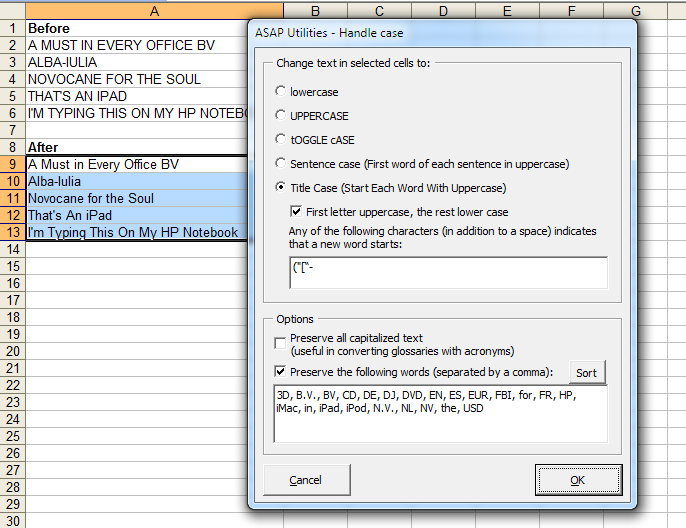
- Text » Convert/recognize dates...
The utility now also automatically recognizes time values at the end of the value. It does this automatically if the time is written in any of the following formats hh:mm:ss, h:mm:ss, hh:mm:ss AM/PM or h:mm:ss AM/PM. The utility also recognizes hh:mm:ss.000 and h:mm:ss.000 but in that case the milliseconds are stripped off. - General
Improved installer.
A few minor improvements.
Bug fixes
- =ASAPGETDOMAIN()
If you specified to show the protocol too, the utility incorrectly showed https for ftp and ftps. This is now corrected. - =ASAPSUMBYFONTCOLOR()
If you specified a cell to read the font color from, the function incorrectly used the cell color instead of the font color. This is now corrected. - Shortcuts
If you changed the shortcuts used by ASAP Utilities then previously assigned shortcuts weren't released until you restarted Excel. That is now fixed. - Select » Select cells based on content, formatting and more...
Due to a limitation of Excel's Range.Address method in combination with a method we used you could sometimes get the message "No (new) results were found. Your selection didn't change.", even though the numeric value you searched for was there. This is now fixed. - File size Toolbar
via ASAP Utilities Options » Settings, language and contact information...
In version 4.6.4 an unfortunate bug was introduced which caused this utility to not work. This is now fixed.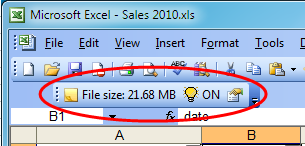
Get Started with ASAP Utilities 9
Start saving time in Excel with practical tools you can use right away.
-
No sign-up required.
-
-
Free 90-day trial