


Version 4.5.8 - March 10, 2010
March 10, 2010
Finished
On March 10, 2010 the new version 4.5.8 is released. Download
New features and improvements
- Range » Advanced sorting...
The option to sort from left-to-right is now also implemented. In addition to Excel's standard left-to-right sorting, you can specify in this tool to use a header column.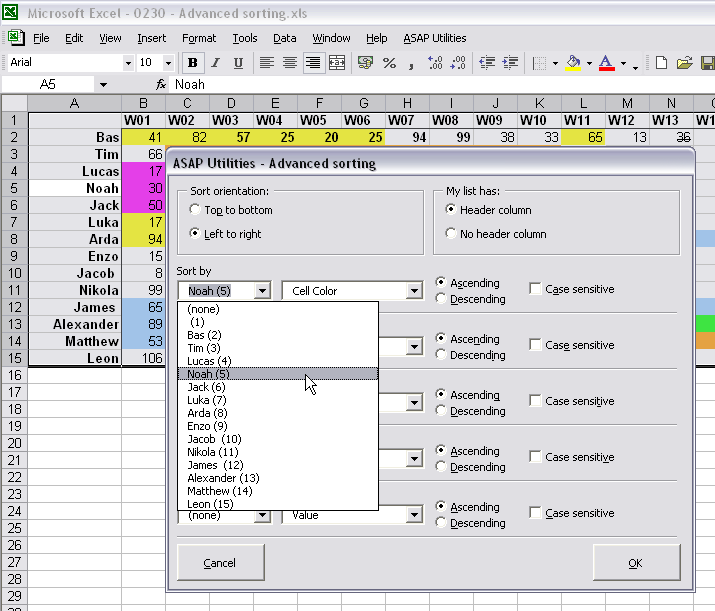
- Select » Select cells based on content, formatting and more...
With the option "text length" you can now instead of just entering a number, also use <, <=, > or >= in front of it. For example to select all cells with a value longer then 255 character you can use '>255'.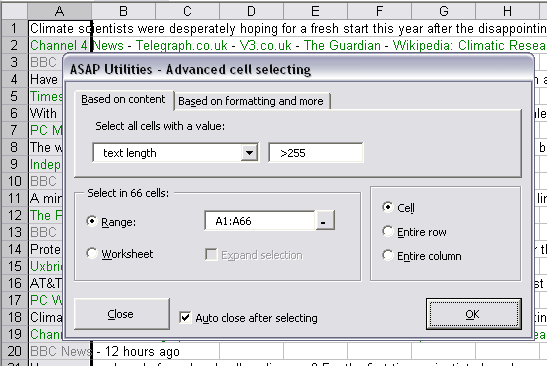
- ASAP Utilities Options » New tools in development (experimental, English only)
NEW: Unapply range names in selected formulas (back to cell references)
This utility will replace the range names used in formulas with their cell references. For example if you have a value in cell C10 and named it 'quantity' and you used formulas such as '=A1*quantity', then this utility will replace that formula with '=A1*C10'.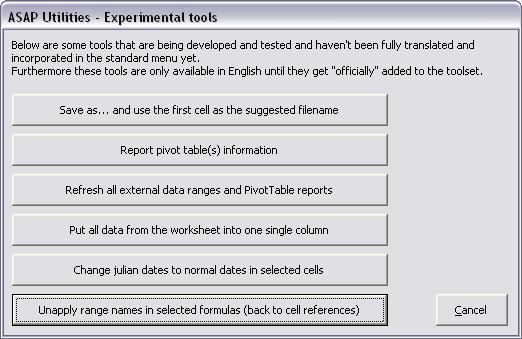
- ASAP Utilities Options » New tools in development (experimental, English only)
NEW: Sort each row in selection individually ascending (left to right) - ASAP Utilities Options » New tools in development (experimental, English only)
NEW: Sort each column in selection individually ascending (top to bottom) - ASAP Utilities Options » New tools in development (experimental, English only)
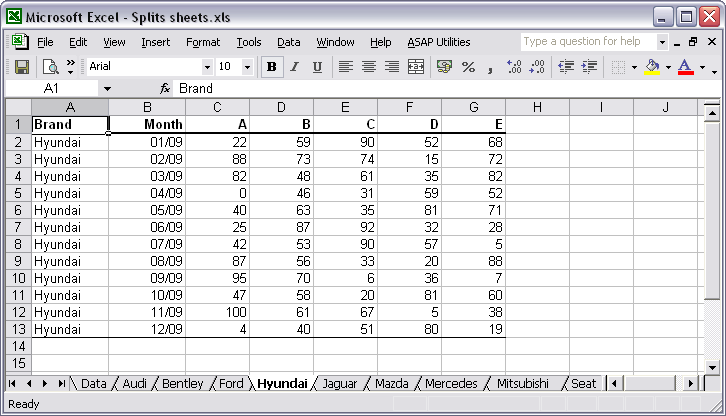
NEW: Split data table into multiple worksheets
With this tool you can quickly split your data into multiple parts on different sheets. You can for example split a large table into multiple sheets.
You can do this either by value, for example to create a new sheet for each company, or you can specify the number of rows to create per sheet.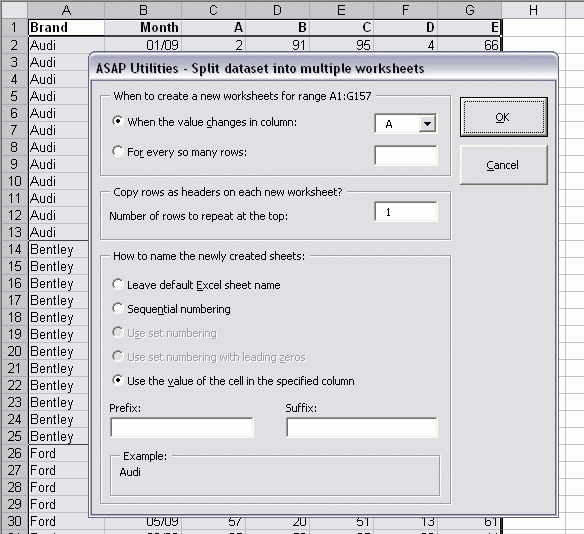
The result:
We have also received the request for this tool from people that used workbooks with over 500 000 rows (Excel 2007) and then needed to open the information in Excel 2003. In order to do that they had to split the information into pieces of a max of 65536 rows because that is the maximum amount of rows that a sheet in Excel 2003 can contain. Now, with this tool you can do that much faster.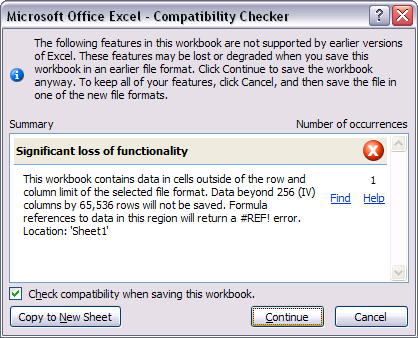
- ASAP Utilities Options » New tools in development (experimental, English only)
NEW: Set the width and height of cells in centimeters or inches
This can be helpful if you use the Excel for drawing purposes, such as creating a flowchart or when you design your garden. Or just because you want square cells.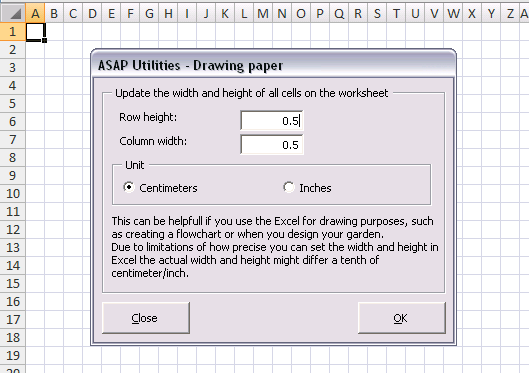
- ASAP Utilities Options » New tools in development (experimental, English only)
NEW: Manage duplicated records
With this utility you can easily remove the duplicated records from your sheet.
You can also have it remove records from your sheet that already exist on another sheet, which can for example be useful if you are working with mailing lists.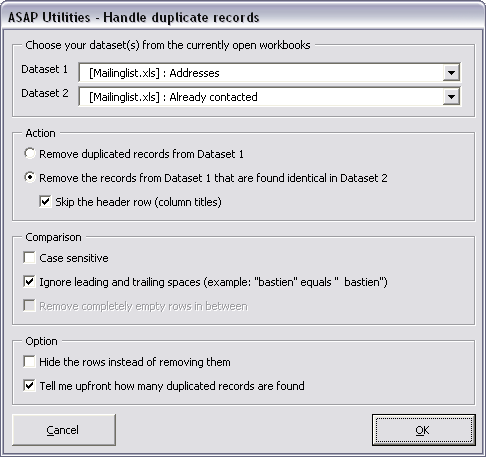
- Improved setup.
- A few small (speed) improvements.
Bug fixes
- Text » Delete all numbers in selection
Improved. In specific situations this utility could cause problems when Excel automatically changed the value. For example a cell with a value 230 A1 was changed by Excel to 3:00 AM. Apparently this is a rare situation because this bug was only reported by one person. This is now fixed. - Formulas » Insert function from the ASAP Utilities library...
Fixed the bug in the =MERGECELLS() formula. This function didn't work as expected when the parameter 'optional skip_empty_cells' was set to FALSE. - Vision Control...
The option 'Apply current settings to all worksheets' produced an error if you didn't change the zoom first with this tool: "Run-time error '1004': Unable to set the Zoom property of the Window class". This bug was introduced in version 4.5.5 and it is now fixed. - Range » Advanced sorting...
Produced an error in a specific situation. The error occurred if your workbook had multiple windows, another then window 1 was active and window 1 wasn't visible. The error was: "Error 1004: Select method or Range class failed".
This is now fixed. - Text » Delete all text characters (a-z) in selected cells
For this utility we used Excel's find/replace command, which is fast, but it drops leading zeros if all that is left is a number, such as for example BP0517.
You can now specify to use a (slower) technique to preserve any leading zeros.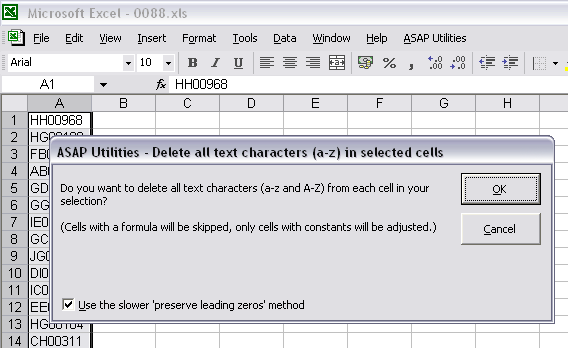
- Export » Export selection as HTML table to clipboard...
In Excel 2007 the amount of colors in the HTML export was limited to Excel's (pre Excel 2007) color palette of 56 colors. This is now corrected. - A few small bug fixes.
Get Started with ASAP Utilities 9
Start saving time in Excel with practical tools you can use right away.
-
No sign-up required.
-
-
Free 90-day trial