


Tip of the Day | Wednesday 21 October 2026
Discover new tools to get things done.
Set Temporary Default File Location to Current Folder
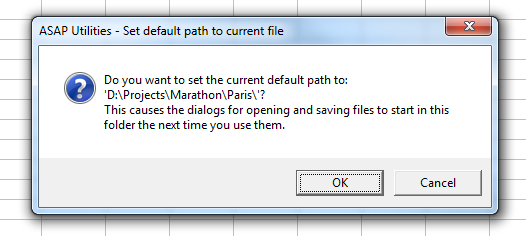
This tool temporarily sets Excel's default folder to the location of your current workbook.
As a result, when you use Excel's classic Open (Control+F12) or Save (Alt+F2 or F12) dialogs, they will start in this folder, making it quicker to open or save related files without browsing through folders.
It's useful when:
- Working in project-specific folders and subfolders
- Opening related files from the same folder when multiple workbooks are open.
Important to know:
- This setting is temporary. Excel will use this folder until you open or save a file from a different location, after which Excel updates its working folder automatically.
- This works with Excel's classic Open/Save dialogs (not the modern Backstage view).
- It does not change Excel's permanent default file location setting (File > Options > Save > Default local file location)
By default, you can launch this tool using the Control+Alt+E shortcut.
Tip:
Regardless of this setting, Alt+F2 or F12 always uses the classic Save As dialog, and Control+F12 always uses the classic File Open dialog.
If you prefer the classic Windows-style Open and Save dialogs also for the other shortcuts, you can use the following setting in Excel:
1. Go to File > Options > Save
2. Enable "Don't show the Backstage when opening or saving files with keyboard shortcuts."
Starting this tool
Specify a Keyboard Shortcut: ASAP Utilities › My Tools & Shortcuts › Manage My Tools & Shortcuts...
Tip: Alt+N for the next tool.