


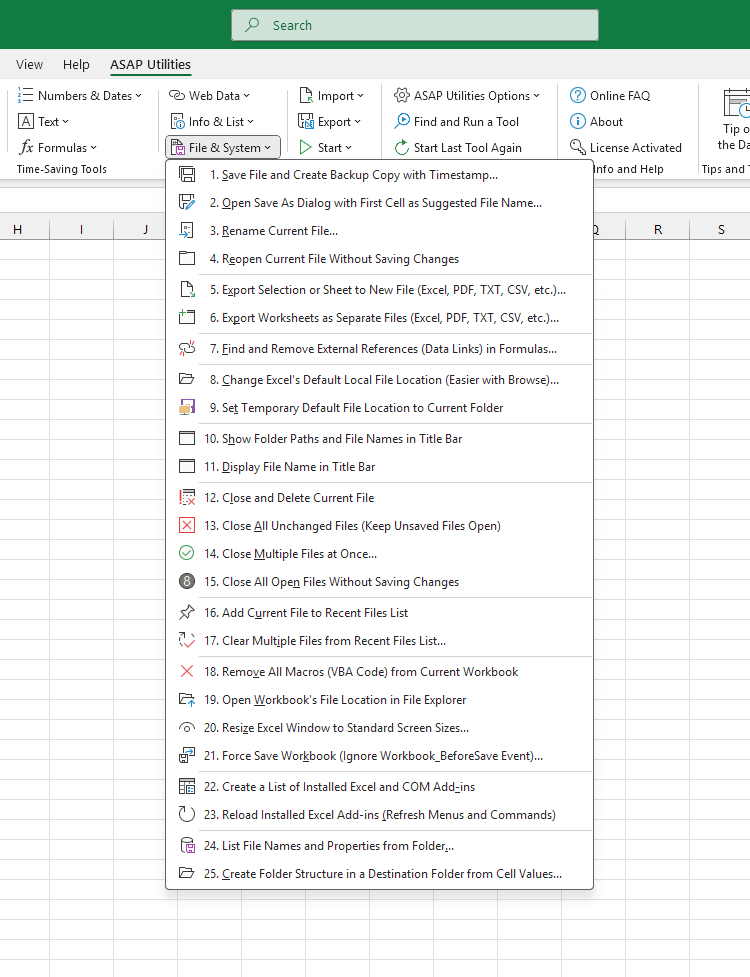
File & System
Open Save As Dialog with First Cell as Suggested File Name...›
Export Selection or Sheet to New File (Excel, PDF, TXT, CSV, etc.)...›
Export Worksheets as Separate Files (Excel, PDF, TXT, CSV, etc.)...›
Find and Remove External References (Data Links) in Formulas...›
Change Excel's Default Local File Location (Easier with Browse)...›
Reload Installed Excel Add-ins (Refresh Menus and Commands)›
Create Folder Structure in a Destination Folder from Cell Values...›

Save Time in Excel. The Easy Way.
This category includes tools to create backup copies with dates and times in their names, rename workbooks without closing them, and close multiple files at once.
You can also find and remove external links in formulas, list file names and properties from a folder, and simplify other tasks involving files and folders.
You can get started right away. No training needed.
Most users start with a few tools. Many end up using ASAP Utilities daily.
Used by teams in 29,000+ organizations.
300+
Time-Saving Excel Tools
The tools in ASAP Utilities help you save time and do what Excel alone can't.
10
Languages
Available in 10 languages. It works with all Excel and Windows language versions. Used by clients in over 140 countries.
38
Extra worksheet functions
Easy-to-use functions that extend Excel's capabilities, such as counting or summing cells by fill or font color.
Get Started with ASAP Utilities 9
Start saving time in Excel with practical tools you can use right away.
-
No sign-up required.
-
-
Free 90-day trial