


List All Named Ranges and Table Names in Workbook
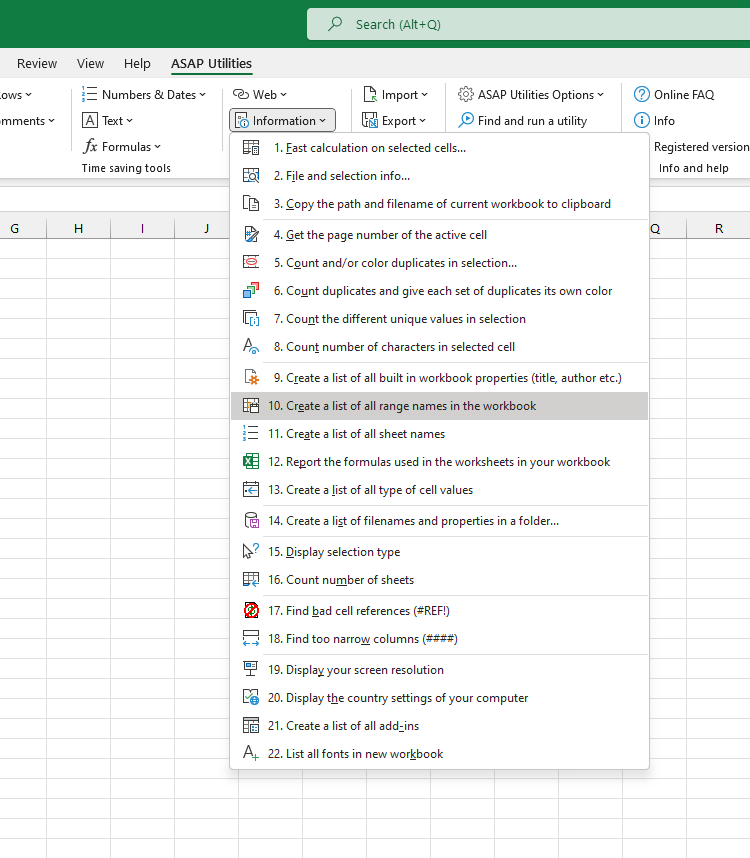
This tool creates a detailed list of all named ranges (defined names) and table names in your workbook.
It generates a new workbook with a report that includes:
- The name
- The type: Defined Name or Table Name
- What the name refers to, such as a cell range, formula, or value
- The scope (workbook-level or worksheet-level, including the sheet name if applicable)
- Any associated comments or descriptions
- The visibility status for defined names (visible or hidden)
This overview helps you:
- Review and document all defined names and table names
- Detect errors, duplicates, or broken references
- Identify hidden names that may affect formulas or logic
- Clean up unused or outdated names
- Understand workbook structure for auditing or development
The report includes all table names and both visible and hidden defined names.
Hidden defined names are not shown in Excel's Name Manager but can still be used in formulas or accessed via VBA. This tool helps surface those names for full transparency.
Starting this tool
Specify a Keyboard Shortcut: ASAP Utilities › My Tools & Shortcuts › Manage My Tools & Shortcuts...
Additional search terms to help you find this tool:
export names, report names, reporting, Name Manager, name audit, name inventory, workbook documentation
Tip:Alt+P for the previous tool.
Tip: Alt+N for the next tool.

Save Time in Excel. The Easy Way.
ASAP Utilities helps you save time and do what Excel alone can't.
You can get started right away. No training needed.
Most users start with a few tools. Many end up using ASAP Utilities daily.
Used by teams in 28,500+ organizations.
Get Started with ASAP Utilities 9
Start saving time in Excel with practical tools you can use right away.
-
No sign-up required.
-
-
Free 90-day trial