


Switch Back to Previous Sheet
This tool lets you quickly switch between the current sheet and the last used (previously active) sheet.
Use it again to return, making it easy to toggle back and forth between two sheets.
It works across worksheets and chart sheets, even when they are in different workbooks or when the sheets are not next to each other. This is especially useful when working with many sheets or when frequently switching back and forth, where moving through sheets in tab order can interrupt your flow.
In Excel, you can use Control+Page Up and Control+Page Down to move to the previous or next sheet in the tab order (to the left or right). This tool instead lets you quickly return to the sheet you used last, similar to switching between windows with Alt+Tab.
By default, you can launch this tool using the Control+Alt+L shortcut.
Starting this tool
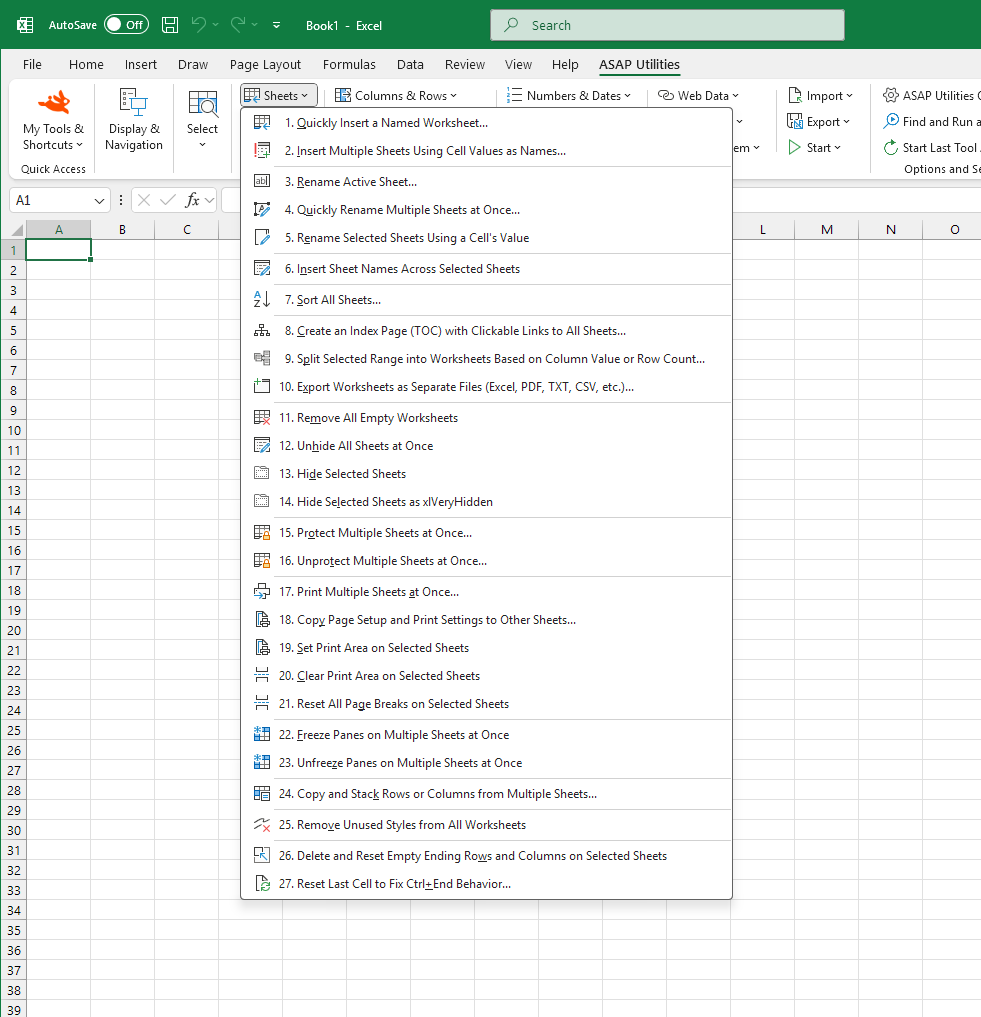
Click › Sheets › 7. Switch Back to Previous Sheet
Specify a Keyboard Shortcut: ASAP Utilities › My Tools & Shortcuts › Manage My Tools & Shortcuts...
Tip:Alt+P for the previous tool.
Tip: Alt+N for the next tool.

Save Time in Excel. The Easy Way.
ASAP Utilities helps you save time and do what Excel alone can't.
You can get started right away. No training needed.
Most users start with a few tools. Many end up using ASAP Utilities daily.
Used by teams in 28,500+ organizations.
Get Started with ASAP Utilities 9
Start saving time in Excel with practical tools you can use right away.
-
No sign-up required.
-
-
Free 90-day trial