


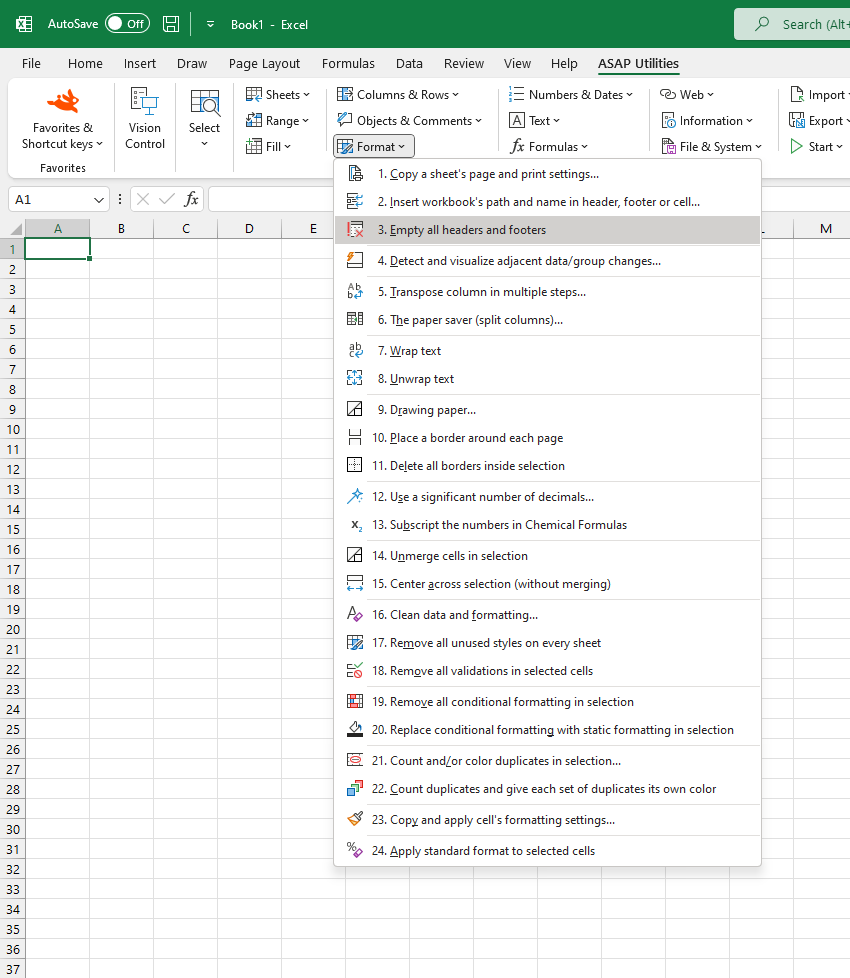
Clear All Headers and Footers in Selected Sheets
This tool removes all content from the headers and footers in the selected worksheets.
It clears all six sections: left, center, and right for both the header and footer, making them fully empty again.
This is useful when:
- Cleaning up templates or reports
- Preparing sheets for printing or export
- Removing outdated notes, file names, or timestamps from headers and footers
Only the selected sheets are affected.
The other layout and page setup settings remain unchanged.
Starting this tool
Specify a Keyboard Shortcut: ASAP Utilities › My Tools & Shortcuts › Manage My Tools & Shortcuts...
Additional search terms to help you find this tool:
Remove header and footer, Clear all headers and footers, Delete header and footer content, Empty header and footer, Delete all headers and footers, Remove header text, Remove footer info, Bulk clear header and footer, Reset headers and footers, Clear print headers, Batch remove header/footer, Clear custom header
Tip:Alt+P for the previous tool.
Tip: Alt+N for the next tool.
Get Started with ASAP Utilities 9
Start saving time in Excel with practical tools you can use right away.
-
No sign-up required.
-
-
Free 90-day trial