


Close and Unload ASAP Utilities from Excel
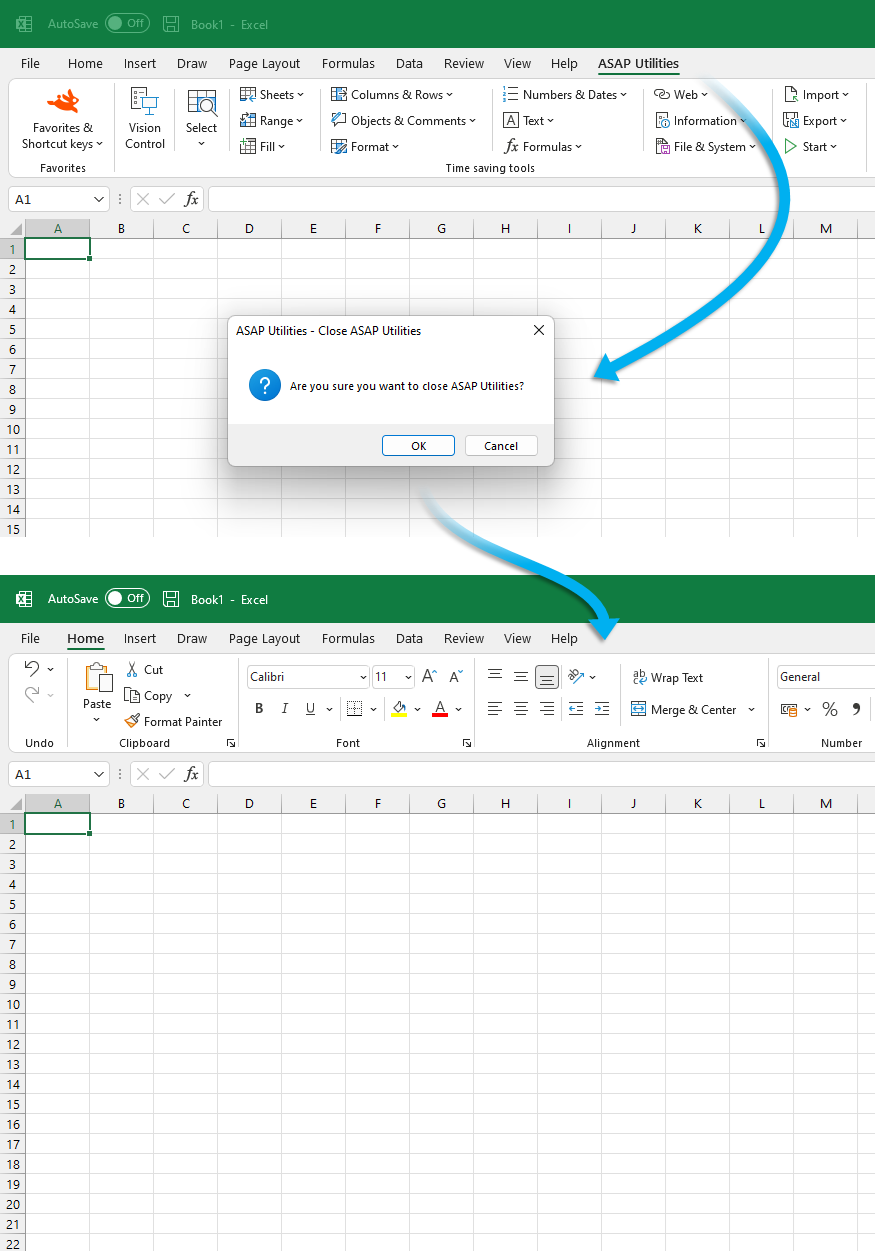
This closes and unloads ASAP Utilities from Excel.
It removes the add-in from the menu bar and disables all ASAP Utilities tools and shortcuts.
To use it again, restart Excel or reload the add-in manually.
Starting this tool
Specify a Keyboard Shortcut: ASAP Utilities › My Tools & Shortcuts › Manage My Tools & Shortcuts...
Additional search terms to help you find this tool:
close ASAP Utilities, unload ASAP Utilities, disable add-in, remove from Excel, stop ASAP Utilities, exit ASAP Utilities, remove add-in from ribbon, disable ASAP tools, turn off ASAP Utilities, exit ASAP
Tip:Alt+P for the previous tool.
Tip: Alt+N for the next tool.
Get Started with ASAP Utilities 9
Start saving time in Excel with practical tools you can use right away.
-
No sign-up required.
-
-
Free 90-day trial