


Print Preview Selection
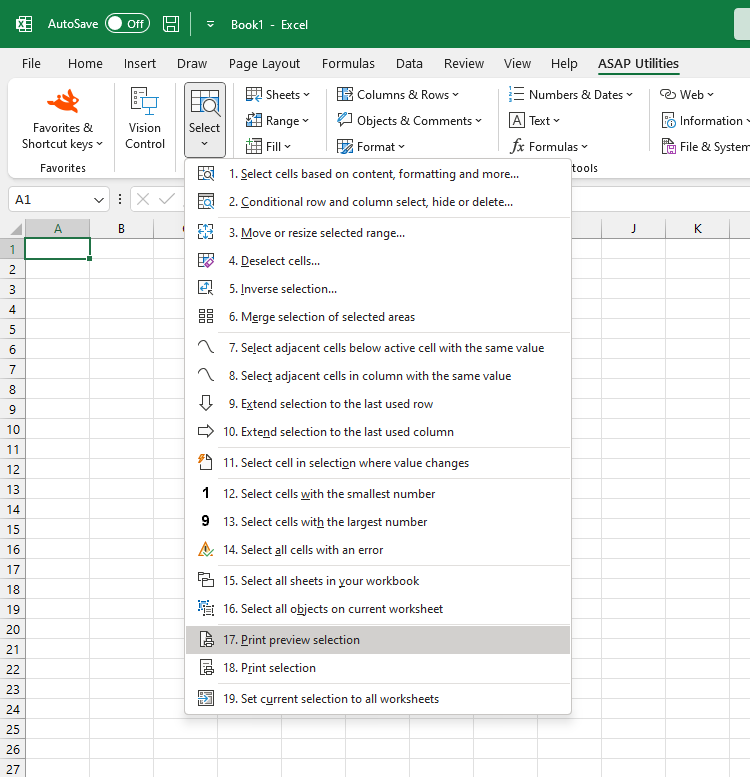
Quickly generate a print preview of only your selected range or chart in Excel.
This tool lets you preview exactly how your selected data or chart will appear when printed. It helps you check formatting, page layout, and scaling before printing, ensuring your printout looks correct and avoids unwanted extra pages.
Starting this tool
Click › Select › 18. Print Preview Selection
Specify a Keyboard Shortcut: ASAP Utilities › My Tools & Shortcuts › Manage My Tools & Shortcuts...
Additional search terms to help you find this tool:
Print preview of selection in Excel, Print only selected range, Preview selected chart before printing, Print preview selected area, Print preview for selected data, Print preview for selected chart
Tip:Alt+P for the previous tool.
Tip: Alt+N for the next tool.
Get Started with ASAP Utilities 9
Start saving time in Excel with practical tools you can use right away.
-
No sign-up required.
-
-
Free 90-day trial