


Apply Current Range Selection to All Worksheets
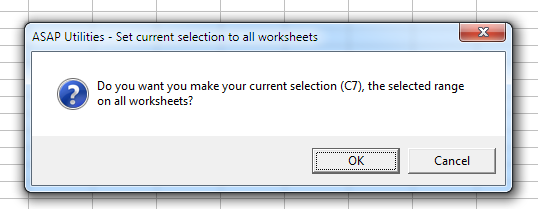
Easily set your current range selection on all worksheets in your workbook.
This tool ensures that every worksheet has the same selected range, making it easier to navigate, enter data, or apply formatting consistently across multiple sheets. It is useful for forms, templates, and reports, saving time by avoiding selecting the same range manually on each sheet.
Starting this tool
Specify a Keyboard Shortcut: ASAP Utilities › My Tools & Shortcuts › Manage My Tools & Shortcuts...
Additional search terms to help you find this tool:
Apply selection to all sheets in Excel, Set same selected range on all worksheets, Select same range on multiple sheets, Synchronize selection across worksheets, Apply active selection to all sheets
Tip:Alt+P for the previous tool.
Tip: Alt+N for the next tool.
Get Started with ASAP Utilities 9
Start saving time in Excel with practical tools you can use right away.
-
No sign-up required.
-
-
Free 90-day trial