


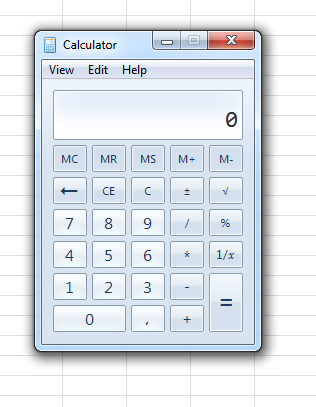
Open Windows Calculator
This tool opens the built-in Windows Calculator directly from Excel.
While Excel has powerful built-in calculation capabilities, some users find it convenient to launch the Calculator for quick standalone calculations, conversions, or to double-check formula results.
Tip: If you use it often, you can assign a shortcut key for quicker access via the 'My Tools & Shortcuts' menu.
Starting this tool
Click › Start › 2. Open Windows Calculator
Specify a Keyboard Shortcut: ASAP Utilities › My Tools & Shortcuts › Manage My Tools & Shortcuts...
Additional search terms to help you find this tool:
launch calculator, start calculator, quick calculator, open calc, Excel calculator shortcut, built-in calculator, scientific calculator, calculator app, calculator for Excel, launch Windows calculator, calculator access, math helper, Windows calc, calculator shortcut
Tip:Alt+P for the previous tool.
Tip: Alt+N for the next tool.
Get Started with ASAP Utilities 9
Start saving time in Excel with practical tools you can use right away.
-
No sign-up required.
-
-
Free 90-day trial