


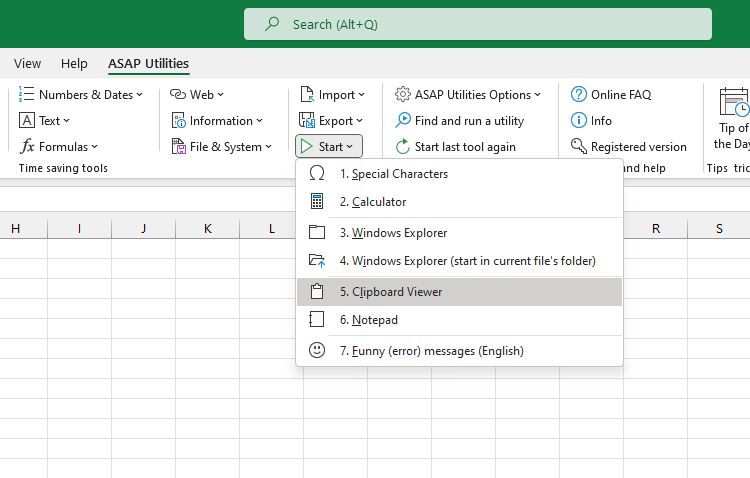
Open Clipboard Viewer
This tool opens Excel's Clipboard task pane, where you can view and reuse recently copied items.
Use it when you want to:
- See content you've copied in Excel or other apps
- Paste earlier clipboard items without copying them again
- Keep track of copied content across multiple actions
It opens the same Clipboard pane you find under Home > Clipboard > launcher icon.
Note:
This tool was originally added before Excel included a built-in Clipboard pane. Today, it opens Excel's native Clipboard pane for quick access.
Starting this tool
Click › Start › 5. Open Clipboard Viewer
Specify a Keyboard Shortcut: ASAP Utilities › My Tools & Shortcuts › Manage My Tools & Shortcuts...
Additional search terms to help you find this tool:
view clipboard, clipboard pane, excel clipboard history, clipboard manager, copy history, clipboard task pane, show clipboard, office clipboard, reuse copied data, open clipboard panel
Tip:Alt+P for the previous tool.
Tip: Alt+N for the next tool.
Get Started with ASAP Utilities 9
Start saving time in Excel with practical tools you can use right away.
-
No sign-up required.
-
-
Free 90-day trial