


Rename Active Sheet...
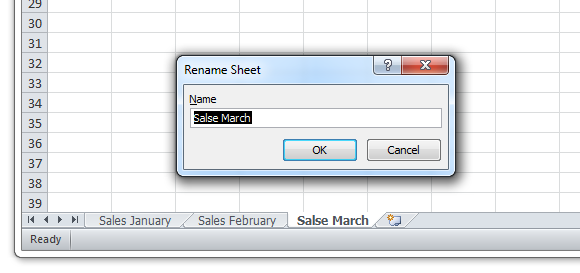
Quickly rename the active worksheet by entering a new name.
While you can rename a sheet by double-clicking it, the advantage of having this tool in ASAP Utilities is that you can assign a shortcut to it via 'My Tools & Shortcut Keys' for accessibility and even faster access.
Starting this tool
Click › Sheets › 3. Rename Active Sheet...
Specify a Keyboard Shortcut: ASAP Utilities › My Tools & Shortcuts › Manage My Tools & Shortcuts...
Additional search terms to help you find this tool:
Rename worksheet in Excel, Shortcut to rename a sheet, Change sheet name quickly, Change sheet label, Rename active worksheet with a shortcut, Sheetname, Quickly rename sheet tabs in Excel, Shortcut for renaming worksheets, Rename chart sheet, What is the best way to rename a sheet in Excel without using the mouse?
Tip:Alt+P for the previous tool.
Tip: Alt+N for the next tool.
Get Started with ASAP Utilities 9
Start saving time in Excel with practical tools you can use right away.
-
No sign-up required.
-
-
Free 90-day trial