


Hide Selected Sheets
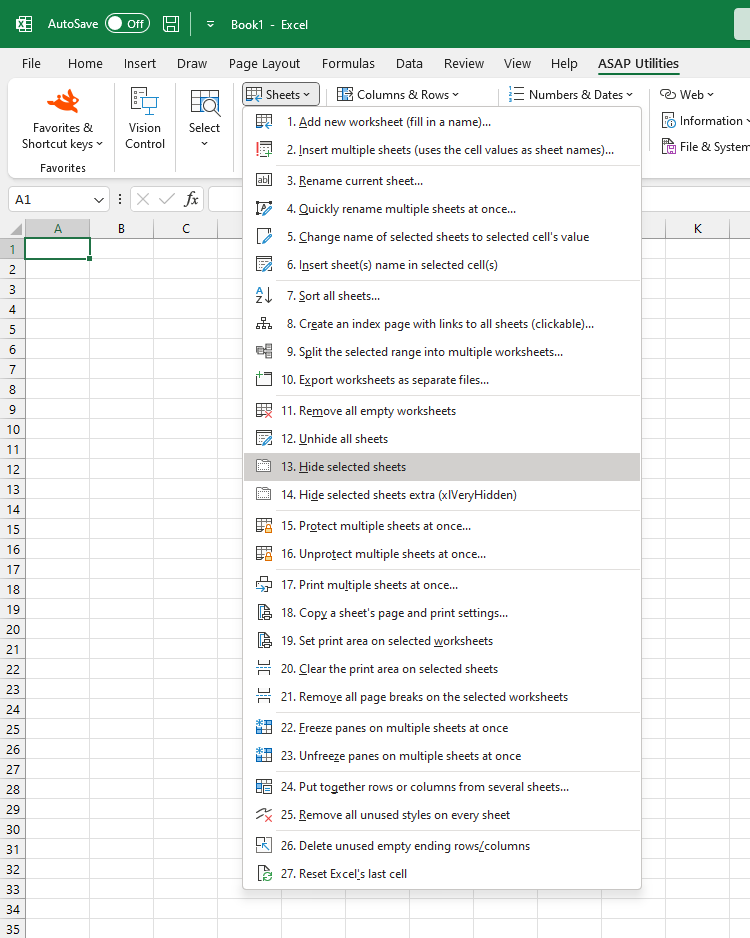
Quickly hide multiple selected worksheets in one step.
While Excel allows you to hide sheets, it requires using the menu each time. This tool makes the process faster and more efficient by letting you assign a custom shortcut via 'My Tools & Shortcut Keys' for instant access and improved accessibility.
Starting this tool
Click › Sheets › 14. Hide Selected Sheets
Specify a Keyboard Shortcut: ASAP Utilities › My Tools & Shortcuts › Manage My Tools & Shortcuts...
Additional search terms to help you find this tool:
Hide multiple sheets in Excel, Hide selected worksheets simultaneously, Hide multiple worksheets at once, Excel batch hide sheets, Excel shortcut for hiding multiple worksheets at one go, Quickly hide multiple sheets, How to hide worksheets in bulk in Excel, Best way to hide sheets fast
Tip:Alt+P for the previous tool.
Tip: Alt+N for the next tool.
Get Started with ASAP Utilities 9
Start saving time in Excel with practical tools you can use right away.
-
No sign-up required.
-
-
Free 90-day trial