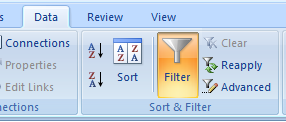
Problem with copying filtered data in Excel 2007 + workaround

Filter' align='right' style='margin-left:10px;'/>I just got an email that says you cannot copy only the filtered data in Excel 2007. If you use the autofilter to make a selection and then you only want to copy the filtered rows, Excel 2007 copied everything, even the hidden rows. This is different from the way Excel 2000-2003 [...]

Protect sheets: The EnableSelection property is not saved + Excel update fix

Yesterday I got the following question: "When using the “protect multiple sheets at once” and checking only the “select unlocked cells” checkbox I find that once I save and reopen the sheets now behave as if both the “select unlocked cells” as well as the “select locked cells” seems to be in effect as I [...]

Video: How to delete the first 3 characters in a column in Excel with ASAP Utilities

The following video will show you how to strip the first 3 characters from a column in Excel by using ASAP Utilities.
The example in the video shows a list of article numbers. Now in this case we want to remove the first 3 characters.

This can be done with an Excel formula such as =RIGHT(A2,LEN(A2)-3) in a [...]

Video: How to fill empty cells with the value above in Excel with ASAP Utilities

The following video will show you how to fill empty cells with the value above in Excel by using ASAP Utilities.
The example in the video shows a table with several car-brands. Now in this case we want the brand-names copied down so that the empty cells are filled with the brand names. After this we can [...]

Video: How to sort the sheet-tabs in Excel with ASAP Utilities

The following video will show you how to sort the sheet-tabs in alphabetical order in Excel by using ASAP Utilities.
The example in the video show a workbook with several sheets with city-names:

In the Excel menu choose ASAP Utilities » Sheets » Sort all sheets in alphabetical order
Then result will then look like:

Fixed the statup delay in Windows XP + Excel 2007 when opening a file through the Windows Explorer

The latest version of ASAP Utilities (pre-released today) will solve an issue that can appear when you have both Windows XP and Excel 2007 installed.
"After installing the latest version of ASAP-Utilities after upgrading to Office 2007, I began to encounter a problem with Excel 2007 where, upon clicking on an Excel file to open, the [...]

Pre-release ASAP Utilities version 4.2.1 RC3

I have just published a new pre-release of the new version of ASAP Utilities. It is ready for download and testing.
In this update have made a few small improvements and added a new worksheet function that make creating strong passwords easy:
=ASAPRandomPassword(length, use_symbols)This new function will return a strong password which contains of  - both uppercase [...]

Video: How delete leading, trailing and excessive spaces in Excel with ASAP Utilities

The following video will demonstrate you how to delete leading, trailing and excessive spaces from cells (trim) in Excel by using ASAP Utilities.
The example in the video shows an address list with too many spaces:

Several street- and city names contain a space at the beginning and/or at the end. Furthermore in a few names there are [...]

Video: How to extract hyperlinks in Excel with ASAP Utilities

The following video will demonstrate you extract hyperlinks from cells in Excel by using ASAP Utilities.
The example in the video show a list of websites that I copied from my links-page. There is no easy way in Excel itself to get the hyperlinks from the cells. That's why I built such a functionality into ASAP Utilities.

First [...]

Video: How to sort by color in Excel with ASAP Utilities

The following video will demonstrate you how to sort by color in Excel by using ASAP Utilities.
It is not possible to sort by color in Excel. However we find that many people use colors to "tag" certain cells that need to be processed later.
The example in the video show a list of keywords such as my [...]