With the new version 4.3 of ASAP Utilities it will be easier to find the utility you need with the tool "Find and run a utility...". We have improved this already existing utility. The results are presented better and you can now immediately start/run the utility from the search results. If you click on the [...]
Posted on February 10th, 2009 by Bastien
Filed under: ASAP Utilities, how to | Comments Off
I got a question from Ryan:
I have a bunch of excel cells and I need them all to have no spaces and no dashes so the first one would be: 185444001 and so on. How can I use ASAP Utilities to remove all spaces and dashes?
You can do this very quick with the following utility:
ASAP [...]
Posted on February 10th, 2009 by Bastien
Filed under: ASAP Utilities, how to | Comments Off
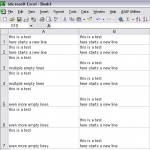
I'm sure you know you can enter a new line/line break by pressing Alt+Enter. But working with these newline characters can sometimes be a bit difficult, for example if you want to remove or replace them.
If you have cells with multiple empty lines it can be difficult to quickly replace them all.
Method 1: Do it [...]
Posted on February 10th, 2009 by Bastien
Filed under: ASAP Utilities, how to | 1 Comment »
If you have a lot of data it can be difficult to identify and remove the empty rows. There is no way in standard Excel to quickly remove all empty rows* so it can be a time-consuming job. You need to use a macro for that.
Empty rows in your table can cause problems with sorting [...]
Posted on February 4th, 2009 by Bastien
Filed under: ASAP Utilities, how to | Comments Off