


Pegar valores y formato
Esta función pega los valores y el formato en un solo paso.
Siga los pasos a continuación para hacer uso de esta función:
1. Copie su rango de datos (por ejemplo, con Ctrl+C)
2. Seleccione la celda o el rango en los que desea pegar
3. Inicie esta función para pegar los valores y el formato.
Iniciando esta utilidad
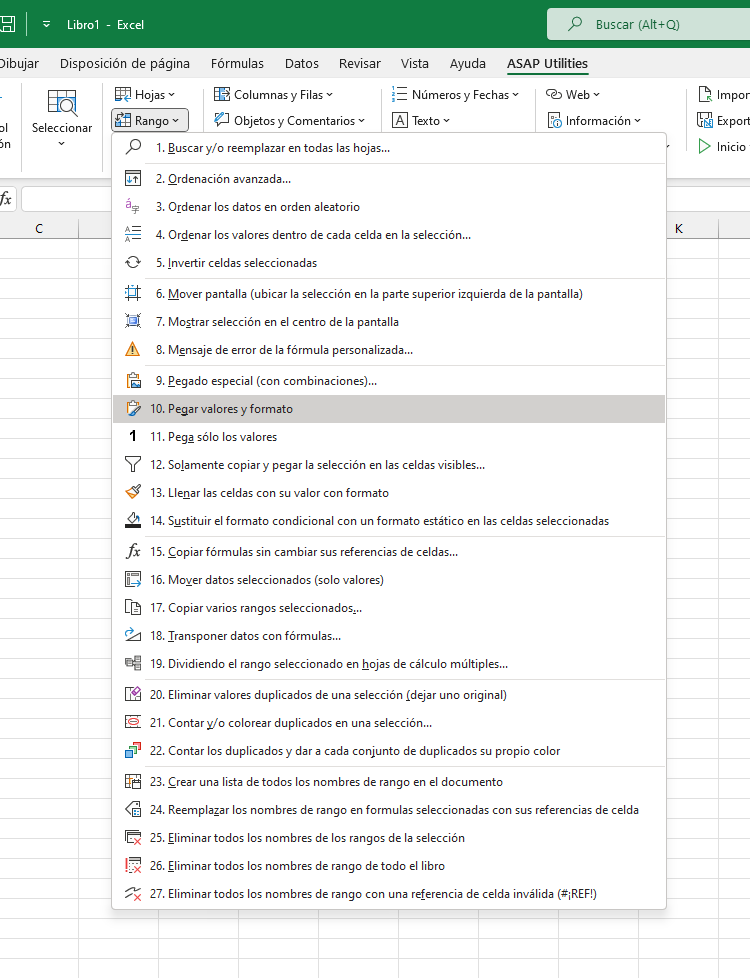
Haga clic en › Rango › 10. Pegar valores y formato
Especificar un método abreviado de teclado: ASAP Utilities › Favoritos y Teclas de método abreviado › Modificar sus herramientas favoritas y teclas de método abreviado...
Consejo: Alt+P para la herramienta anterior.
Consejo: Alt+N para la siguiente herramienta.

Ahorra tiempo en Excel. Así de fácil.
ASAP Utilities te ayuda a ahorrar tiempo y a hacer cosas que Excel por sí solo no puede hacer.
Puede empezar de inmediato. No se necesita formación.
La mayoría de los usuarios empiezan con unas pocas herramientas. Muchos terminan usando ASAP Utilities a diario.
Utilizado por equipos en más de 28.500 organizaciones.
Empieza con ASAP Utilities 9
Empieza a ahorrar tiempo en Excel con herramientas prácticas que puedes usar de inmediato.
-
No se requiere registro.
-
-
Prueba gratuita de 90 días