


Excel 2007: Customizing the Quick Access Toolbar with all commands causes 2 empty popups
Question
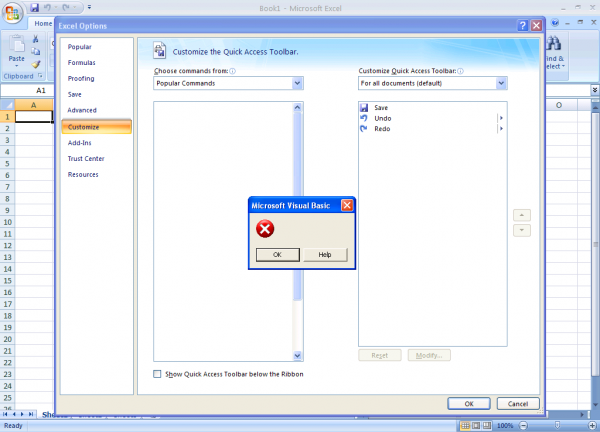
In (only) Excel 2007, when you customize the ribbon, you could get to see 2 empty visual basic popups: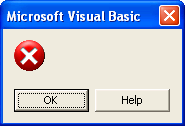
This only happens when you customize the Quick Access Toolbar and either choose commands from "All Commands" or when you choose commands from the "ASAP Utilities Tab". As soon as you select the option you may get numerous 2 empty Microsoft Visual Basic popups. After this you see a lot of buttons that have button that has the text "<< No label >>".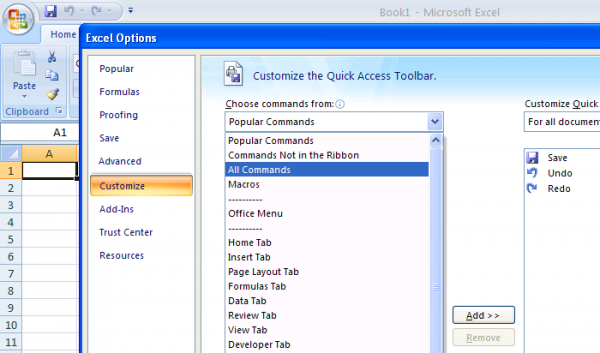
Answer
Unfortunately this is a bug in (only) Excel 2007.
The workaround is to first first select the ASAP Utilities tab and then customize the ribbon in Excel 2007.
Also, if you use ASAP Utilities version 5.0 or older, then please upgrade to the latest version.
Technical details
ASAP Utilities uses dynamic labels (getLabel) and screentips for the buttons and dropdown menus on the ribbon menu so that it can be updated for example when the language is changed.
Although we do this exactly as documented by Microsoft this causes empty Visual Basic popups when you want to customize the ribbon (quick access toolbar, qat) and choose "all commands". The same goes for the getImage and getScreentip tags. Unfortunately there is no way to trap or customize this behavior.
The workaround when using Excel 2007 is to first click on the the ASAP Utilities tab and then customize the ribbon, then you do not get the popups.
We hope that MS will fix this in the next service pack of Excel 2007. However, Office service pack 3 unfortunately still has this bug and we're afraid that MS will never fix this bug in Excel 2007.
In Office 2010 and later this bug is fixed by Microsoft and you don't get the empty popups.
blank Microsoft Visual Basic error