


此页面目前仅提供英文版本。
I can't use right-Alt+E to produce the Euro symbol, can I change the shortcuts that ASAP Utilities uses?
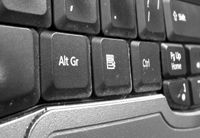 Question
I can't use right-Alt+E to produce the Euro symbol (€) with my German keyboard. In stead it starts ASAP Utilities 'Set default path to current file'.
Answer
This can happen on any computer with a keyboard that has the Alt Gr key.
On your keyboard the key Control+Alt produces the same as the Alt Gr key. By default ASAP Utilities uses the shortcut combination Control+Alt+e to launch the utility 'Set default path to current file'.
You can change the shortcut Control+Alt+e in ASAP Utilities to another key-combination. After you do this you can use the keys again to get the euro-symbol.
In the Excel menu choose:
ASAP Utilities » Favorites » Organize your favorite tools...
Then at the right select "set default path to current file" and change the shortcut key for example to something with the control+shift key combination, such as Control+Alt+E.