Tip of the Day | 2026年6月19日
Discover new tools to get things done.
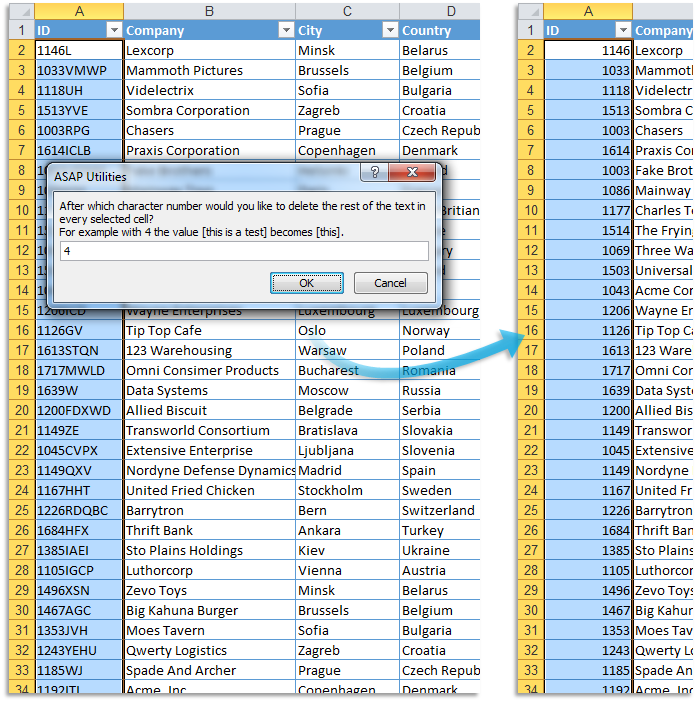
删除给定数量字符后面的全部内容...
此实用工具将删除所选单元格中给定长度后面的所有字符。
该实用工具适用于含有数字和文本的单元格。含有日期的单元格将被跳过。
如果单元格含有公式或数组公式,则首先会将单元格替换为其计算值,然后再去除字符。
例如,您可以使用它快速删除您的数据区域内前 10 个字符后面的全部内容。
您可以将此实用工具用作 Excel 的 =LEFT() 函数的快速替代方案。
Starting this tool
Click ASAP Utilities › 文本 › 22. 删除给定数量字符后面的全部内容...
Specify a Keyboard Shortcut: ASAP Utilities › My Tools & Shortcuts › Manage My Tools & Shortcuts...