

Tip of the Day | 2026年8月7日
Discover new tools to get things done.
相邻数据/组的检测和可视化...
使用此实用工具,您可以用可视化方式轻松找出具有相同内容的单元格组之间的区别。
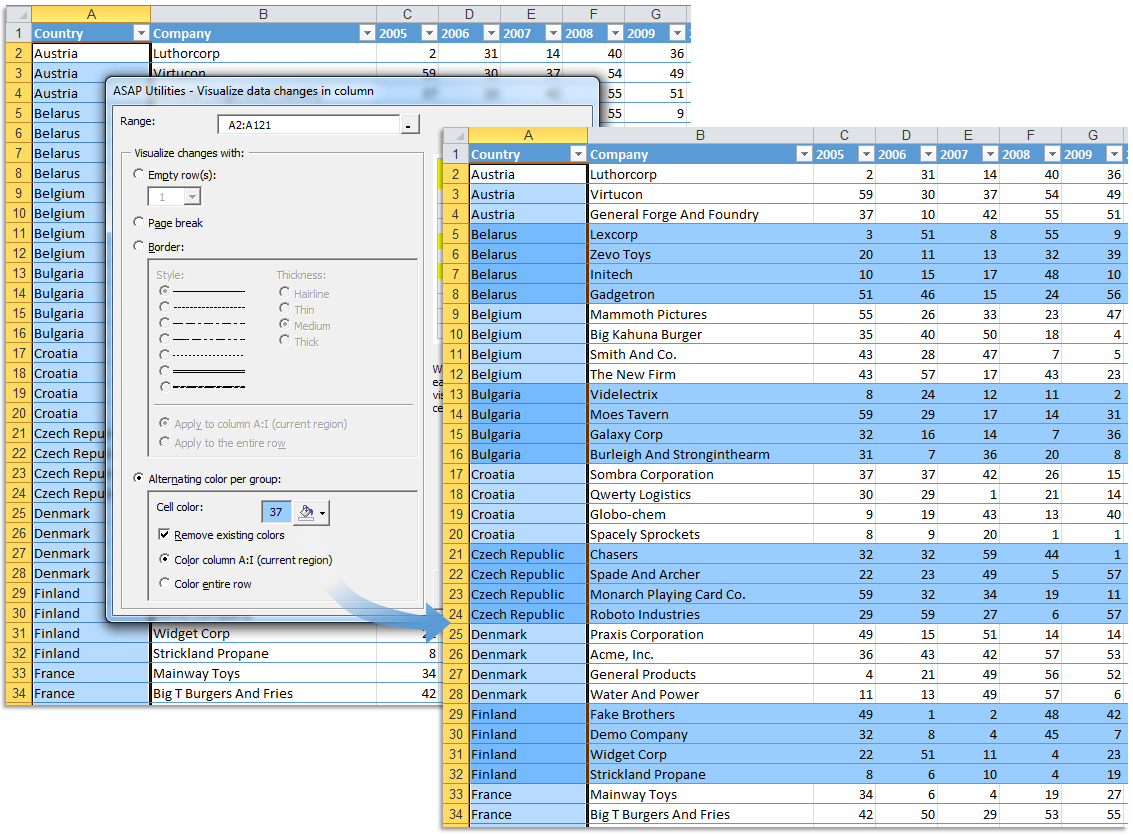
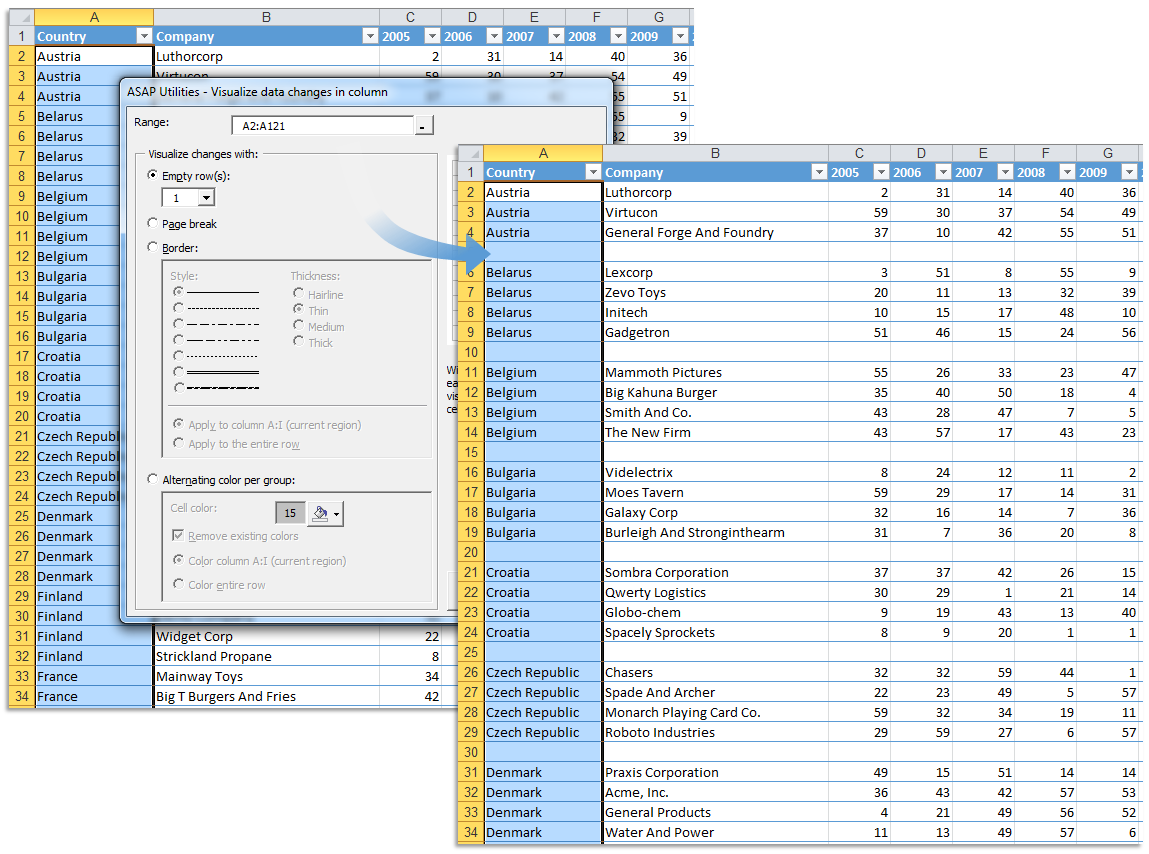
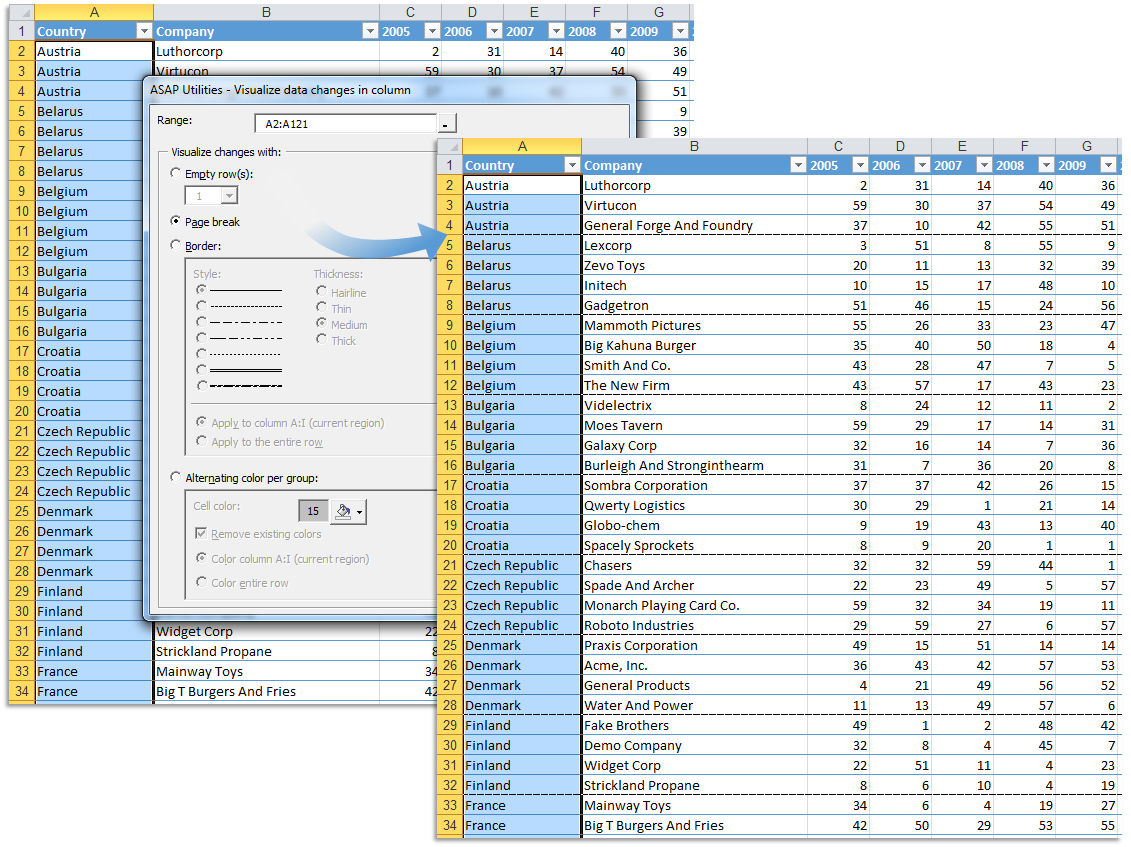
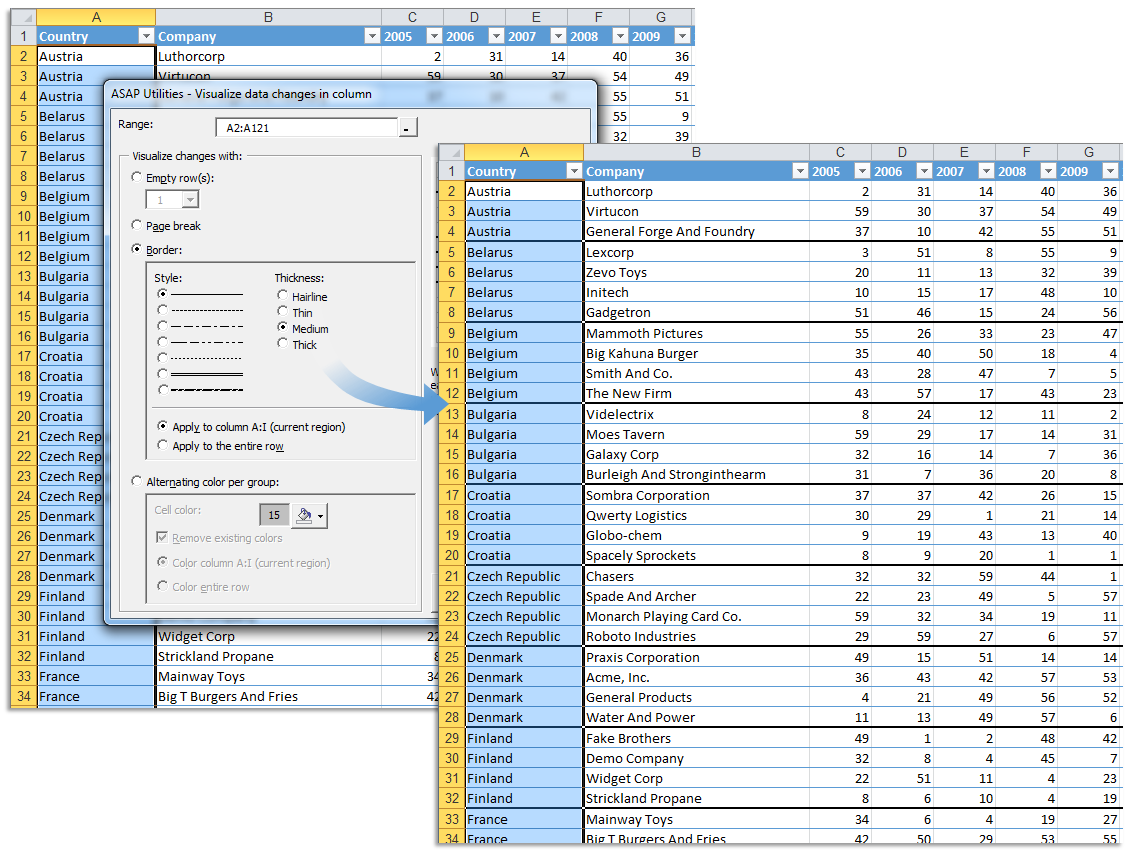
当行中的值更改时,您可以执行下列操作:
- 插入空行
- 插入分页符
- 在组下面插入边框线。
- 各组之间颜色交替。
例如,您可以使用此工具区分您的工作表中不同的组,方法是,当值更改时插入一个空白行或在其中插入一条直线。
您上次使用的设置将被保存。
备注:
此实用工具仅对单个列中行(数据)进行操作。
Starting this tool
Click ASAP Utilities › 列与行 › 4. 相邻数据/组的检测和可视化...
Specify a Keyboard Shortcut: ASAP Utilities › My Tools & Shortcuts › Manage My Tools & Shortcuts...
Example screenshot: 2 Insert a pagebreak between groups (Here's the English version.)
Example screenshot: 3 Insert a border line between groups (Here's the English version.)
Example screenshot: 4 Color banding per group (Here's the English version.)