Tip of the Day | 2026年6月16日
Discover new tools to get things done.
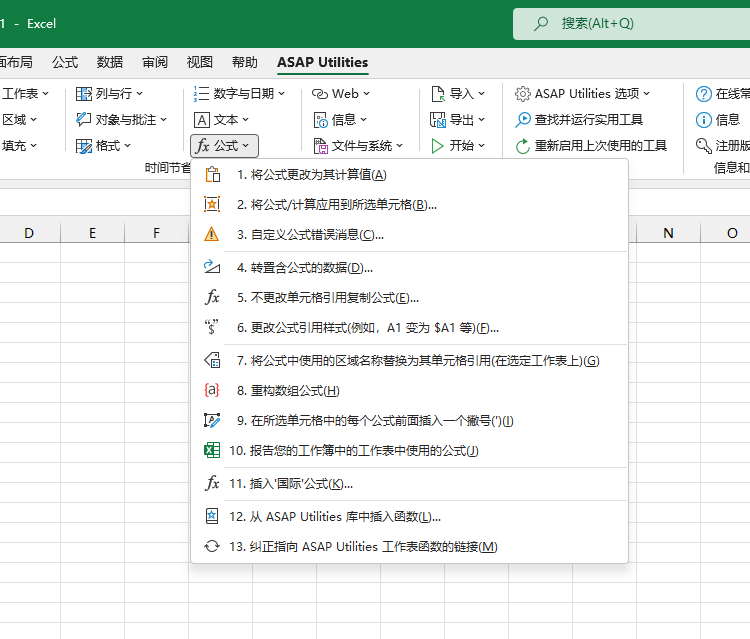
重构数组公式
此实用工具会在您的所选单元格中重新输入所有公式作为数组公式。
输入数组公式时,您必须按 Control+Shift+Enter(而不是只按 Enter)才能插入公式。您必须在首次将数组公式插入工作表时以及任何时候进行编辑时执行此操作。如果您执行此操作正确,则 Excel 会在花括号 {} 中显示公式。
如果您忘记了执行此操作,则需要选择每个单元格、编辑它,然后按 Control+Shift+Enter 将其正确插入为数组公式,整个过程非常繁琐。
此实用工具会将该过程自动化。
Starting this tool
Click ASAP Utilities › 公式 › 8. 重构数组公式
Specify a Keyboard Shortcut: ASAP Utilities › My Tools & Shortcuts › Manage My Tools & Shortcuts...