


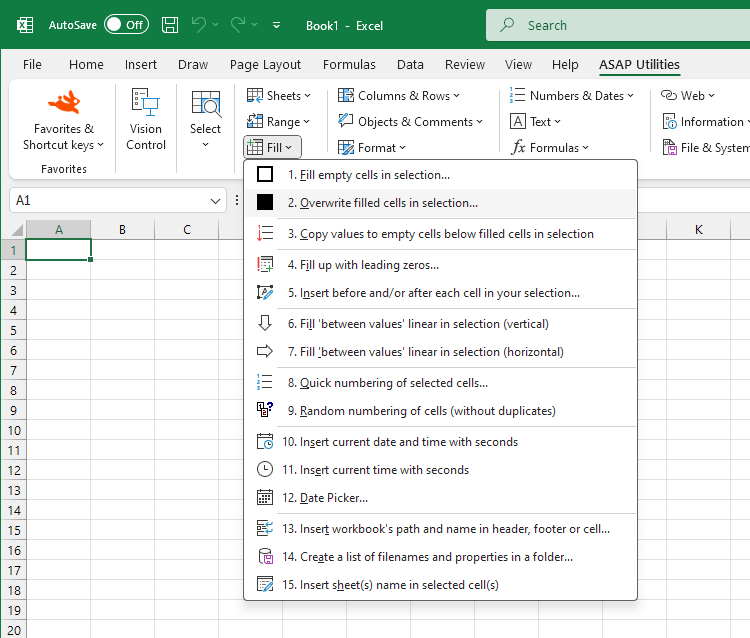
Overwrite Filled Cells with a Specific Value...
This tool replaces the content of all non-empty cells in your selection with a value you specify.
It is useful to quickly overwrite existing data without affecting blank cells. For example, you can use it to reset marked entries, replace outdated values with updated ones, or standardize filled fields.
Starting this tool
Specify a Keyboard Shortcut: ASAP Utilities › My Tools & Shortcuts › Manage My Tools & Shortcuts...
Additional keywords to help you find this tool:
Replace non-empty cells, Fill only filled cells, Change all filled cells to same value, Overwrite values in cells, Replace cell content, Bulk overwrite cells, Mass update filled cells, Fill selected cells with value, Overwrite existing data, Fill only non-blank cells, Fill populated cells only, Batch replace filled cells, Replace filled cells with fixed value, Update values in selected cells, Overwrite content without affecting blanks, Fill non-empty cells with fixed value, Fill selection with new data, Change all filled cells
Tip:Alt+P for the previous tool.
Tip: Alt+N for the next tool.

Save Time in Excel. The Easy Way.
ASAP Utilities helps you save time and do what Excel alone can't.
You can get started right away. No training needed.
Most users start with a few tools. Many end up using ASAP Utilities daily.
Used by teams in 28,500+ organizations.
Get Started with ASAP Utilities
Start saving time in Excel with practical tools you can use right away.
-
No sign-up required.
-
-
Free 90-day trial