


List File Names and Properties from Folder...
This tool creates a list of all files in a specified folder, including their properties.
You can customize what to include:
- Choose the folder to scan
- Optionally include subfolders
- Show only specific file types (e.g., *.xlsx for Excel files)
- Filter by last modified or created date (e.g., only files from the past 30 days)
- Sort the results by filename, date, size, etc.
- Create hyperlinks to the files
- Choose to insert the list in a new workbook or in a new sheet in your current workbook
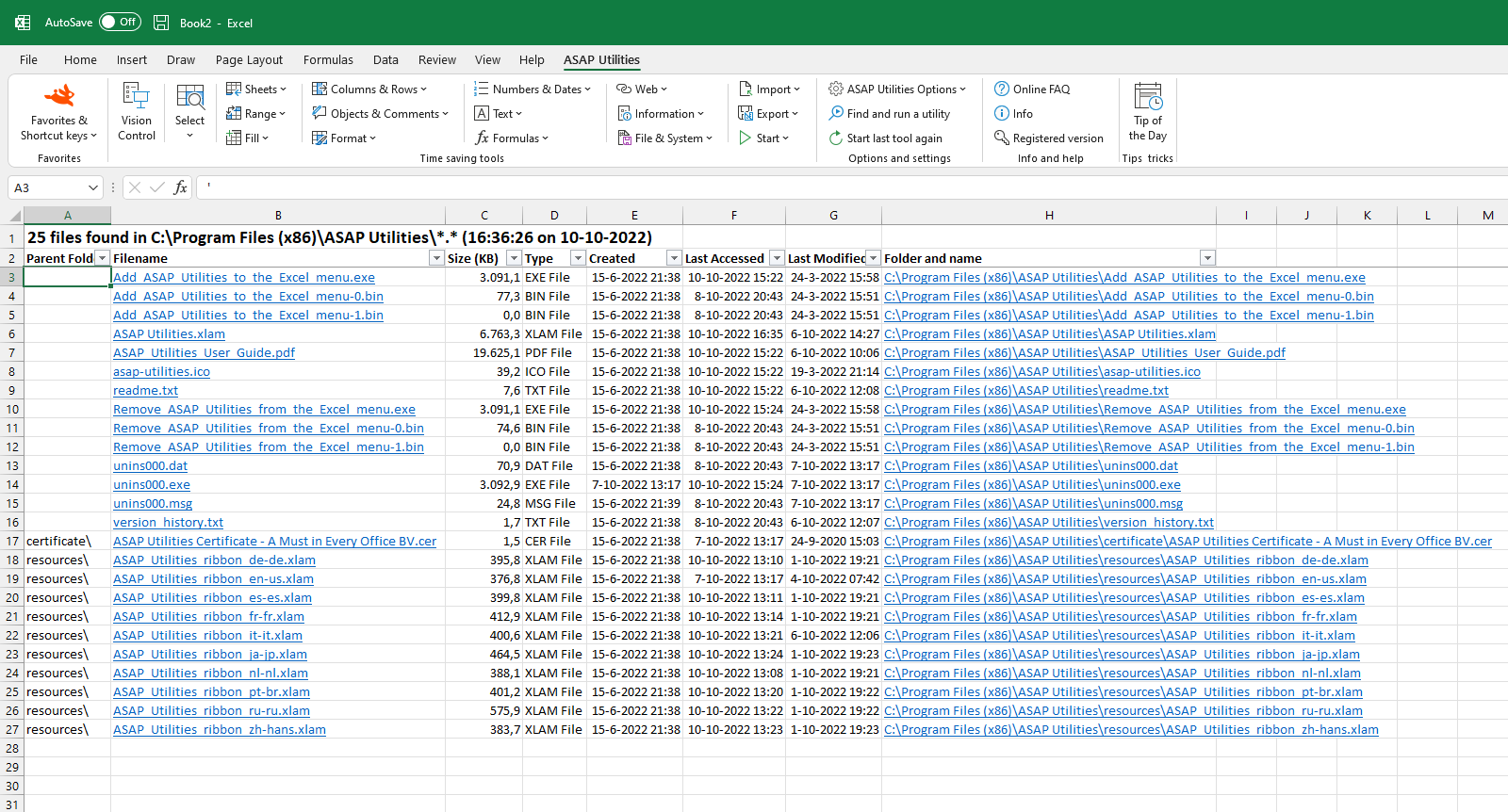
By default, it reports the following file properties:
- Subfolder
- Filename
- File size (KB)
- File type
- Date created
- Date modified
- Date last accessed
- Full path (folder and filename combined)
You can also add many additional file details using the "Choose Details" button, just like in Windows Explorer. This allows you to include extra metadata such as document authors, photo dimensions, camera model, music artist and album, and much more.
These available extra details depend on your version of Windows. ASAP Utilities relies on Windows to retrieve and display these extended file properties.
This tool is useful for:
- Creating a file inventory or audit
- Tracking files in shared folders or project directories
- Quickly exporting file metadata for analysis or reporting in Excel
Your last used settings are automatically remembered.
By default, you can launch this tool using the Control+Alt+F shortcut.
Starting this tool
Specify a Keyboard Shortcut: ASAP Utilities › My Tools & Shortcuts › Manage My Tools & Shortcuts...
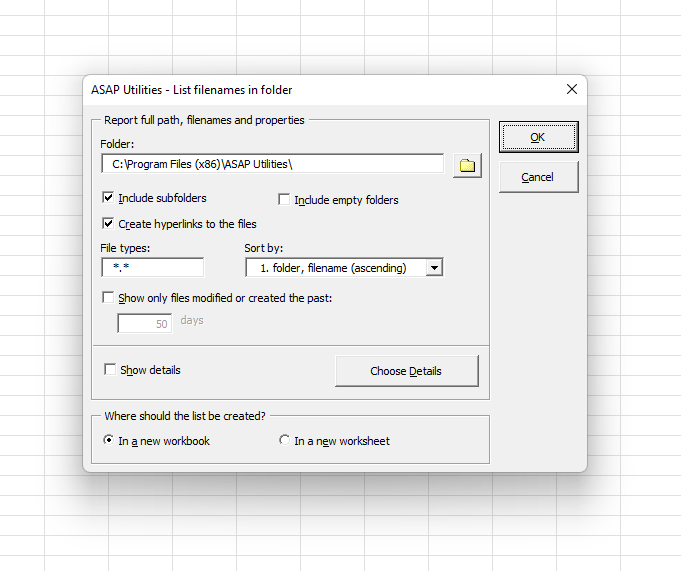
Example screenshot: 2 (Here's the English version.)
Additional keywords to help you find this tool:
Get list of file names from folder, Create file inventory, Export folder contents to Excel, List all files in a folder, Generate file list with properties, Folder file listing tool, Import filenames and metadata, Read file properties from directory, File list from Windows folder, Get file details from folder, Create folder report, Extract file list from folder, Print list of files in folder, Insert folder contents into worksheet, List files with creation date and size, Report folder contents with file metadata, Scan folder and export file names, Folder file list generator, Get Windows Explorer file details in Excel
Tip:Alt+P for the previous tool.
Tip: Alt+N for the next tool.

Save Time in Excel. The Easy Way.
ASAP Utilities helps you save time and do what Excel alone can't.
You can get started right away. No training needed.
Most users start with a few tools. Many end up using ASAP Utilities daily.
Used by teams in 28,500+ organizations.
Get Started with ASAP Utilities
Start saving time in Excel with practical tools you can use right away.
-
No sign-up required.
-
-
Free 90-day trial