


Insert Visual Breaks Between Groups in a Column...
This tool makes it easy to visually separate groups of rows based on repeating values in a column.
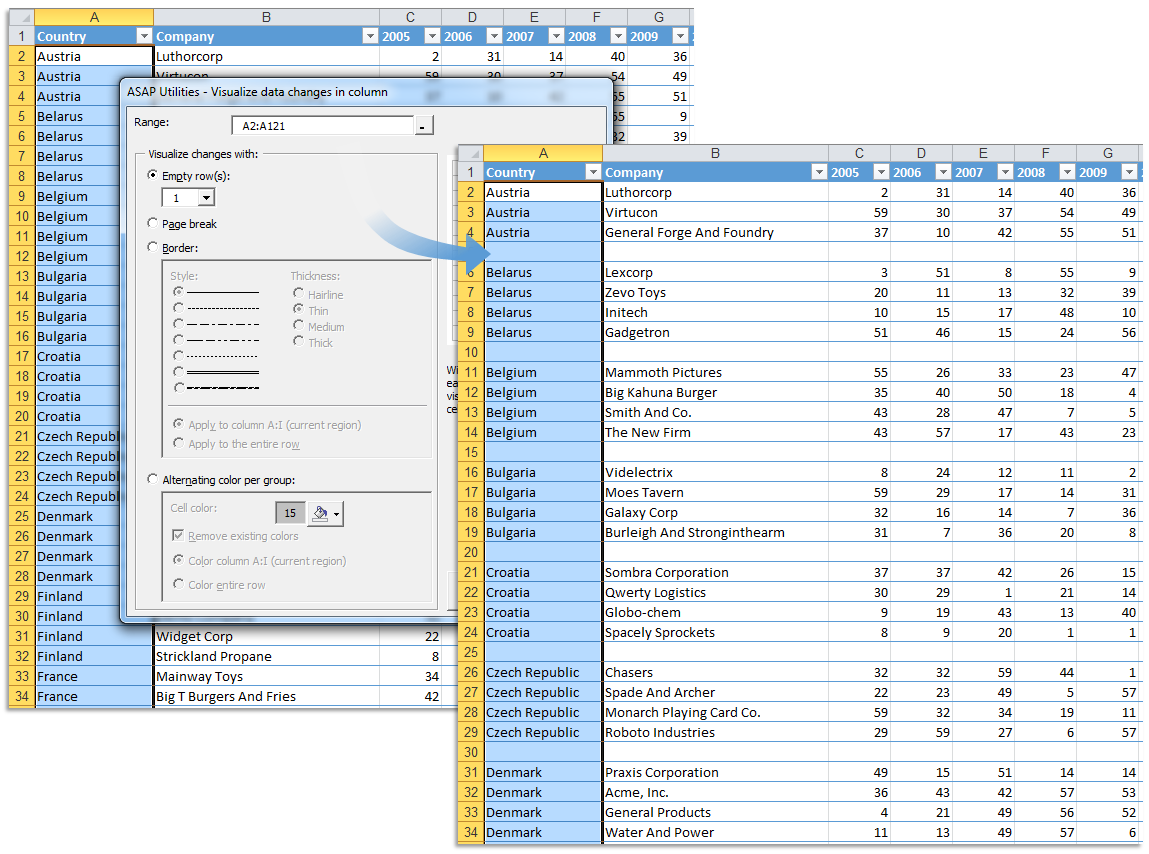
It analyzes one column in your selection, detects where the value changes, and then inserts visual formatting to highlight the group breaks.
You can choose to insert:
- Empty row(s) between groups
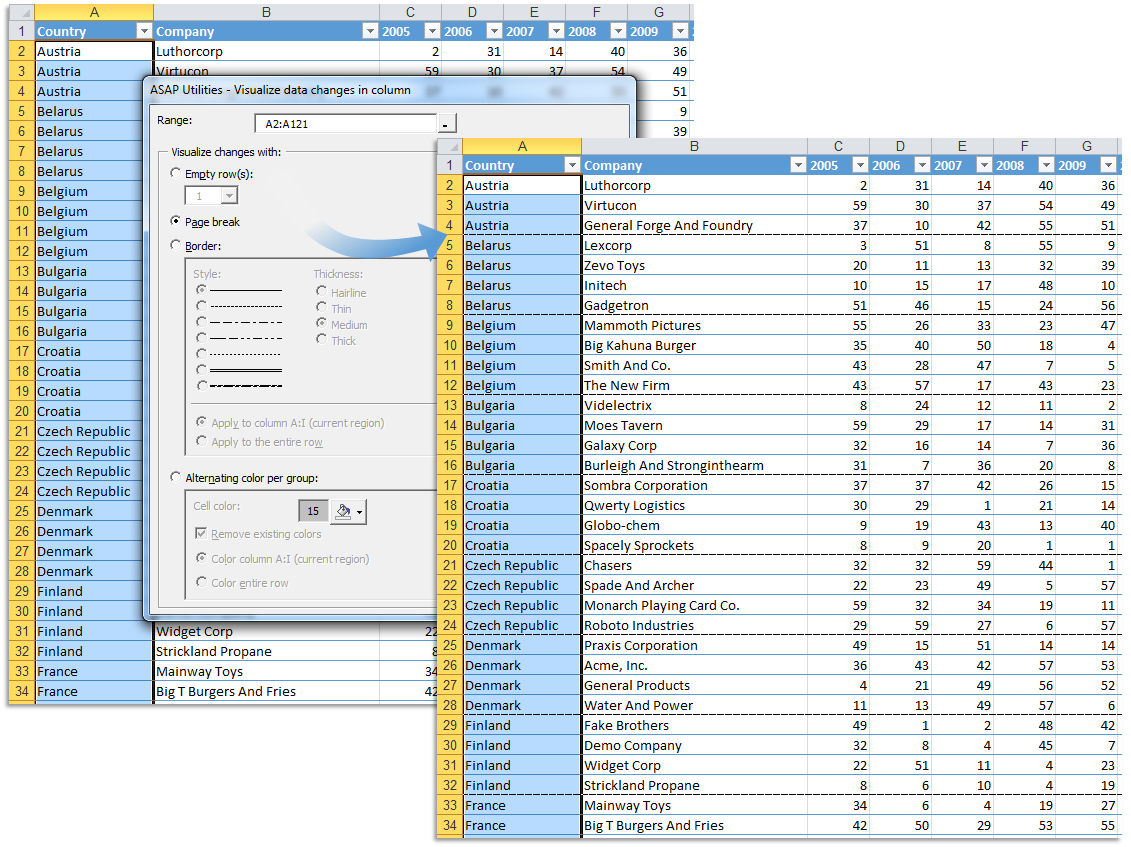
- A page break between groups
-
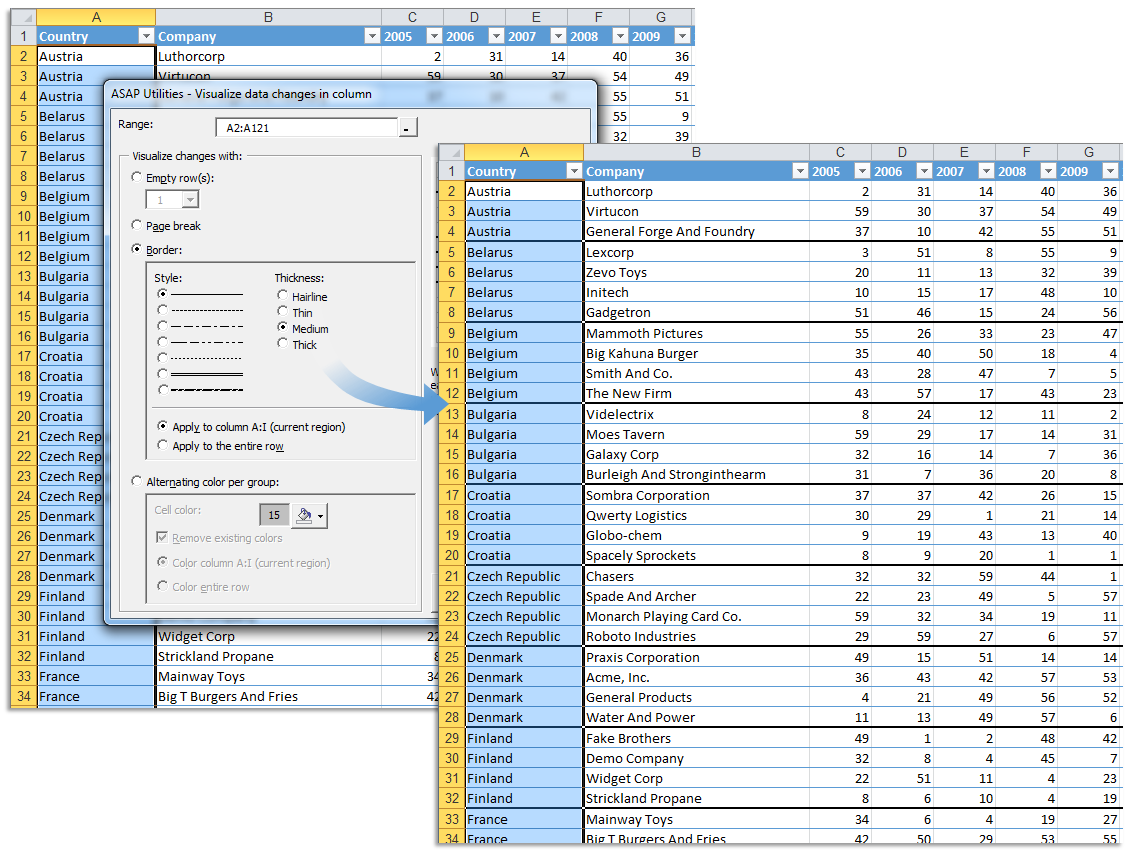
A border below each group
- Customize style, thickness, and color
- Apply to the current table or region or the entire row
-
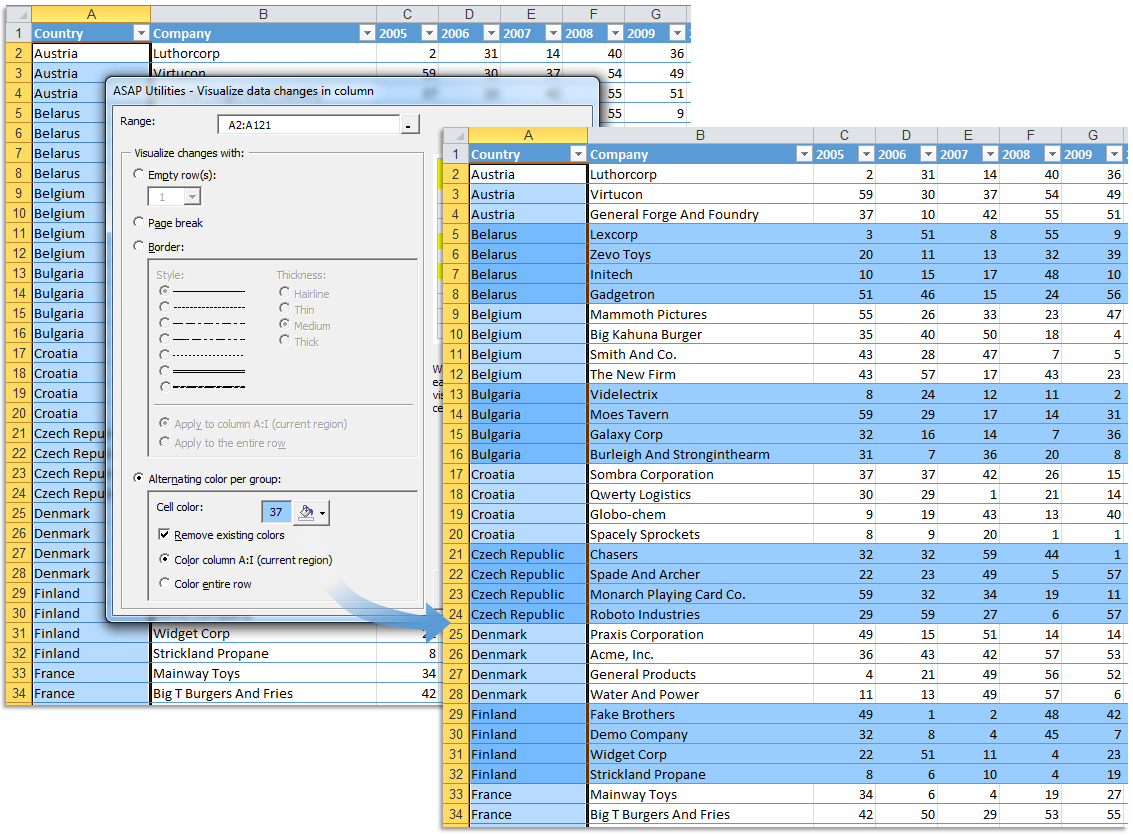
Alternating colors for each group
- Optionally remove existing formatting first
- Apply to the current table or region or the entire row
This makes your data easier to scan, present, or print.
Examples of use:
- Add white space or lines between customers, regions, or product types
- Visually group transactions by account or project
- Shade alternating groups to improve readability
Your last used settings are automatically remembered.
Starting this tool
Specify a Keyboard Shortcut: ASAP Utilities › My Tools & Shortcuts › Manage My Tools & Shortcuts...
Example screenshot: 2 Insert a pagebreak between groups (Here's the English version.)
Example screenshot: 3 Insert a border line between groups (Here's the English version.)
Example screenshot: 4 Color banding per group (Here's the English version.)
Additional keywords to help you find this tool:
Highlight group breaks in Excel, Insert row after value change, Separate groups in column, Visual breaks between data groups, Detect value change in column, Insert blank row between repeating values, Alternating colors for grouped rows, Group formatting, Insert page break when value changes, Column formatting by group, Separate repeated values visually, Formatting on value change, Break on duplicate values, Highlight row groups, Insert row after group change, Auto format groups, Group data visually, Format table by value change, Visually split data in Excel, Insert line after each group
Tip:Alt+P for the previous tool.
Tip: Alt+N for the next tool.

Save Time in Excel. The Easy Way.
ASAP Utilities helps you save time and do what Excel alone can't.
You can get started right away. No training needed.
Most users start with a few tools. Many end up using ASAP Utilities daily.
Used by teams in 28,500+ organizations.
Get Started with ASAP Utilities
Start saving time in Excel with practical tools you can use right away.
-
No sign-up required.
-
-
Free 90-day trial