


Unmerge Selected Cells
This tool unmerges all merged cells in your current selection.
This is useful when:
- Cleaning up imported or formatted data
- Preparing data for sorting or filtering
- Restoring a consistent, grid-based layout
It works similarly to Excel's "Merge & Center" button, which toggles merging on and off or the "Unmerge Cells" option in its dropdown.
The benefit of having this tool in ASAP Utilities is that you can assign a shortcut to it via 'My Tools & Shortcut Keys' for accessibility and even faster access.
Why unmerge?
Merged cells can cause issues with sorting, filtering, and selecting ranges. They're often discouraged in structured datasets because they break Excel's row and column logic.
Tip:
Instead of merging, consider using our "Center Horizontally Across Selection Without Merging" tool or Excel's Center Across Selection option in the Format Cells > Alignment settings. It visually centers text horizontally without merging cells, making your data easier to work with.
Starting this tool
Specify a Keyboard Shortcut: ASAP Utilities › My Tools & Shortcuts › Manage My Tools & Shortcuts...
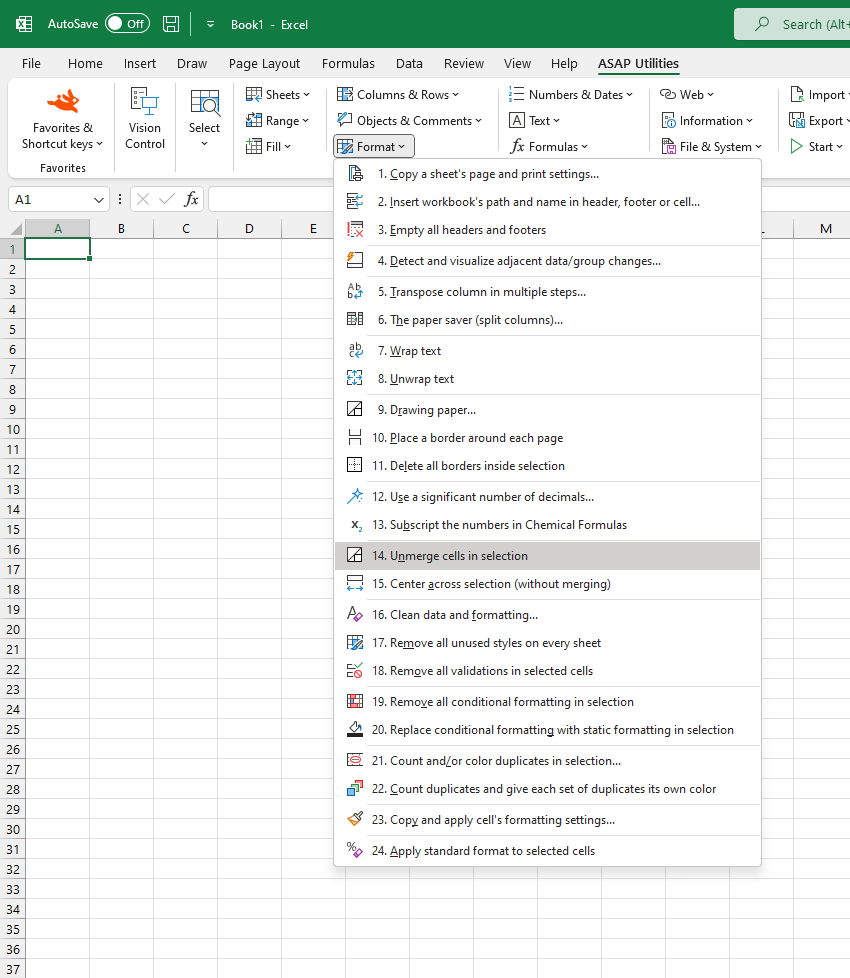
Additional keywords to help you find this tool:
Unmerge selected cells, Split merged cells, Unmerge shortcut, Undo merge, Unmerge all cells in selection, Unmerge multiple cells, Fix merged cells, Sort merged cells, Problems with merged cells, Excel cannot sort merged cells, Unmerge without losing data, Excel center across selection alternative, Break merged cells
Tip:Alt+P for the previous tool.
Tip: Alt+N for the next tool.

Save Time in Excel. The Easy Way.
ASAP Utilities helps you save time and do what Excel alone can't.
You can get started right away. No training needed.
Most users start with a few tools. Many end up using ASAP Utilities daily.
Used by teams in 28,500+ organizations.
Get Started with ASAP Utilities
Start saving time in Excel with practical tools you can use right away.
-
No sign-up required.
-
-
Free 90-day trial