


Center Horizontally Across Selection Without Merging
This tool centers the value from the leftmost cell horizontally across the selected empty cells to its right, without merging any cells.
It applies Excel's built-in Center Across Selection alignment setting. This looks similar to merged cells but avoids the typical problems that merged cells cause, such as issues with sorting, filtering, or selecting data.
This is useful when:
- You want a clean, centered layout without merging cells
- You need to avoid problems caused by merged cells in tables or exports
- You're labeling headers or section titles that span multiple columns
Compared to Excel's Merge & Center, this method is safer and better suited for structured data.
You can also apply this manually in Excel via:
Format > Format Cells > Alignment tab > Horizontal: Center Across Selection
The benefit of having this tool in ASAP Utilities is that you can assign a shortcut to it via 'My Tools & Shortcut Keys' for accessibility and quick, repeated use.
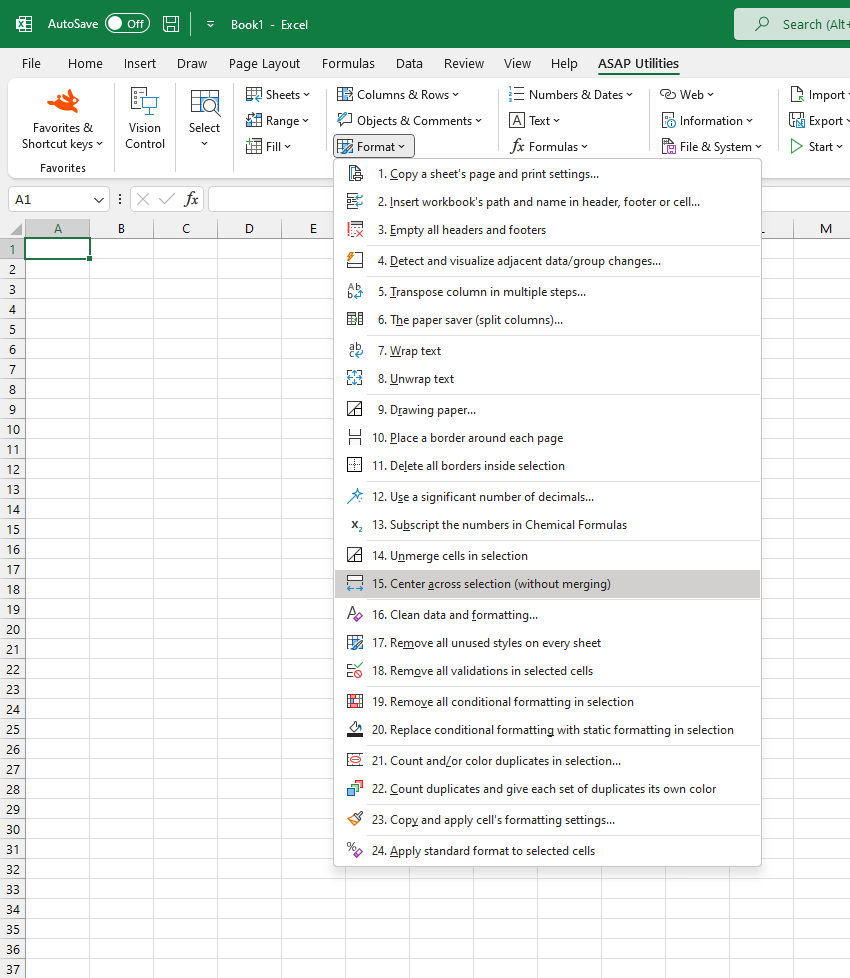
Starting this tool
Specify a Keyboard Shortcut: ASAP Utilities › My Tools & Shortcuts › Manage My Tools & Shortcuts...
Additional keywords to help you find this tool:
Center across selection, Center text without merging, Center across multiple cells, Center without merge, Center header across columns, Center without merge cells, Alignment without merging, Center label across columns, Alternative to merge and center, Format cells center across, Horizontal center in Excel, Center title across selection, Center across blank cells, Center text shortcut, Center value across columns, Fix merge cell issues, Clean formatting without merge, Center cell content across range
Tip:Alt+P for the previous tool.
Tip: Alt+N for the next tool.

Save Time in Excel. The Easy Way.
ASAP Utilities helps you save time and do what Excel alone can't.
You can get started right away. No training needed.
Most users start with a few tools. Many end up using ASAP Utilities daily.
Used by teams in 28,500+ organizations.
Get Started with ASAP Utilities
Start saving time in Excel with practical tools you can use right away.
-
No sign-up required.
-
-
Free 90-day trial