


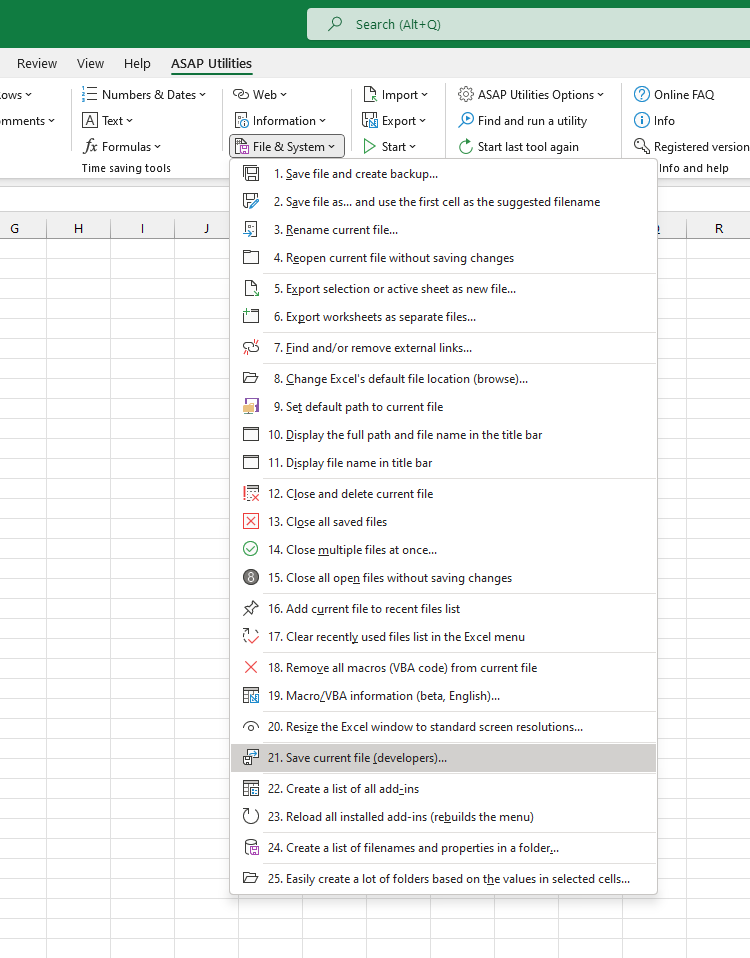
Force Save Workbook (Ignore Workbook_BeforeSave Event)...
This tool lets you force-save your current workbook, even if a macro in the workbook is trying to prevent saving.
Some workbooks use VBA code with the Workbook_BeforeSave event to control or block saving. This is often used to:
- Prevent saving entirely
- Require certain conditions before allowing a save (for example, entering a password or filling in specific cells)
This tool bypasses that specific macro event, allowing you to save the file anyway without triggering the Workbook_BeforeSave code.
It's useful when:
- You're a developer testing workbooks with custom save restrictions
- You want to save your changes without triggering save-related macros
- You're troubleshooting save behavior in a workbook
How it works:
- Ignores the Workbook_BeforeSave event when saving
- Saves the current file with all changes
- Macros in the workbook remain unchanged
Important to know:
- This tool only bypasses the save-blocking code while saving. It does not remove or change any macros in your workbook.
- Any other protection (like a password to modify) is not bypassed.
Starting this tool
Specify a Keyboard Shortcut: ASAP Utilities › My Tools & Shortcuts › Manage My Tools & Shortcuts...
Additional keywords to help you find this tool:
force save workbook, bypass save-blocking macro, ignore Workbook_BeforeSave, save file with save disabled, override VBA save restriction, save without running macro, cannot save Excel file, prevent save blocked by macro, force Excel to save file, save workbook despite macro
Tip:Alt+P for the previous tool.
Tip: Alt+N for the next tool.

Save Time in Excel. The Easy Way.
ASAP Utilities helps you save time and do what Excel alone can't.
You can get started right away. No training needed.
Most users start with a few tools. Many end up using ASAP Utilities daily.
Used by teams in 28,500+ organizations.
Get Started with ASAP Utilities
Start saving time in Excel with practical tools you can use right away.
-
No sign-up required.
-
-
Free 90-day trial