


Count Duplicate Values in Selection (Optional Coloring)...
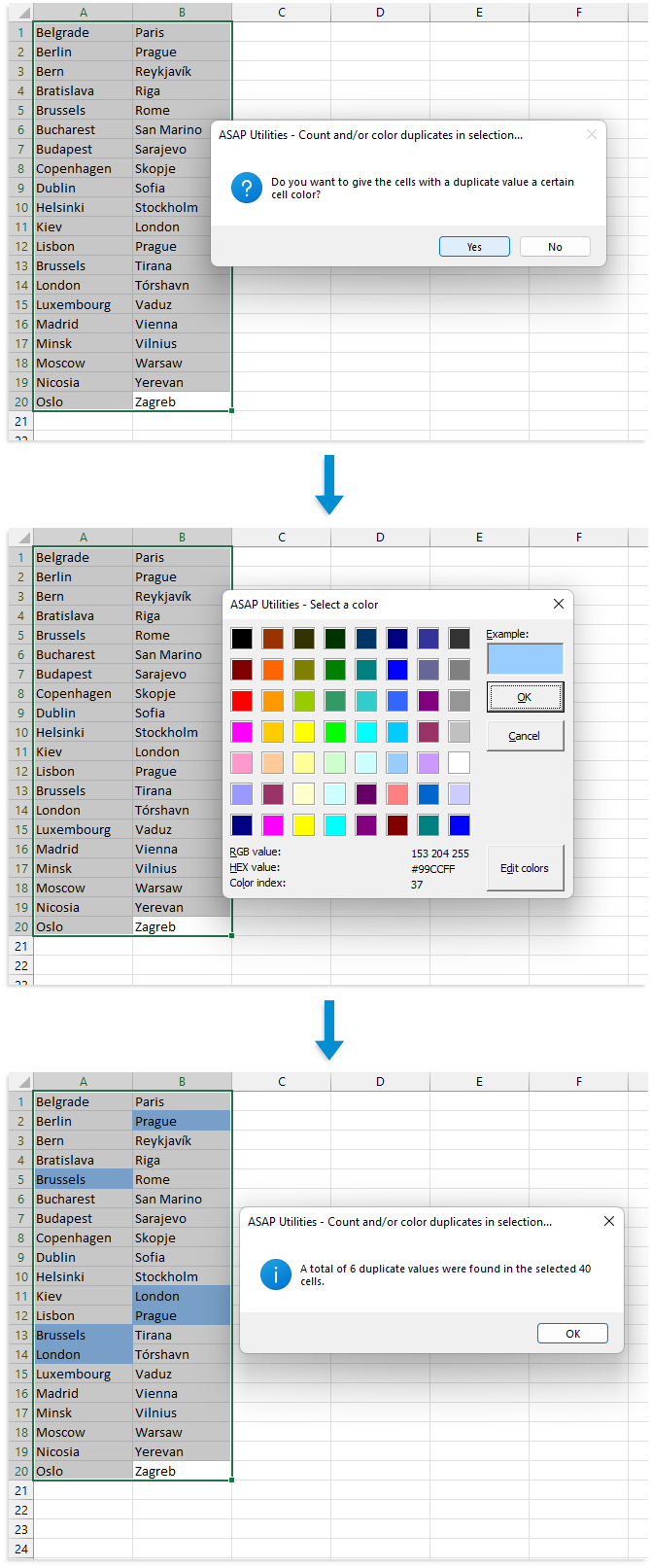
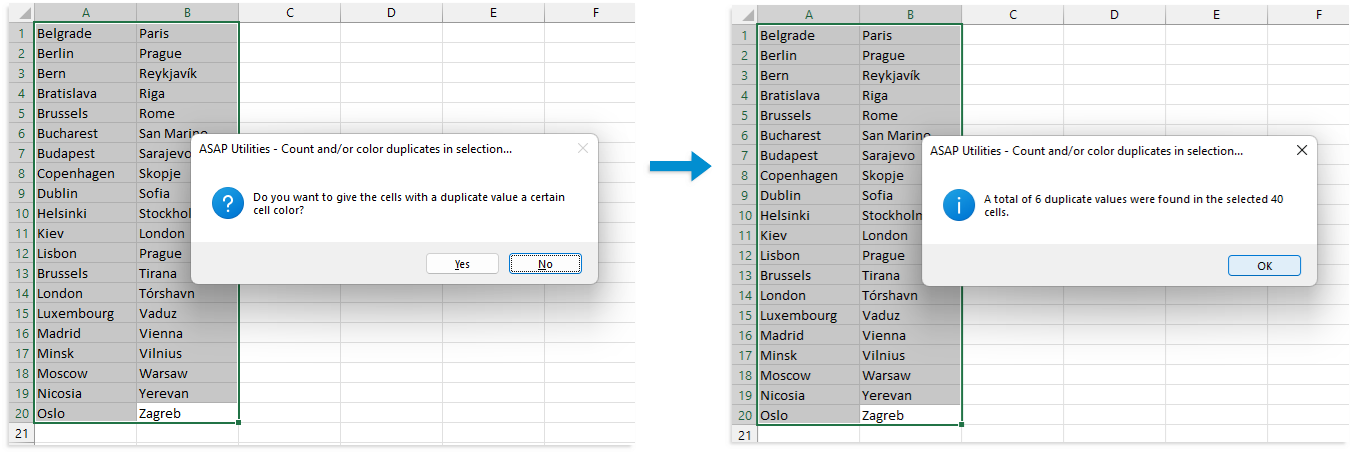
This tool checks the selected range for duplicate values and informs you of the number found.
You can choose to assign a specific fill color to duplicate values to make them easier to identify.
By default, you can launch this tool using the Control+Alt+Shift+D shortcut.
Note:
- The tool is case-sensitive. For example, "Excel" and "EXCEL" are considered different values.
- If your selection includes formulas, the tool compares the calculated values, not the formulas themselves. For instance, if one cell displays the number 12 and another contains the formula =3*4, resulting in 12, they are considered duplicates.
- Hidden cells within your selection are included in the analysis.
- In some instances, such as when working with long numeric values like credit card numbers, this tool provides more accurate results than Excel's built-in methods like Conditional Formatting or COUNTIF, which can misidentify such values as duplicates due to rounding.
Starting this tool
Specify a Keyboard Shortcut: ASAP Utilities › My Tools & Shortcuts › Manage My Tools & Shortcuts...
Example screenshot: 2 No color and just count the duplicated values (Here's the English version.)
Additional keywords to help you find this tool:
find duplicates, highlight duplicates, count duplicate values, duplicate data in Excel, duplicate cells, duplicate fields, tag duplicates, deduplicate, dedupe, undouble, identify repeated values, color duplicates, colour duplicates, flag duplicate entries, find duplicate values in selection, Excel duplicate checker, show duplicate cells
Tip:Alt+P for the previous tool.
Tip: Alt+N for the next tool.

Save Time in Excel. The Easy Way.
ASAP Utilities helps you save time and do what Excel alone can't.
You can get started right away. No training needed.
Most users start with a few tools. Many end up using ASAP Utilities daily.
Used by teams in 28,500+ organizations.
Get Started with ASAP Utilities
Start saving time in Excel with practical tools you can use right away.
-
No sign-up required.
-
-
Free 90-day trial