


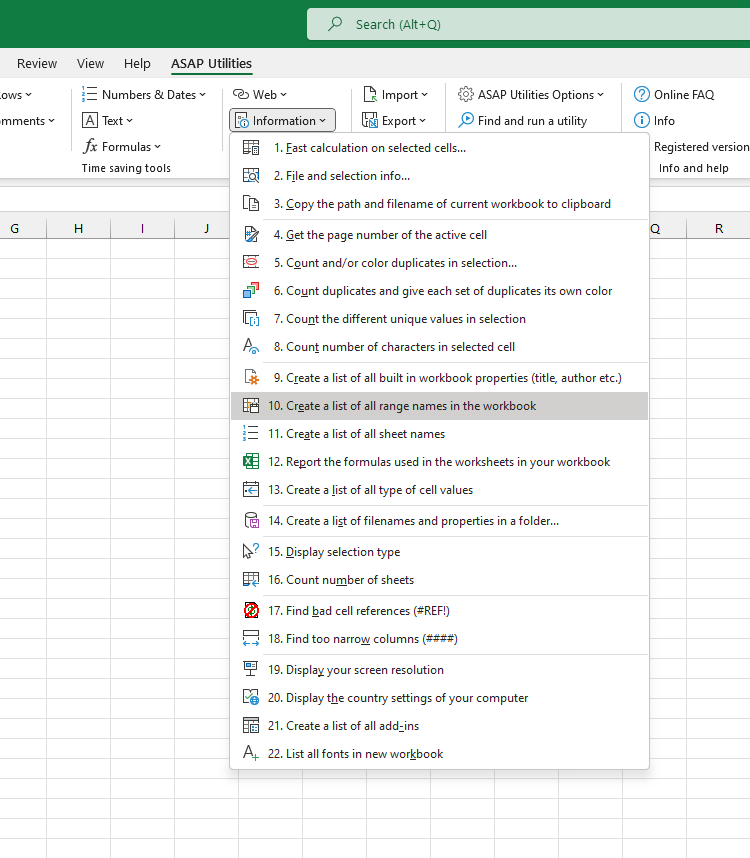
List All Named Ranges in Workbook
This tool creates a detailed list of all named ranges in your workbook.
It generates a new workbook with a report that includes:
- The name of each defined range
- The sheet and cell reference the name refers to
- The scope (workbook-level or worksheet-level, including the sheet name if applicable)
- Any associated comments or descriptions
- The visibility status (whether the name is visible or hidden)
This overview helps you:
- Review and document all named ranges
- Detect errors, duplicates, or broken references
- Identify hidden names that may affect formulas or logic
- Clean up unused or outdated names
- Understand workbook structure for auditing or development
The report includes both visible and hidden names.
Hidden names are not shown in Excel's Name Manager but can still be used in formulas or accessed via VBA. This tool helps surface those names for full transparency.
Starting this tool
Specify a Keyboard Shortcut: ASAP Utilities › My Tools & Shortcuts › Manage My Tools & Shortcuts...
Additional keywords to help you find this tool:
view defined names, export named ranges, show workbook names, workbook-level names, worksheet-level names, Excel name scope, hidden named ranges, audit named ranges Excel, Excel defined names report, range name visibility, named range list, name comments, formula names, list all names in Excel file
Tip:Alt+P for the previous tool.
Tip: Alt+N for the next tool.

Save Time in Excel. The Easy Way.
ASAP Utilities helps you save time and do what Excel alone can't.
You can get started right away. No training needed.
Most users start with a few tools. Many end up using ASAP Utilities daily.
Used by teams in 28,500+ organizations.
Get Started with ASAP Utilities
Start saving time in Excel with practical tools you can use right away.
-
No sign-up required.
-
-
Free 90-day trial