


Create a Visual Map of Cell Types in a New Workbook
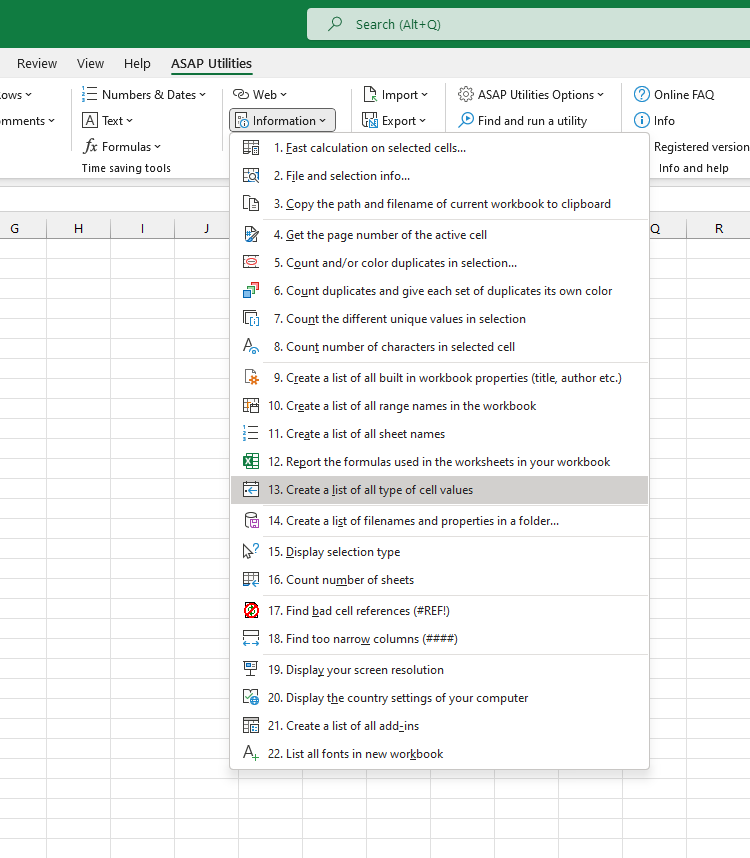
This tool creates a new workbook with a color-coded map that shows the content type of each cell in your current worksheet.
The new workbook preserves your data layout and visually indicates each cell's content type without showing the original content. Each cell shows:
- A background color to represent the type of content
- A label (e.g., "Text", "Formula") for added clarity
The following color codes are used:
- Blue: Formula
- Yellow: Number
- Green: Text
- Red: External Link
This is useful when you want to:
- Get a clear overview of your worksheet structure
- Audit where formulas or external links are used
- Spot inconsistencies in data types
- Prepare for cleanup, documentation, or debugging
Your original data is not changed. The tool creates a separate color-coded map in a new workbook to help you safely review and understand your worksheet's structure.
Starting this tool
Specify a Keyboard Shortcut: ASAP Utilities › My Tools & Shortcuts › Manage My Tools & Shortcuts...
Additional keywords to help you find this tool:
visualize cell types, color-code cells, content type viewer, highlight formulas and text, data type map, audit worksheet structure, cell classification, find external links, worksheet structure overview, visual cell overview, visualize data layout, cell type analysis, color-coded audit, content mapping tool
Tip:Alt+P for the previous tool.
Tip: Alt+N for the next tool.

Save Time in Excel. The Easy Way.
ASAP Utilities helps you save time and do what Excel alone can't.
You can get started right away. No training needed.
Most users start with a few tools. Many end up using ASAP Utilities daily.
Used by teams in 28,500+ organizations.
Get Started with ASAP Utilities
Start saving time in Excel with practical tools you can use right away.
-
No sign-up required.
-
-
Free 90-day trial